SoundMagic MP3 and WAV editor for audio files icon

SoundMagic MP3 and WAV editor for audio files Chrome Extension Analysis

Developer & Designer Tools

Chrome extension ID: hmafjcehofkeaijnboefjjlldnjglgdj

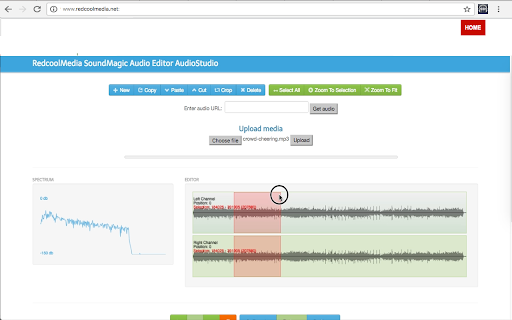
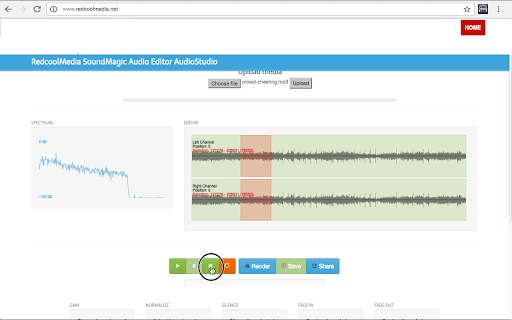
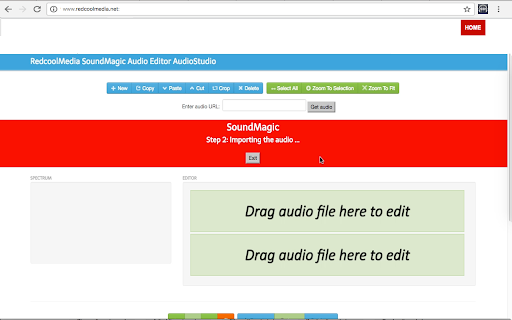
SoundMagic is a Chrome extension that allows users to create and edit audio files in MP3 and WAV formats. It features tools for cropping, zooming, importing audio from URLs or local disks, and rendering the final output locally.

Developer:RedcoolMedia
Version:1.9.3
Size:499KiB
Last updated:

Overview

Installs

3K+

Rating

3.5

35 reviews

Languages

18 locales

Includes Deutsch, English, Nederlands, Türkçe...

Market analysis

Review-backed positioning, friction, and market signals for this Chrome extension.

Backed by review samples

Macro category

Developer & Designer Tools

Pricing friction

Low review signal

Complaint intensity

Moderate review signal

Listing & review signals
Observed signals from store listing text and review samples.

Listing positioning

The product is positioned as a fast, browser-based audio editor for MP3 and WAV files. It emphasizes a comprehensive set of manipulation tools including cutting, pasting, fading, and volume adjustment.

Inferred product pattern

Browser-based utility tool for simple media editing.

Review-backed pain points

Users report severe technical failures, including the application crashing, freezing, and a total inability to play, save, or fade tracks.

Observed feature gaps

While the listing claims a wide array of features, review evidence suggests a gap between claimed functionality and actual execution, with reports of core tools being non-functional.

Tags
Audio EditorMP3 EditorWAV EditorSound ManipulationAudio Utility
Target users

- Casual content creators

- Podcasters

- Students

- Audio hobbyists

Primary use cases

- Trimming audio clips

- Adjusting audio volume and gain

- Adding fade-in and fade-out effects

- Basic audio file splicing

Positive themes

- General satisfaction

- Appreciation for the tool's concept

Negative themes

- Stability issues

- Complete functional failure

Observed friction

- Performance complaints detected

- No pricing friction observed as no payment requirements are mentioned in the listing.

Evidence boundary: Data extracted from the Chrome Web Store listing and a subset of user reviews. Small review sample size relative to total user base.
Complaint summaries
Review-backed complaint signals grouped by operational area.

Support

No specific support-related complaints, though frustration is expressed regarding the product's lack of functionality.

Reliability

Significant reliability issues reported, specifically regarding freezing and crashing during use.

Privacy

No privacy or security complaints observed.

Access & pricing

- No clear monetization signal

- No account requirement observed

- Free plan or free usage claimed

Store listing facts

Listing assets

- Screenshots: 3

- Videos: 0

- Languages: 18

Trust signals

- Privacy policy

- Developer contact

- Official website

Store metadata

- Version: 1.9.3

- Size: 499KiB

- Last updated:

Listing SEO keywords

Search intent keywords
Keyword signals for evaluating how users may discover, compare, or search for this extension category.

Core discovery

online mp3 editorwav file cutterbrowser audio editorfree sound editor chrome

Comparison

SoundMagic vs online audio editorbest chrome mp3 editorSoundMagic alternative

Problem

how to cut mp3 in browseredit wav file online freetrim audio file chrome extension

Alternative

free mp3 editor extensiononline wav cutterbrowser based audio tool

Similar extensions

Jump to related discovery paths:

Screenshots

SoundMagic MP3 and WAV editor for audio files screenshot

Links

Recommended Chrome extensions

Related listings from the same category, trending peers, and the same publisher portfolio.

Browse workflow