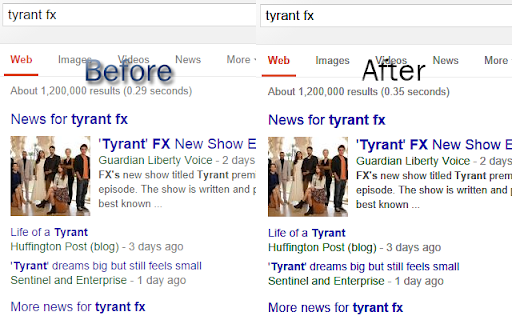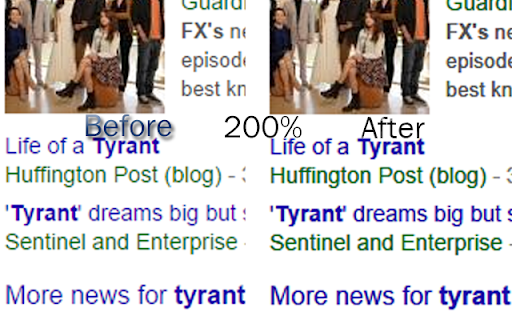
Font Rendering Enhancer icon

Font Rendering Enhancer Chrome Extension Analysis

Developer & Designer Tools

Chrome extension ID: hmbmmdjlcdediglgfcdkhinjdelkiock

Font Rendering Enhancer is a browser utility that allows users to adjust font weight and rendering style via a control panel. It is designed to make text appear bolder and more anti-aliased on web pages.

Developer:Festum
Version:0.3.0
Size:573KiB
Last updated:

Overview

Installs

70K+

Rating

4.5

374 reviews

Languages

1 locales

Includes English

Market analysis

Review-backed positioning, friction, and market signals for this Chrome extension.

Backed by review samples

Macro category

Developer & Designer Tools

Pricing friction

Low review signal

Complaint intensity

Moderate review signal

Listing & review signals
Observed signals from store listing text and review samples.

Listing positioning

The extension claims to improve text clarity and darkness in Chrome by applying CSS3 properties to simulate Mac OS-style font anti-aliasing. It positions itself as a specialized utility for users dissatisfied with Windows-based font rendering in browsers.

Inferred product pattern

Legacy CSS-injection style helper for typography.

Review-backed pain points

Users report that the extension often fails to produce visible changes, breaks rendering for emojis and media subtitles, and creates performance bottlenecks such as high CPU usage in print dialogue.

Observed feature gaps

Lack of an exclusion/whitelist feature to prevent the extension from affecting specific elements (emojis, subtitles) or domains, and a lack of active maintenance/updates.

Tags
TypographyFont RenderingUI CustomizationCSS TweakBrowser Styling
Target users

- Windows users

- Design-conscious browsers

- Users with visual accessibility needs

Primary use cases

- Increasing font weight for better readability

- Simulating Mac-style font anti-aliasing

Positive themes

- Historical efficacy for text darkening

- Simple UI for manual adjustment

Negative themes

- Broken functionality on modern Chrome versions

- Interference with emojis and website assets

- Performance issues with print preview

- Breakage of subtitle styling on platforms like YouTube

Observed friction

- Performance complaints detected

- None; the product is free.

Evidence boundary: Evidence is derived from user reviews highlighting a mix of historical satisfaction and significant technical breakage due to lack of recent updates. Reviews span a long timeframe (2016-2026), suggesting the extension has not been reliably maintained to keep pace with evolving web standards and browser updates.
Complaint summaries
Review-backed complaint signals grouped by operational area.

Support

Users express frustration regarding the lack of updates and the failure to address long-standing bugs.

Reliability

High; users report significant issues with browser performance, print preview crashes, and rendering interference with emojis and media subtitles.

Privacy

No privacy complaints observed.

Access & pricing

- Free usage observed

- No account requirement observed

- Free plan or free usage claimed

Store listing facts

Listing assets

- Screenshots: 2

- Videos: 0

- Languages: 1

Trust signals

- Privacy policy

- Developer contact

Store metadata

- Version: 0.3.0

- Size: 573KiB

- Last updated:

Listing SEO keywords

Search intent keywords
Keyword signals for evaluating how users may discover, compare, or search for this extension category.

Core discovery

Chrome font rendering fixmake Chrome text darkerbrowser font anti-aliasing extensionimprove font readability Chrome

Comparison

Mac font rendering vs WindowsFont Rendering Enhancer alternative

Problem

jagged fonts in Chromefaint text on websitesChrome print preview freezing

Alternative

font weight browser extensiontypography CSS tweak

Similar extensions

Jump to related discovery paths:

Screenshots

Font Rendering Enhancer screenshot

Links

Recommended Chrome extensions

Related listings from the same category, trending peers, and the same publisher portfolio.

Browse workflow