My Downloads icon

My Downloads Chrome Extension Analysis

Automation & Workflow Efficiency

Chrome extension ID: ienfdfooajmkbebiaplehejbamefbboi

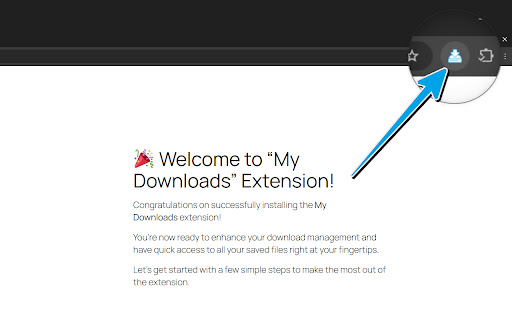
My Downloads is a browser extension that provides a shortcut to the default Chrome downloads page. It aims to offer a quick, toolbar-accessible way for users to view and manage their downloaded files.

Version:0.0.1.1727
Size:33.66KiB
Last updated:

Overview

Installs

100K+

Rating

3.7

33 reviews

Languages

21 locales

Includes Deutsch, English, English (United Kingdom), English (United States)...

Market analysis

Review-backed positioning, friction, and market signals for this Chrome extension.

Backed by review samples

Macro category

Automation & Workflow Efficiency

Pricing friction

Low review signal

Complaint intensity

Moderate review signal

Listing & review signals
Observed signals from store listing text and review samples.

Listing positioning

The listing positions the product as a simple, one-click interface for managing Chrome downloads. It emphasizes accessibility and multiple language support to streamline the user's browser workflow.

Inferred product pattern

Simple shortcut utility that redirects to a native browser page.

Review-backed pain points

Users often report that the extension feels redundant as it simply opens the native browser downloads page, which is already accessible via hotkey or browser menus.

Observed feature gaps

The extension lacks unique management features, serving primarily as a redirect or shortcut rather than an independent file management tool.

Tags
Downloads ManagerBrowser UtilityProductivity
Target users

- Chrome users

- Browser power users

Primary use cases

- Quick access to download history

- Managing downloaded files

Positive themes

- Simplifies browser navigation

- Ease of access

- Convenient shortcut for downloads

Negative themes

- Redundancy with built-in browser features

- Potential privacy concerns

- Claims of unwanted spam or invasive behavior

Observed friction

- Privacy complaints detected

- None; the extension appears to be free and does not feature prominent payment barriers.

Evidence boundary: Analysis based on user reviews highlighting both simple utility and frustration regarding its lack of unique functionality versus native browser behavior. Review volume is relatively low, and some negative sentiment mentions privacy concerns that cannot be independently verified through technical audit.
Complaint summaries
Review-backed complaint signals grouped by operational area.

Support

Some users expressed frustration regarding unsolicited contact/spam and the perceived invasive nature of the extension.

Reliability

Users noted that the extension is essentially a wrapper for the native Chrome downloads page, leading to complaints about it being 'useless' or redundant.

Privacy

Reports exist suggesting the extension may be associated with unwanted spam or invasive data practices.

Access & pricing

- No clear monetization signal

- No account requirement observed

- Free plan or free usage claimed

Store listing facts

Listing assets

- Screenshots: 1

- Videos: 0

- Languages: 21

Trust signals

- Privacy policy

- Developer contact

- Official website

- Support link

Store metadata

- Version: 0.0.1.1727

- Size: 33.66KiB

- Last updated:

Listing SEO keywords

Search intent keywords
Keyword signals for evaluating how users may discover, compare, or search for this extension category.

Core discovery

chrome download managerview downloads extensionbrowser download shortcut

Comparison

chrome downloads page vs extension

Problem

useless browser extensionspammy chrome extension

Alternative

chrome://downloads shortcutdownload management tools

Similar extensions

Jump to related discovery paths:

Screenshots

My Downloads screenshot

Links

Recommended Chrome extensions

Related listings from the same category, trending peers, and the same publisher portfolio.

Browse workflow