ArchTabs — Ultra-Compact Chrome Vertical Tabs · Fit Twice the Tabs icon

ArchTabs Chrome Extension Analysis

Tab & Bookmark Productivity

Store listing title: ArchTabs — Ultra-Compact Chrome Vertical Tabs · Fit Twice the Tabs

Chrome extension ID: iibohhagdapncaofncjmphehlaajoecd

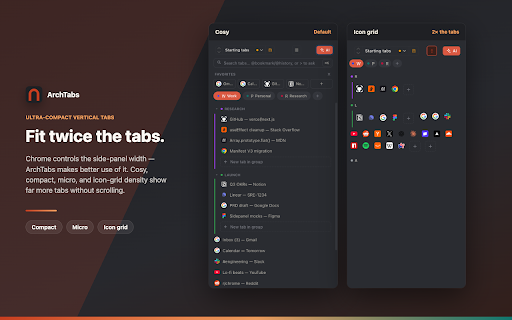
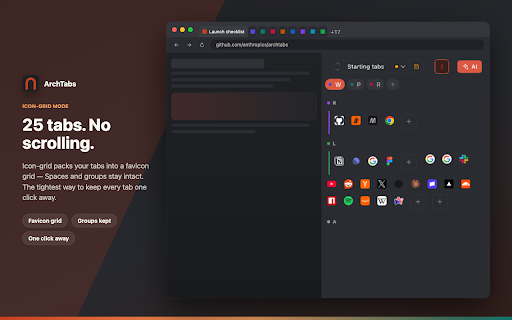
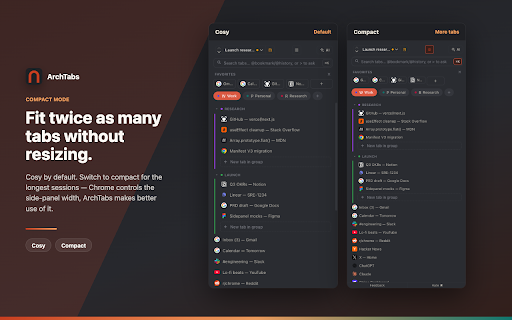
A productivity extension that implements vertical tabs within Chrome's native side panel. It features three density modes to minimize screen real estate loss, organizational Spaces, window snapshots, and optional BYO-key AI integration for tab management.

Developer:u9603656505
Version:0.5.0
Size:76.14KiB
Last updated:

Overview

Installs

90

Rating

5.0

3 reviews

Languages

1 locales

Includes English

Market analysis

Review-backed positioning, friction, and market signals for this Chrome extension.

Backed by review samples

Macro category

Tab & Bookmark Productivity

Pricing friction

Low review signal

Complaint intensity

Low review signal

Listing & review signals
Observed signals from store listing text and review samples.

Listing positioning

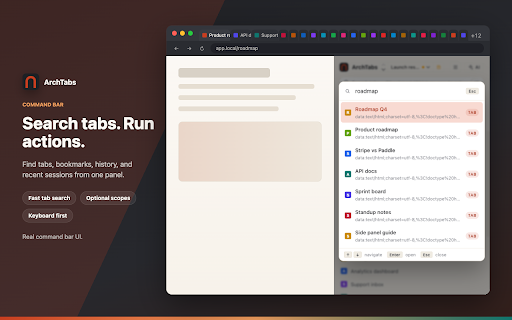
Positions itself as a lightweight, space-efficient alternative to other vertical tab extensions. It specifically targets 'Arc refugees' by offering Arc-style features like Spaces and a Command Bar without requiring a separate browser or account.

Inferred product pattern

Arc-inspired workflow utility designed to bring advanced tab organization to the Chrome side panel.

Review-backed pain points

No review-backed pain points available in current samples.

Observed feature gaps

The listing explicitly notes that the top native Chrome tab bar cannot be hidden due to browser API limitations.

Tags
Vertical TabsTab ManagementArc WorkflowProductivity ToolChrome Sidebar
Target users

- Arc browser users

- Chrome power users with high tab counts

- Users seeking minimal sidebar interfaces

Primary use cases

- Organizing tabs into context-specific Spaces

- Quickly switching tabs via a fuzzy command bar

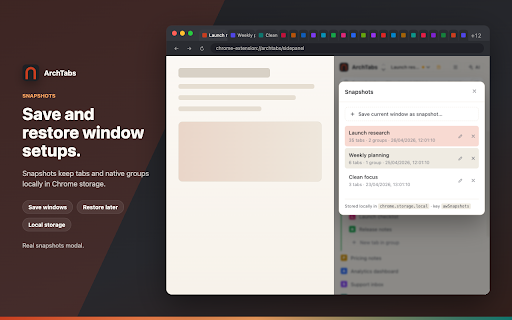
- Saving and restoring window states through snapshots

Positive themes

- Space efficiency of Compact mode

- Familiarity for Arc browser users

- Appreciation for BYO-key AI model

Negative themes

- No negative themes observed in provided samples

Observed friction

- No pricing friction observed; core features are free and AI is bring-your-own-key.

Evidence boundary: Analysis based on the detailed store listing and two high-rating user reviews. Very small sample size of user reviews.
Complaint summaries
Review-backed complaint signals grouped by operational area.

Support

No support complaints observed.

Reliability

No reliability complaints observed.

Privacy

No privacy complaints observed; listing emphasizes local-first settings and no content scripts.

Access & pricing

- Free usage observed

- No account requirement observed

- Free plan or free usage claimed

Store listing facts

Listing assets

- Screenshots: 5

- Videos: 0

- Languages: 1

Trust signals

- Privacy policy

- Developer contact

- Official website

Store metadata

- Version: 0.5.0

- Size: 76.14KiB

- Last updated:

Listing SEO keywords

Search intent keywords
Keyword signals for evaluating how users may discover, compare, or search for this extension category.

Core discovery

chrome vertical tabschrome side panel tabsvertical tab manager chrome

Comparison

ArchTabs vs VertiTabArchTabs vs Vertical Tabs extension

Problem

too many chrome tabschrome tabs taking up too much widthhow to get arc spaces in chrome

Alternative

arc browser chrome alternativevertical tabs extension alternative

Similar extensions

Jump to related discovery paths:

Screenshots

ArchTabs — Ultra-Compact Chrome Vertical Tabs · Fit Twice the Tabs screenshot

Links

Recommended Chrome extensions

Related listings from the same category, trending peers, and the same publisher portfolio.

Browse workflow