Dynalist Companion Clipper icon

Dynalist Companion Clipper Chrome Extension Analysis

Automation & Workflow Efficiency

Chrome extension ID: ilcnkabiejjaijmenfmfobnkplflaglb

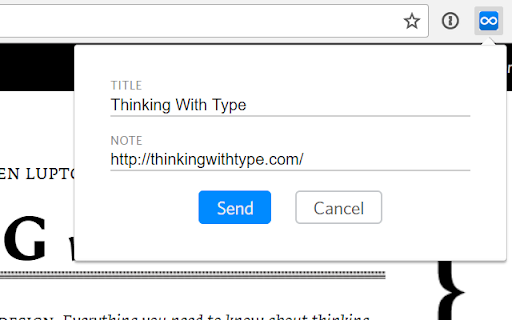
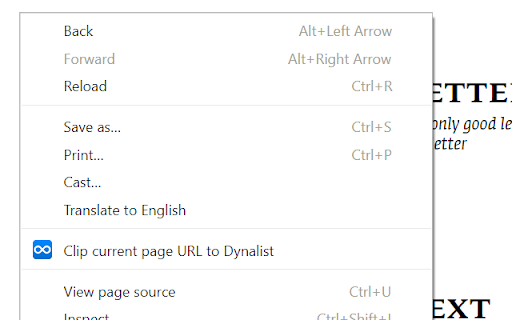
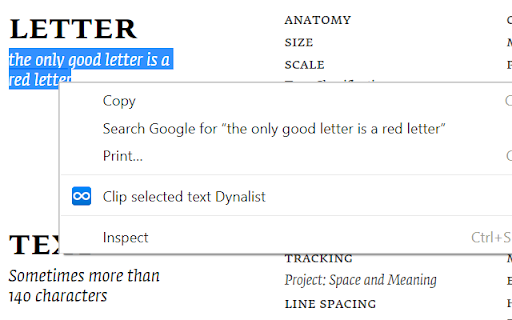
This browser extension allows users to send web page information to their Dynalist account with a single click or a right-click action. It requires a configured Dynalist inbox and active session to function as a quick-capture interface for ideas and references.

Developer:Obsidian
Version:0.4
Size:189KiB
Last updated:

Overview

Installs

2K+

Rating

★ 4.5

25 reviews

Languages

1 locales

Includes English (United States)

Market analysis

Review-backed positioning, friction, and market signals for this Chrome extension.

Backed by review samples

Macro category

Automation & Workflow Efficiency

Pricing friction

Low review signal

Complaint intensity

Moderate review signal

Listing & review signals
Observed signals from store listing text and review samples.

Listing positioning

The Dynalist Companion Clipper is positioned as a productivity utility designed to streamline the capture of web content directly into a user's Dynalist inbox. It serves as a dedicated shortcut for clipping URLs and selected text to reduce tab-switching overhead.

Inferred product pattern

Single-purpose browser utility acting as an API bridge to a specific SaaS note-taking platform.

Review-backed pain points

Users struggle with silent failures when the inbox is not configured, lack of metadata (timestamps/tags) on captured notes, and a general desire for a more robust note-taking experience.

Observed feature gaps

Absence of dynamic tagging support, automatic timestamping for entries, visual confirmation of successful clipping, and advanced formatting options.

Tags
Note TakingProductivityDynalistInbox Management
Target users

- Dynalist Power Users

- Knowledge Managers

- Productivity Enthusiasts

Primary use cases

- Quick capturing of web page URLs

- Saving selected text as notes

- Managing information overflow

Positive themes

- Significant improvement in workflow speed

- Effective reduction of tab-switching distractions

- Essential for consistent idea capture

Negative themes

- Lack of advanced features like auto-complete tags

- Poor user feedback during failed capture attempts

- Perceived as too simplistic compared to native Dynalist functionality

Observed friction

- None identified; the tool is a free companion utility for an existing platform.

Evidence boundary: Data derived from Chrome Web Store metadata and user reviews highlighting utility, functional gaps, and user experience pain points. Review sample size is small and primarily reflects users deeply embedded in the Dynalist ecosystem, potentially missing broader general-user perspectives.
Complaint summaries
Review-backed complaint signals grouped by operational area.

Support

Users report confusion due to a lack of error messaging or onboarding guidance when the tool fails to connect to their Dynalist inbox.

Reliability

The extension is generally perceived as stable, though users dislike 'silent' failures when connectivity to the cloud account is missing.

Privacy

No privacy or security-related complaints identified in the review sample.

Access & pricing

- Free usage observed

- Account required for core usage

- Free plan or free usage claimed

Store listing facts

Listing assets

- Screenshots: 3

- Videos: 0

- Languages: 1

Trust signals

- Privacy policy

- Developer contact

Store metadata

- Version: 0.4

- Size: 189KiB

- Last updated:

Listing SEO keywords

Search intent keywords
Keyword signals for evaluating how users may discover, compare, or search for this extension category.

Core discovery

Dynalist clipperDynalist browser extensionweb clipper for Dynalistsave to Dynalist

Comparison

Clip To Dynalist alternativeDynalist capture tool

Problem

how to clip to dynalistdynalist extension not working

Alternative

productivity web clippernote taking browser tool

Similar extensions

Jump to related discovery paths:

Screenshots

Dynalist Companion Clipper screenshot

Links

Recommended Chrome extensions

Related listings from the same category, trending peers, and the same publisher portfolio.

Browse workflow