Cursor Trails - Custom Cursor Trails icon

Cursor Trails Chrome Extension Analysis

Niche Lifestyle & Gaming Hacks

Store listing title: Cursor Trails - Custom Cursor Trails

Chrome extension ID: ilngnjopnchkedjkdjlalnlbfpkhmbie

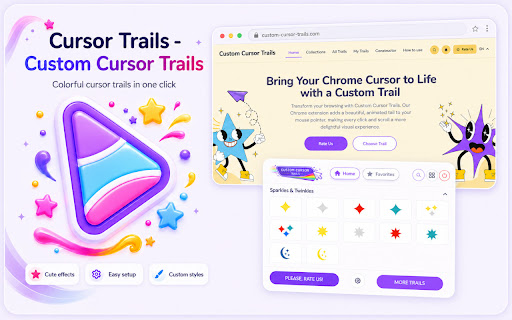
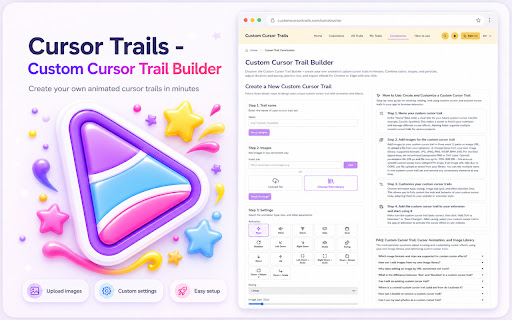
Custom Cursor Trails is a browser extension that adds animated, visual effects to the user's mouse pointer while navigating web pages. It features various themes, including gaming, abstract, and nature-inspired designs, and requires a page refresh to activate on active tabs.

Developer:BlifeTeam450
Version:4.6.0
Size:523KiB
Last updated:

Overview

Installs

70K+

Rating

4.4

1,300 reviews

Languages

55 locales

Includes Deutsch, English, English (Australia), English (United Kingdom)...

Market analysis

Review-backed positioning, friction, and market signals for this Chrome extension.

Backed by review samples

Macro category

Niche Lifestyle & Gaming Hacks

Pricing friction

Low review signal

Complaint intensity

Moderate review signal

Listing & review signals
Observed signals from store listing text and review samples.

Listing positioning

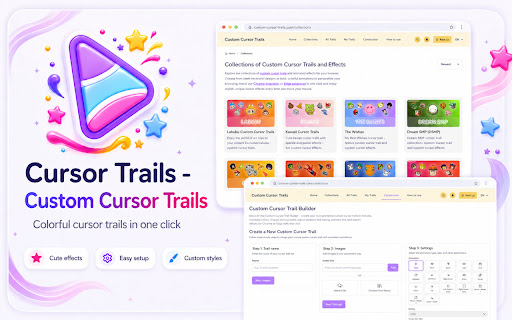
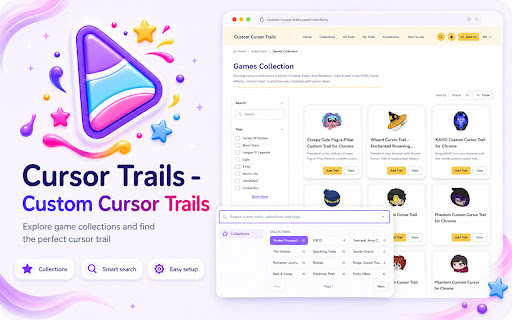
The store listing positions this extension as a fun, aesthetic enhancement tool for users to personalize their browsing experience with animated cursor trails. It emphasizes ease of use, a wide variety of theme collections, and a built-in constructor for custom creations.

Inferred product pattern

A vanity-focused browser utility that uses external website dependencies for content updates and configuration.

Review-backed pain points

Users frequently report that the extension fails to recognize its own installation, preventing them from applying trails. Additionally, there are complaints about unwanted behavior, such as the extension forcing website launches upon browser startup and being difficult to fully remove from the system.

Observed feature gaps

Users struggle with an unintuitive interface for equipping trails and inconsistent functionality across different browser tabs. The lack of a clear 'off' or 'disable' feature that persists after uninstallation is a significant point of friction.

Tags
Cursor EffectsBrowser CustomizationUI PersonalizationFunAnimations
Target users

- Casual browser users

- Customization enthusiasts

- Students

- Gamers

Primary use cases

- Personalizing browser appearance

- Adding visual flair to screen navigation

- Improving cursor visibility via animations

Positive themes

- Appealing visual designs

- Fun and interactive animations

- Easy to install for some users

Negative themes

- Persistent tab-opening behavior on startup

- Difficulty uninstalling/removing effects

- Broken site integration/recognition

- Looping installation prompts

Observed friction

- Performance complaints detected

- No direct payment friction reported; however, users find the reliance on the developer's website for trail selection and setup cumbersome.

Evidence boundary: Evidence is drawn from 1,277 total reviews, with a focus on recent user complaints regarding installation loops, forced navigation, and uninstallation difficulty. Reviews are largely anecdotal; technical issues appear to vary significantly by browser configuration and page refresh behavior.
Complaint summaries
Review-backed complaint signals grouped by operational area.

Support

Users expressed significant frustration with the lack of clear instructions for removing the extension's effects and managing the installation loop.

Reliability

Significant reports of the extension failing to activate on pages, requiring repeated refreshes, or falsely claiming it is not installed.

Privacy

No specific privacy complaints regarding data harvesting, though the forced opening of external links is cited as an annoyance.

Access & pricing

- Ad-supported model observed

- No account requirement observed

- Free plan or free usage claimed

Store listing facts

Listing assets

- Screenshots: 5

- Videos: 0

- Languages: 55

Trust signals

- Privacy policy

- Developer contact

- Official website

- Support link

Store metadata

- Version: 4.6.0

- Size: 523KiB

- Last updated:

Listing SEO keywords

Search intent keywords
Keyword signals for evaluating how users may discover, compare, or search for this extension category.

Core discovery

custom cursormouse pointer trailsbrowser theme extensionanimated cursorcursor effects

Comparison

Custom Cursor alternativescursor trails vs custom cursor

Problem

extension not workingcant remove cursor trailscursor trail bugs

Alternative

cursor animation extensionbrowser UI customization

Similar extensions

Jump to related discovery paths:

Screenshots

Cursor Trails - Custom Cursor Trails screenshot

Links

Recommended Chrome extensions

Related listings from the same category, trending peers, and the same publisher portfolio.

Browse fun