HTML Editor for Gmail by cloudHQ icon

HTML Editor for Gmail by cloudHQ Chrome Extension Analysis

Developer & Designer Tools

Chrome extension ID: ioinaaeeacahcmbgfmeaaofhfkijpdeb

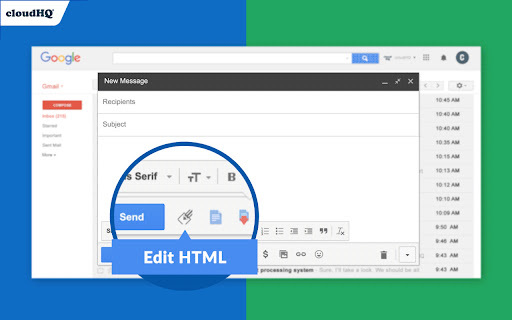
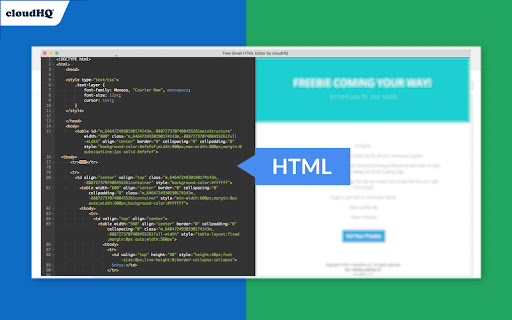
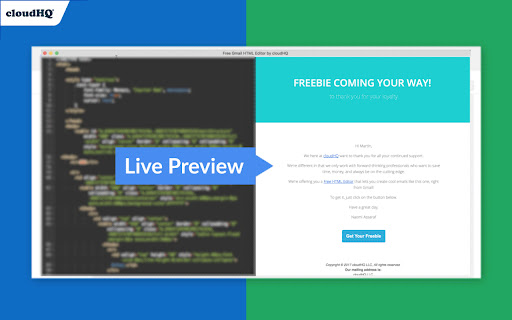
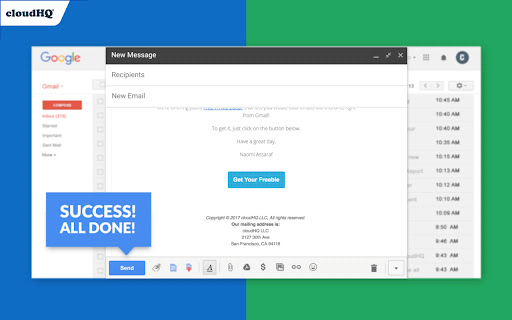
An extension that integrates a split-screen HTML editor directly into the Gmail compose window. It allows users to write and preview custom HTML code to create highly customized email layouts.

Developer:cloudHQ
Version:2.0.2.8
Size:565KiB
Last updated:

Overview

Installs

40K+

Rating

4.0

191 reviews

Languages

11 locales

Includes Deutsch, English, Nederlands, español...

Market analysis

Review-backed positioning, friction, and market signals for this Chrome extension.

Backed by review samples

Macro category

Developer & Designer Tools

Pricing friction

Moderate review signal

Complaint intensity

High review signal

Listing & review signals
Observed signals from store listing text and review samples.

Listing positioning

The product is positioned as a professional tool for users with HTML skills to bypass Gmail's formatting limitations. It emphasizes the ability to include complex elements like tables, charts, and CTA buttons via a split-screen editor.

Inferred product pattern

A productivity wrapper that adds coding capabilities to a SaaS platform, using a free tier to drive users toward a paid cloud ecosystem.

Review-backed pain points

Users report a critical failure where responsive HTML styles are removed after the email is sent, despite appearing correct in the preview. There is also significant frustration regarding the lack of an undo feature and the extension's persistence after account deletion.

Observed feature gaps

Lack of a native 'undo' function, unreliable preview rendering for some users, and lack of support for merge tags.

Tags
HTML EmailGmail ExtensionEmail DesignHTML Editor
Target users

- Email Marketers

- Web Developers

- Digital Designers

- Business Professionals

Primary use cases

- Creating responsive HTML emails within Gmail

- Adding custom CTA buttons and tables to messages

- Designing professional email layouts using custom code

Positive themes

- Review-backed positive themes are not available in the provided samples.

Negative themes

- HTML styles stripped upon sending

- Forced account creation

- Lack of undo functionality

- Difficulty with complete uninstallation

Observed friction

- Free-tier complaints detected

- Performance complaints detected

- Privacy complaints detected

- Users complain about being forced into subscriptions to their cloud service to use the editor.

Evidence boundary: Analysis based on store listing data and 10 helpful/low-rating review samples. Positive review samples were not provided, meaning positive themes are based on the overall score rather than specific textual evidence.
Complaint summaries
Review-backed complaint signals grouped by operational area.

Support

Complaints center on the inability to fully remove the extension and account prompts that persist after revocation of access.

Reliability

Reports of the editor stripping CSS/responsive styles upon sending and the preview window failing to render HTML correctly.

Privacy

Users allege that the tool harvests email addresses for marketing purposes and is difficult to permanently uninstall.

Access & pricing

- Free entry with paid features

- Account required for core usage

- Limited free usage observed

Store listing facts

Listing assets

- Screenshots: 4

- Videos: 1

- Languages: 11

Trust signals

- Privacy policy

- Developer contact

- Official website

- Support link

Store metadata

- Version: 2.0.2.8

- Size: 565KiB

- Last updated:

Listing SEO keywords

Search intent keywords
Keyword signals for evaluating how users may discover, compare, or search for this extension category.

Core discovery

gmail html editorsend html email gmailcustom html gmail template

Comparison

cloudHQ html editor vs mailchimpbest gmail html extension

Problem

gmail stripping html styleshow to send responsive html in gmail

Alternative

html email sender for gmailgmail custom html tool

Similar extensions

Jump to related discovery paths:

Screenshots

HTML Editor for Gmail by cloudHQ screenshot

Links

Recommended Chrome extensions

Related listings from the same category, trending peers, and the same publisher portfolio.

Browse communication
Gmail™ Email Templates by cloudHQ icon

Gmail™ Email Templates by cloudHQ

cloudHQ

Beautiful email templates for Gmail. Design your templates or import templates from Mailchimp. With team sharing!

Installs

100K+

Rating

4.2

Save Emails as PDF by cloudHQ icon

Save Emails as PDF by cloudHQ

cloudHQ

Export, convert and save Gmail™ emails as a PDF document

Installs

100K+

Rating

4.3

Noise Cancelling App icon

Noise Cancelling App

AI Webcam Effects

AI mic noise cancellation for calls, streams, and recording. Share with friends to enjoy clear sound in every conversation!

Installs

40K+

Rating

4.7

SendSafely Encryption for Chrome and Gmail icon

SendSafely Encryption for Chrome and Gmail

SendSafely.com

Chrome extension that provides end-to-end encryption for Gmail. Encrypt private emails and securely share files up to 10GB.

Installs

40K+

Rating

4.9

InTouchApp Phone Contacts & Data Saver icon

InTouchApp Phone Contacts & Data Saver

Volare Tech. Pvt. Ltd.

Save unknown numbers & other data from WhatsApp, LinkedIn, Gmail to your phone instantly. Make phone call from web + much more!

Installs

40K+

Rating

4.0

VisualSP icon

VisualSP

visualsp-app-administrators

VisualSP is the enterprise help assistant that delivers answers and guidance for any web site when and where customers need them.

Installs

40K+

Rating

4.6

Insert and Send HTML with Gmail icon

Insert and Send HTML with Gmail

Designmodo

Easily insert custom HTML into your Gmail emails with this handy extension. Create and preview your custom emails directly in Gmail.

Installs

40K+

Rating

3.7

mail.com MailCheck icon

mail.com MailCheck

1&1 Mail & Media GmbH

The safe way to access your personal mail.

Installs

40K+

Rating

4.0

Nome do Atendente para WhatsApp Web — Zapme icon

Nome do Atendente para WhatsApp Web — Zapme

LuanCastoldi

IA, nome do atendente, respostas rápidas, controle de atendimento, automação e produtividade para WhatsApp Web.

Installs

30K+

Rating

4.9

Synthesia - AI Screen Recorder & Editor icon

Synthesia - AI Screen Recorder & Editor

Synthesia

Record screen and create pro-level video in minutes. Edit recording in Synthesia for quality - shareable content in just one take.

Installs

30K+

Rating

4.1