Tab Auto Refresh Chrome Extension Analysis
Automation & Workflow EfficiencyChrome extension ID: jaioibhbkffompljnnipmpkeafhpicpd
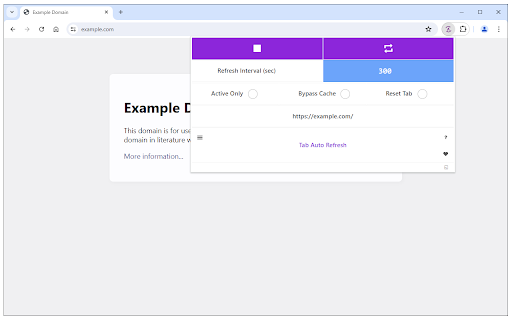
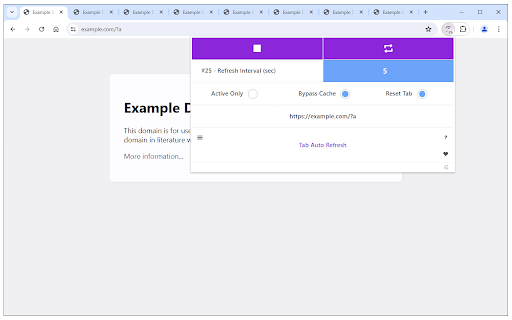
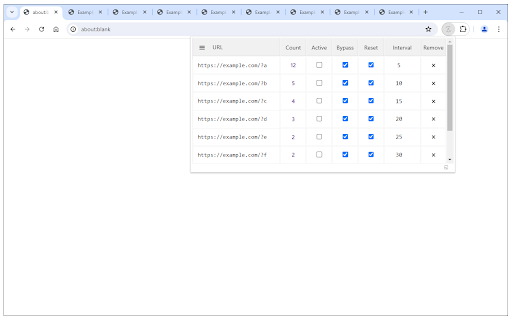
Tab Auto Refresh is a Chrome extension that enables users to automatically refresh specific web tabs based on configurable time intervals. It provides a toolbar popup for setting refresh rates, stopping tasks, and a global reset option for all active refreshes, also supporting a dark mode interface.
Overview
Installs
100K+
Rating
★ 4.2
78 reviews
Languages
1 locales
Includes English
Market analysis
Review-backed positioning, friction, and market signals for this Chrome extension.
Macro category
Automation & Workflow Efficiency
Pricing friction
Low review signal
Complaint intensity
High review signal
Listing positioning
The store listing positions Tab Auto Refresh as a browser addon designed to automatically reload selected tabs at custom time intervals. It highlights ease of use with a simple UI for setting intervals, and features to stop individual tasks or globally reset all refreshing.
Inferred product pattern
A free browser extension providing basic tab auto-refresh functionality with a simple user interface for setting intervals and managing refresh tasks.
Review-backed pain points
Users frequently report core functionality issues, with the extension often failing to work, resetting unexpectedly, or only refreshing once. Significant pain points include extreme memory usage, incorrect URL/tab detection across multiple windows, and a worrying claim of search result manipulation, leading to trust concerns. Developer support is also cited as unhelpful.
Observed feature gaps
Reviews suggest a lack of robust handling for complex scenarios like multiple browser windows or dynamically changing URLs. There is also an absence of more advanced features such as conditional refreshing or specific element monitoring. Developer communication and clear usage documentation appear to be significant gaps.
- Users monitoring dynamic web content (e.g., news feeds, stock tickers, dashboards)
- Individuals requiring constant webpage activity to prevent session timeouts
- Users seeking to automate repetitive browser tab refreshing
- Automatically refreshing web pages at specified intervals
- Keeping web sessions active without manual interaction
- Monitoring websites for updates or changes
- Reliable functionality and stability even after browser restarts (from a 4-star review)
- Small extension size and efficient resource usage (from a 4-star review)
- Frequent reports of the extension failing to work or stopping unexpectedly
- High memory consumption leading to significant performance issues
- Incorrect detection or handling of URLs, especially across multiple browser windows
- The extension resetting itself or only performing a single refresh before deactivating
- Concerns about the extension 'tweaking' Google search results and lack of trustworthiness
- Confusing post-installation behavior, including requests to download other software perceived as spam
- Poor developer support and lack of helpful documentation on the website
- Performance complaints detected
- Privacy complaints detected
- No payment-related information or complaints are available in the public listing or review samples, suggesting the product is offered for free.
Support
One review notes poor developer support, with questions going unanswered and a lack of comprehensive information on the website, indicating a friction point for users seeking assistance.
Reliability
Multiple reviews report severe reliability issues, including the extension failing to work, resetting automatically, stopping after a single refresh, and causing extreme memory usage that impacts PC performance.
Privacy
One review explicitly states the extension 'tweaks Google search results' and 'cannot be trusted', raising significant privacy and security concerns.
- Free usage observed
- No account requirement observed
- Free plan or free usage claimed
Store listing facts
- Screenshots: 3
- Videos: 1
- Languages: 1
- Privacy policy
- Developer contact
- Official website
- Version: 0.2.3
- Size: 48.91KiB
- Last updated:
Listing SEO keywords
Core discovery
Comparison
Problem
Alternative
Similar extensions
Jump to related discovery paths:
Screenshots