Screen Recorder icon

Screen Recorder Chrome Extension Analysis

Automation & Workflow Efficiency

Chrome extension ID: jdopnakmnlnccgpfpmjmdjjohmcdgabp

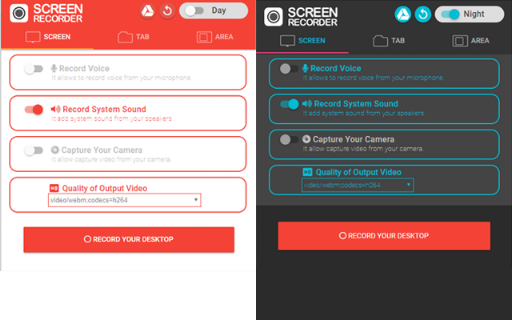
A Chrome extension designed for screen and webcam recording. It supports recording microphone and system audio simultaneously and allows users to save captures to their local drive or Google Drive.

Version:3.0.0
Size:1.19MiB
Last updated:

Overview

Installs

300K+

Rating

3.7

1,062 reviews

Languages

40 locales

Includes Deutsch, English, Filipino, Indonesia...

Market analysis

Review-backed positioning, friction, and market signals for this Chrome extension.

Backed by review samples

Macro category

Automation & Workflow Efficiency

Pricing friction

Low review signal

Complaint intensity

High review signal

Listing & review signals
Observed signals from store listing text and review samples.

Listing positioning

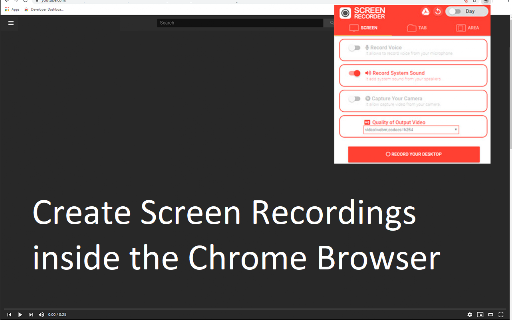
The product is positioned as a free, simple, and high-quality tool for capturing browser tabs, specific page areas, or full screens. It emphasizes features like no watermarks, unlimited recording time, and the ability to record system audio and webcams.

Inferred product pattern

A utility-focused screen capture tool that provides core recording functionality but suffers from critical reliability issues regarding data persistence and user control.

Review-backed pain points

Users frequently report that recordings are not saved after completion, and they struggle with the lack of microphone selection and the limitations of the .webm format.

Observed feature gaps

Missing video preview before/during recording, lack of annotation tools, no volume control for mic/system audio, and no built-in format conversion.

Tags
Screen RecorderVideo CaptureWebcam RecorderChrome Extension
Target users

- Educators

- Gamers

- Meeting Participants

- Content Creators

Primary use cases

- Making educational videos

- Gameplay recording

- Recording online meetings

- Saving live streams

Positive themes

- Effective use of Chrome APIs for recording while browsing

- Ability to record both system and microphone audio

Negative themes

- Failure to save recordings

- Inability to select specific microphones

- UI and interface instability

Observed friction

- Performance complaints detected

- No pricing friction observed as the tool is claimed to be entirely free.

Evidence boundary: Analysis based on the Chrome Web Store description and various user reviews highlighting functional failures and feature limitations. The analysis is limited to the provided review samples and store listing text.
Complaint summaries
Review-backed complaint signals grouped by operational area.

Support

No specific complaints regarding customer support were found in the review samples.

Reliability

Significant reliability issues reported, specifically regarding the tool's failure to save video files and crashing during long recordings.

Privacy

No privacy or security complaints were identified in the provided data.

Access & pricing

- Free usage observed

- No account requirement observed

- Free plan or free usage claimed

Store listing facts

Listing assets

- Screenshots: 2

- Videos: 0

- Languages: 40

Trust signals

- Privacy policy

- Developer contact

- Official website

- Support link

Store metadata

- Version: 3.0.0

- Size: 1.19MiB

- Last updated:

Listing SEO keywords

Search intent keywords
Keyword signals for evaluating how users may discover, compare, or search for this extension category.

Core discovery

screen recorderchrome tab recorderwebcam recordervideo capture extension

Comparison

LoomScreencastify

Problem

screen recorder not savingvideo recording errorwebm file size issue

Alternative

screen capture tooldesktop recorder

Similar extensions

Jump to related discovery paths:

Screenshots

Screen Recorder screenshot

Links

Recommended Chrome extensions

Related listings from the same category, trending peers, and the same publisher portfolio.

Browse workflow