Ask Screenshot for Gemini icon

Ask Screenshot for Gemini Chrome Extension Analysis

AI & Writing Assistants

Chrome extension ID: jekbndjaglmlbjijmnnjofggjaifajmm

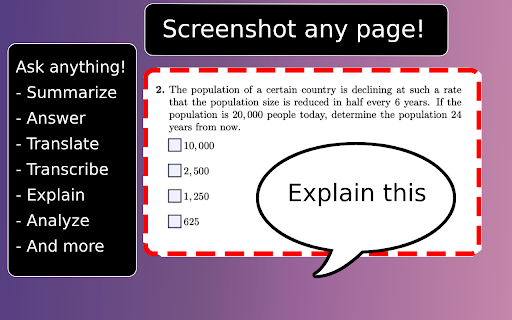
A Chrome extension that allows users to capture screenshots or select text on any webpage and automatically open them in Gemini for analysis. It provides predefined templates for tasks like summarization, translation, and transcription.

Developer:POLYWOCK
Version:0.0.3900
Size:143KiB
Last updated:

Overview

Installs

4K+

Rating

4.5

13 reviews

Languages

11 locales

Includes English, Tiếng Việt, Türkçe, español...

Market analysis

Review-backed positioning, friction, and market signals for this Chrome extension.

Backed by review samples

Macro category

AI & Writing Assistants

Pricing friction

Low review signal

Complaint intensity

Moderate review signal

Listing & review signals
Observed signals from store listing text and review samples.

Listing positioning

The product positions itself as a workflow amplifier that levels up Gemini productivity. It emphasizes the ability to instantly send screenshots and selected text to Gemini via right-click menus using customizable templates.

Inferred product pattern

A bridge extension that pipes browser-captured context (visuals/text) into a third-party LLM web interface to reduce manual input.

Review-backed pain points

Some users reported that the screenshot function stopped working or incorrectly opened the settings page instead of the capture tool.

Observed feature gaps

Lack of support for other LLMs like ChatGPT or DeepSeek, and a lack of integration with Google AI Studio.

Tags
Gemini AIScreenshot AnalyzerProductivity ToolText AnalysisWorkflow Automation
Target users

- AI power users

- Students

- Researchers

- Content analysts

Primary use cases

- Analyzing visual webpage elements with Gemini

- Summarizing selected web text

- Translating on-page content

- Transcribing text from screenshots

Positive themes

- Ease of use

- Efficiency in avoiding manual tab switching

- Helpful integration of right-click options

Negative themes

- Functional bugs with screenshotting

- User onboarding confusion

- Engine limitation to Gemini only

Observed friction

- Performance complaints detected

- No pricing friction observed; no payment mentions in listing or reviews.

Evidence boundary: Analysis based on the Chrome Web Store listing and available user reviews. Small review sample size may not capture the full range of technical stability across different OS/browser versions.
Complaint summaries
Review-backed complaint signals grouped by operational area.

Support

Some users reported technical failures, though one user noted a response from the developer.

Reliability

Reports of the screenshot function breaking or failing to trigger properly for some users.

Privacy

No privacy complaints; listing explicitly claims no data collection and no trackers.

Access & pricing

- Free usage observed

- Login needed for core features

- Free plan or free usage claimed

Store listing facts

Listing assets

- Screenshots: 1

- Videos: 1

- Languages: 11

Trust signals

- Privacy policy

- Developer contact

- Support link

Store metadata

- Version: 0.0.3900

- Size: 143KiB

- Last updated:

Listing SEO keywords

Search intent keywords
Keyword signals for evaluating how users may discover, compare, or search for this extension category.

Core discovery

screenshot to GeminiGemini AI extensionanalyze screenshot with AIweb page AI assistant

Comparison

Gemini vs ChatGPT extensionAsk Screenshot alternatives

Problem

how to analyze screenshot with AIsend webpage to Geminisummarize web page with Gemini

Alternative

Gemini sidebarAI screenshot tooltext to AI extension

Similar extensions

Jump to related discovery paths:

Screenshots

Ask Screenshot for Gemini screenshot

Links

Recommended Chrome extensions

Related listings from the same category, trending peers, and the same publisher portfolio.

Browse workflow