YouTube Customizer icon

YouTube Customizer Chrome Extension Analysis

Niche Lifestyle & Gaming Hacks

Chrome extension ID: jjdpifbhmmdnkmndomeokjgnilcimoaj

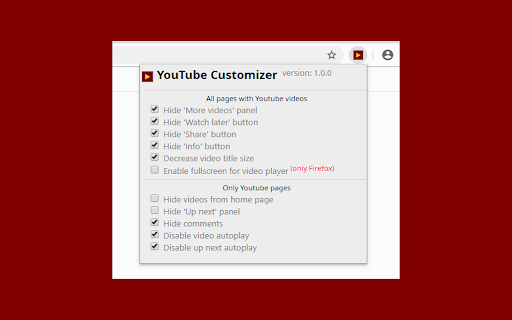
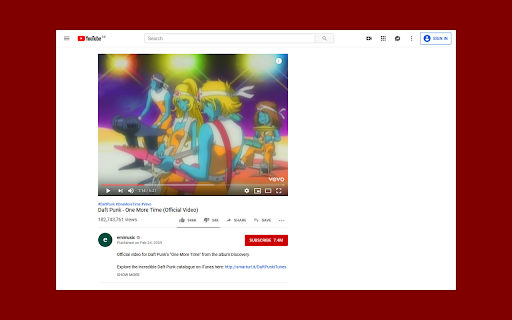
YouTube Customizer is a browser extension that allows users to modify the YouTube user interface. It provides options to hide specific buttons, panels, and comments, and attempts to disable autoplay to reduce distractions.

Developer:Nibito
Version:1.5.3
Size:42.51KiB
Last updated:

Overview

Installs

968

Rating

4.0

4 reviews

Languages

2 locales

Includes English, polski

Market analysis

Review-backed positioning, friction, and market signals for this Chrome extension.

Backed by review samples

Macro category

Niche Lifestyle & Gaming Hacks

Pricing friction

Low review signal

Complaint intensity

Low review signal

Listing & review signals
Observed signals from store listing text and review samples.

Listing positioning

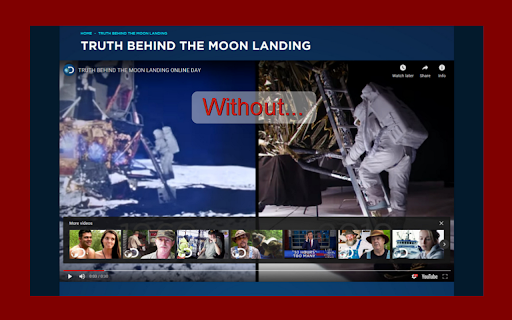
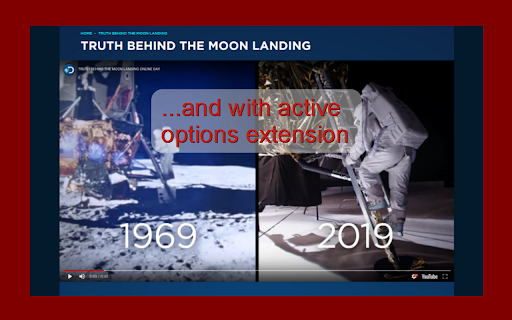
The product positions itself as a tool to improve the video watching experience by removing clutter. It focuses on the ability to hide unnecessary elements on the page and within the video player for a cleaner interface.

Inferred product pattern

Platform-specific UI modifier focusing on decluttering and distraction removal.

Review-backed pain points

Users have reported that the 'Disable autoplay' feature does not work as intended and expressed a need for more control over the left-side navigation menu.

Observed feature gaps

Lack of customization for the main left-side navigation (e.g., removing 'My Channel' or 'History') and the absence of an expand/hide description option.

Tags
YouTube CustomizerUI ModifierDistraction FreeYouTube Tools
Target users

- YouTube viewers

- Users seeking a minimalist interface

- People wanting to reduce distractions while watching videos

Primary use cases

- Hiding 'Up next' and comment panels

- Removing 'Share' and 'Info' buttons

- Disabling autoplay

- Reducing distractions by hiding YouTube Shorts

Positive themes

- Effective distraction reduction

- Successful hiding of suggested video panels

Negative themes

- Broken feature functionality

- Limited customization of navigation menus

Observed friction

- No pricing friction observed; the tool appears to be free.

Evidence boundary: Data extracted from the public store listing and three user reviews. The review sample size is very small, limiting the ability to generalize user sentiment.
Complaint summaries
Review-backed complaint signals grouped by operational area.

Support

No support-related complaints found in the provided reviews.

Reliability

One user explicitly mentioned that the 'Disable autoplay' feature is non-functional.

Privacy

No privacy or security complaints observed.

Access & pricing

- Free usage observed

- No account requirement observed

- Free plan or free usage claimed

Store listing facts

Listing assets

- Screenshots: 4

- Videos: 0

- Languages: 2

Trust signals

- Privacy policy

- Developer contact

Store metadata

- Version: 1.5.3

- Size: 42.51KiB

- Last updated:

Listing SEO keywords

Search intent keywords
Keyword signals for evaluating how users may discover, compare, or search for this extension category.

Core discovery

YouTube customizerhide YouTube commentsdisable YouTube autoplayclean YouTube UI

Comparison

YouTube Customizer vs alternativesbest YouTube UI modifier

Problem

YouTube distractionscluttered YouTube interfacetoo many YouTube buttons

Alternative

YouTube Customizer alternativeYouTube layout cleaner

Similar extensions

Jump to related discovery paths:

Screenshots

YouTube Customizer screenshot

Links

Recommended Chrome extensions

Related listings from the same category, trending peers, and the same publisher portfolio.

Browse entertainment