Compress JPEG Files in Google Chrome™ icon

Compress JPEG Files in Google Chrome™ Chrome Extension Analysis

Automation & Workflow Efficiency

Chrome extension ID: jkaehhgfbmkmmfnpjolhjlkifdnmpcoa

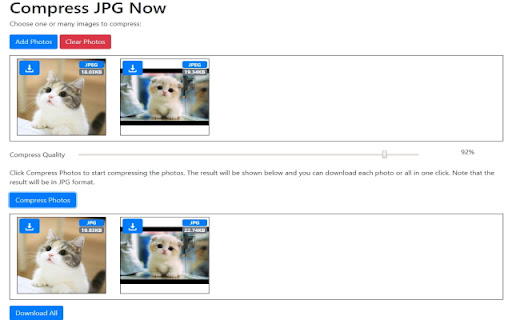
This is a browser-based image compression tool designed to resize and reduce the file size of JPEG images directly through Chrome. It provides a manual control setting for users to adjust the balance between image quality and file size reduction.

Version:3.0.0
Size:133KiB
Last updated:

Overview

Installs

6K+

Rating

4.0

4 reviews

Languages

38 locales

Includes Deutsch, English, Filipino, Indonesia...

Market analysis

Review-backed positioning, friction, and market signals for this Chrome extension.

Backed by review samples

Macro category

Automation & Workflow Efficiency

Pricing friction

Low review signal

Complaint intensity

Moderate review signal

Listing & review signals
Observed signals from store listing text and review samples.

Listing positioning

The extension positions itself as a simple, browser-based utility for reducing JPEG file sizes. It emphasizes ease of use, allowing users to select their preferred quality-loss threshold to achieve faster compression.

Inferred product pattern

Utility-focused browser extension for offline-style image processing.

Review-backed pain points

Users have reported that the compression process significantly degrades image quality compared to standard software like MS Paint.

Observed feature gaps

Lack of advanced compression algorithms or visual preview features to manage output quality effectively.

Tags
Image CompressionPhoto OptimizerJPEG CompressorFile Size Reducer
Target users

- Casual photo editors

- Web users needing quick file size reduction

- Content managers

Primary use cases

- Reducing JPEG file sizes for web upload or storage

- Adjusting image quality settings for optimization

Positive themes

- Functional as expected

- General satisfaction

Negative themes

- Poor image quality output post-compression

Observed friction

- No explicit pricing friction reported; the extension is positioned as a free tool.

Evidence boundary: Analysis based on public Chrome Web Store listing and a limited sample of user reviews in multiple languages. Review sample size is small, which may not represent the entire user base experience.
Complaint summaries
Review-backed complaint signals grouped by operational area.

Support

No specific support or refund complaints found.

Reliability

Minor concerns regarding the output quality of the compression, but no reports of crashes or failures to compress.

Privacy

No privacy or security complaints found.

Access & pricing

- No clear monetization signal

- No account requirement observed

- Free plan or free usage claimed

Store listing facts

Listing assets

- Screenshots: 1

- Videos: 0

- Languages: 38

Trust signals

- Privacy policy

- Developer contact

- Official website

Store metadata

- Version: 3.0.0

- Size: 133KiB

- Last updated:

Listing SEO keywords

Search intent keywords
Keyword signals for evaluating how users may discover, compare, or search for this extension category.

Core discovery

compress jpeg in chromereduce image size chrome extensiononline photo compressor

Comparison

jpeg compressor vs paintbest free image optimizer for chrome

Problem

blurry images after compressionjpeg quality loss

Alternative

tinypngsquooshonline image compressor

Similar extensions

Jump to related discovery paths:

Screenshots

Compress JPEG Files in Google Chrome™ screenshot

Links

Recommended Chrome extensions

Related listings from the same category, trending peers, and the same publisher portfolio.

Browse workflow