Clockdiary Time Tracker icon

Clockdiary Time Tracker Chrome Extension Analysis

Automation & Workflow Efficiency

Chrome extension ID: jkhejiamlepcoaocpcbaifdlpeckcikj

Clockdiary is a browser extension that allows individuals and teams to track their working hours on the web. It records active time, detects idle periods, and automatically syncs data to a cloud-based dashboard for reporting. Users can also utilize keyboard shortcuts and automated reminders to manage their tracking workflows.

Developer:APPWRK-IT
Version:2.1.3
Size:891KiB
Last updated:

Overview

Installs

95

Rating

5.0

1 reviews

Languages

1 locales

Includes English

Market analysis

Review-backed positioning, friction, and market signals for this Chrome extension.

Backed by review samples

Macro category

Automation & Workflow Efficiency

Pricing friction

Low review signal

Complaint intensity

Low review signal

Listing & review signals
Observed signals from store listing text and review samples.

Listing positioning

Clockdiary Time Tracker is positioned as an effortless, single-click solution to monitor time and enhance productivity from any web location. The store listing emphasizes its cross-device synchronization (web, desktop, and mobile) and directs users to a central dashboard for in-depth data analysis and reporting. It highlights key features such as idle detection, reminders, and automated timers.

Inferred product pattern

A browser-based tracking companion designed to feed data into a larger web SaaS platform.

Review-backed pain points

No negative review-backed pain points are available due to the lack of critical reviews.

Observed feature gaps

No feature gaps are observed in the single available review sample.

Tags
Time TrackingEmployee MonitoringProductivity Tool
Target users

- Remote workers

- Freelancers

- Project managers

- Distributed teams

Primary use cases

- Tracking billable hours across web applications

- Monitoring team work and daily task durations

- Analyzing project productivity and time allocation

Positive themes

- User-friendly interface

- Helpful for tracking team-wide activities

Negative themes

No negative theme data.

Observed friction

- No pricing friction or monetization complaints were identified in the available review.

Evidence boundary: The analysis is based on the official Chrome Web Store listing details, features, and a single 5-star review recommending the interface for team tracking. The dataset is constrained by containing only one user review, meaning broader user sentiment, performance complaints, or pricing friction cannot be fully assessed.
Complaint summaries
Review-backed complaint signals grouped by operational area.

Support

No customer support, account blocking, or refund issues were reported in the user feedback.

Reliability

No performance issues, bugs, or system reliability complaints were found in the available data.

Privacy

No privacy, security, or data tracking concerns were mentioned in the review.

Access & pricing

- No clear monetization signal

- Account required for core usage

- No clear pricing signal

Store listing facts

Listing assets

- Screenshots: 4

- Videos: 0

- Languages: 1

Trust signals

- Privacy policy

- Developer contact

- Official website

Store metadata

- Version: 2.1.3

- Size: 891KiB

- Last updated:

Listing SEO keywords

Search intent keywords
Keyword signals for evaluating how users may discover, compare, or search for this extension category.

Core discovery

clockdiary time trackerbrowser time loggeremployee hours tracker extension

Comparison

clockdiary vs clockifyclockdiary vs togglclockdiary vs harvest

Problem

how to track team work hoursidle detection timer for chrome

Alternative

toggl alternative chromeclockify chrome alternativeharvest tracking alternative

Similar extensions

Jump to related discovery paths:

Screenshots

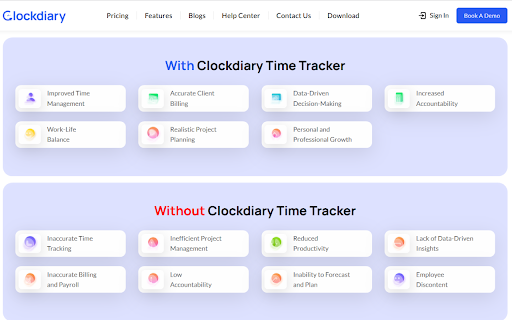
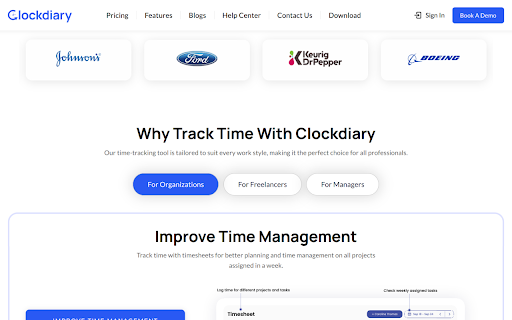
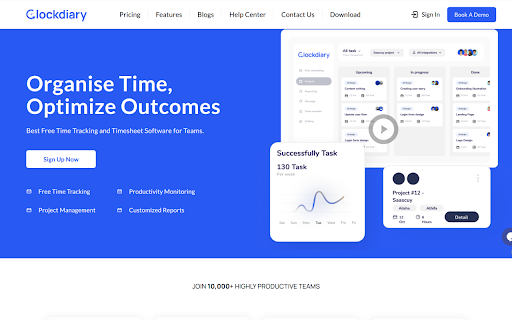
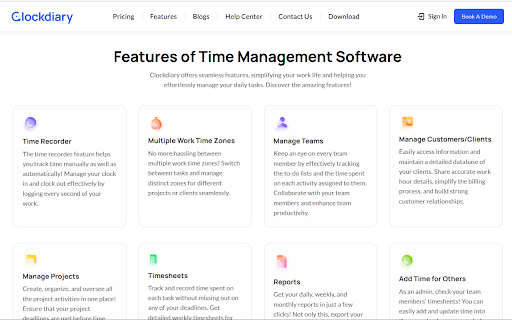
Clockdiary Time Tracker screenshot

Links

Recommended Chrome extensions

Related listings from the same category, trending peers, and the same publisher portfolio.

Browse tools
Google Pagespeed Insights icon

Google Pagespeed Insights

APPWRK-IT

Assess the speed of websites both on mobile devices and desktop platforms in just a few taps!

Installs

30K+

Rating

2.3

Word Count Checker 2024 icon

Word Count Checker 2024

APPWRK-IT

Use Word Count Checker Extension to access the count of Characters and words while selecting the text. Download Free Word Counter.

Installs

587

Rating

4.2

AnyDoc Translator - Translate Web and PDF icon

AnyDoc Translator - Translate Web and PDF

www.wps.com

The ultimate AI translator for web, files, ebooks, academic papers, images, and text

Installs

6.0M+

Rating

4.6

WPS PDF - Read, Edit, Fill, Convert, and AI Chat PDF with Ease icon

WPS PDF - Read, Edit, Fill, Convert, and AI Chat PDF with Ease

www.wps.com

Easy-to-use PDF tools to view, edit, convert, fill, e-sign PDF files, and more in your browser.

Installs

6.0M+

Rating

4.5

Sider: Chat with all AI: GPT-5, Claude, DeepSeek, Gemini, Grok icon

Sider: Chat with all AI: GPT-5, Claude, DeepSeek, Gemini, Grok

ChatGPT Sidebar

ChatGPT, DeepSeek, Gemini, Claude, Grok all in one AI sidebar, for AI search, read, and write.

Installs

5.0M+

Rating

4.9

Norton Safe Search icon

Norton Safe Search

NortonLifeLock Inc

Search safely online by enabling Norton Safe Search as your default search provider for maximum protection on Chrome.

Installs

5.0M+

Rating

2.4

Video Download Helper icon

Video Download Helper

Aclap

Download Videos from the Web.

Installs

5.0M+

Rating

4.5

Shazam: Find song names from your browser icon

Shazam: Find song names from your browser

Shazam

Identify music, search lyrics & more

Installs

5.0M+

Rating

4.7

Microsoft Bing Homepage & Search for Chrome icon

Microsoft Bing Homepage & Search for Chrome

Microsoft Corporation

Set Microsoft Bing as your default homepage and default search engine

Installs

5.0M+

Rating

3.8

IE Tab icon

IE Tab

Blackfish Software

Display web pages using IE within Chrome. Use Java, Silverlight, ActiveX, Sharepoint, and more.

Installs

4.0M+

Rating

4.3