Todoist for Chrome: Planner & Calendar icon

Todoist for Chrome Chrome Extension Analysis

Automation & Workflow Efficiency

Store listing title: Todoist for Chrome: Planner & Calendar

Chrome extension ID: jldhpllghnbhlbpcmnajkpdmadaolakh

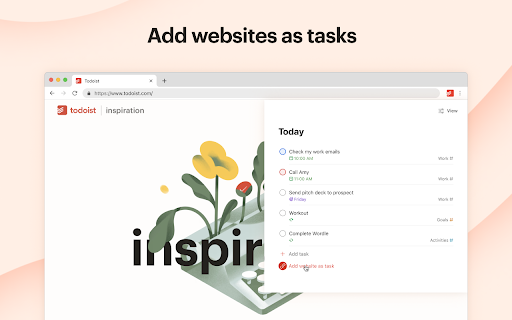
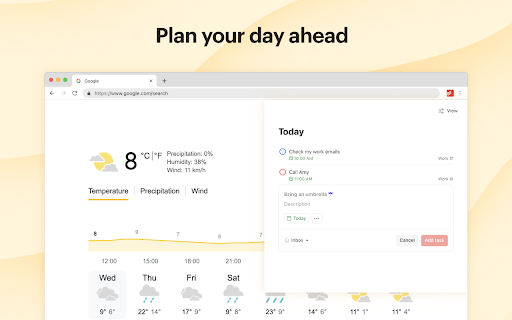
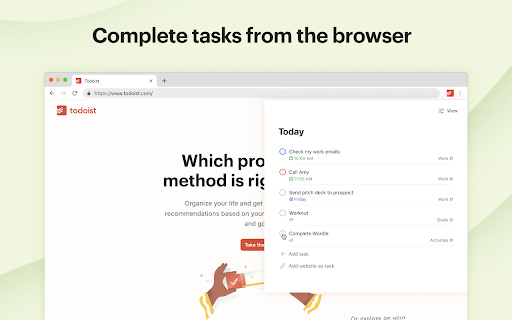
A browser extension for Todoist that enables users to add websites or selected text as tasks, manage daily schedules via lists or calendars, and complete tasks directly from the browser interface.

Developer:Doist
Version:12.21.9
Size:662KiB
Last updated:

Overview

Installs

500K+

Rating

4.7

51,337 reviews

Languages

19 locales

Includes Deutsch, English, Nederlands, Türkçe...

Market analysis

Review-backed positioning, friction, and market signals for this Chrome extension.

Backed by review samples

Macro category

Automation & Workflow Efficiency

Pricing friction

Low review signal

Complaint intensity

Moderate review signal

Listing & review signals
Observed signals from store listing text and review samples.

Listing positioning

The product is positioned as a productivity booster that allows users to declutter their minds and organize work and life. It emphasizes the ability to capture tasks instantly from the web without switching contexts.

Inferred product pattern

Browser-based companion extension for a centralized SaaS productivity ecosystem.

Review-backed pain points

Users report significant lag when opening the extension and frustration with a recent Gmail update that introduces an intrusive icon column and unnecessary blank space in the email list.

Observed feature gaps

Users expressed a desire for a more lightweight 'quick capture' mode rather than loading the entire app interface within the extension.

Tags
Task ManagementProductivityPlannerCalendarQuick Add
Target users

- Productivity enthusiasts

- Professionals

- Students

- Power users of task management software

Primary use cases

- Saving articles or websites as reading list tasks

- Capturing quotes or text as hyperlinked tasks

- Managing daily planners and calendars within the browser

Positive themes

- Long-term reliability

- Simplicity and power

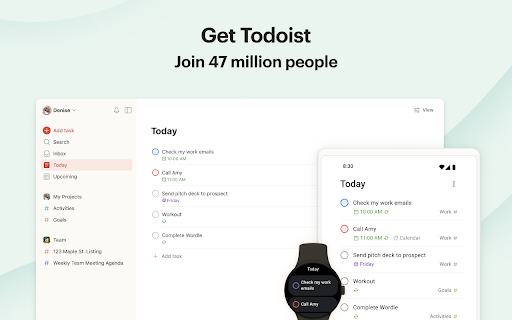
- Effective cross-platform synchronization

- Continuous feature evolution

Negative themes

- Slow load times and lag

- Intrusive UI changes in Gmail integration

- Performance issues on lower-end hardware

Observed friction

- Performance complaints detected

- No specific pricing friction observed; reviews mention both free and paid versions exist.

Evidence boundary: Data extracted from the official Chrome Web Store listing and a sample of helpful reviews reflecting both long-term loyalty and recent performance issues. Review samples are a small subset of the total 51,000+ comments and may not reflect current version fixes.
Complaint summaries
Review-backed complaint signals grouped by operational area.

Support

No specific support or account complaints found in the provided samples.

Reliability

Reports of slow loading and lag, with some users stating the extension takes a significant amount of time to pop up after clicking.

Privacy

No privacy or security complaints observed.

Access & pricing

- Free entry with paid features

- Account required for core usage

- Limited free usage observed

Store listing facts

Listing assets

- Screenshots: 4

- Videos: 1

- Languages: 19

Trust signals

- Privacy policy

- Developer contact

- Official website

- Support link

Store metadata

- Version: 12.21.9

- Size: 662KiB

- Last updated:

Listing SEO keywords

Search intent keywords
Keyword signals for evaluating how users may discover, compare, or search for this extension category.

Core discovery

Todoist Chrome extensionbrowser task manageronline planner extensionweb-to-task capture

Comparison

Todoist vs Google TasksTodoist vs NotionTodoist vs Evernote

Problem

how to organize tasks in browserquickly save websites as tasksmanage to-do list while surfing

Alternative

Todoist alternativesbest Chrome task manager

Similar extensions

Jump to related discovery paths:

Screenshots

Todoist for Chrome: Planner & Calendar screenshot

Links

Website: todoist.com

Privacy policy: https://doist.com/privacy

Support links: https://todoist.com/help

Videos: Watch

Recommended Chrome extensions

Related listings from the same category, trending peers, and the same publisher portfolio.

Browse workflow