Zoho Expense icon

Zoho Expense Chrome Extension Analysis

Automation & Workflow Efficiency

Chrome extension ID: jmlaohefegdedjnmgpedcoococlpdida

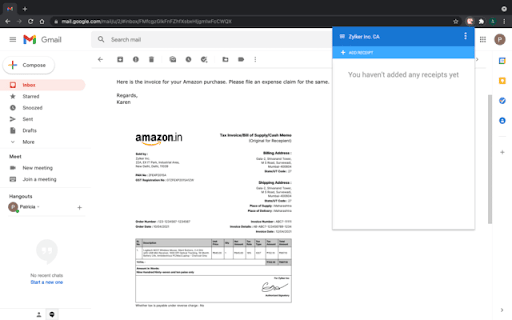
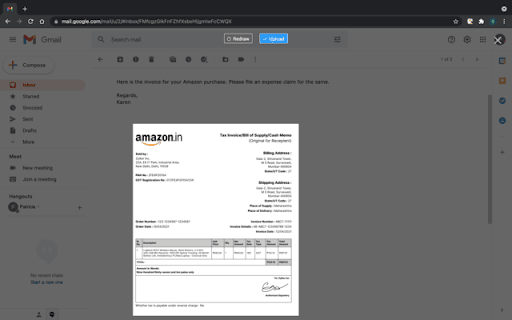
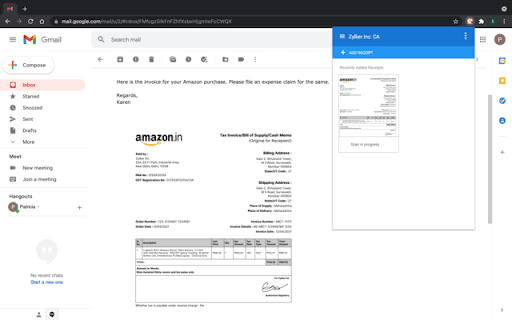
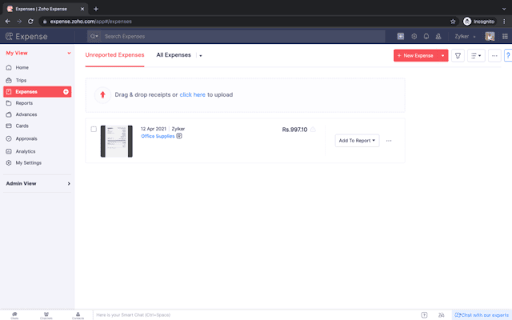
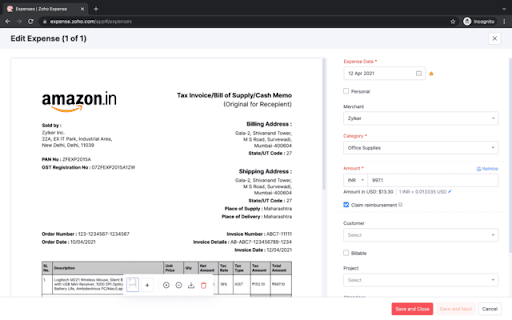
A Chrome extension that enables users to take screenshots of online receipts and automatically convert them into expense claims within Zoho Expense. It utilizes OCR technology to extract data across 14 languages, including line-item details.

Version:3
Size:975KiB
Last updated:

Overview

Installs

4K+

Rating

4.3

12 reviews

Languages

1 locales

Includes English

Market analysis

Review-backed positioning, friction, and market signals for this Chrome extension.

Backed by review samples

Macro category

Automation & Workflow Efficiency

Pricing friction

Moderate review signal

Complaint intensity

Moderate review signal

Listing & review signals
Observed signals from store listing text and review samples.

Listing positioning

The product is positioned as a productivity tool to streamline the expense reporting process. It focuses on reducing friction by allowing users to capture digital receipts directly from their browser without switching tabs.

Inferred product pattern

Companion browser extension for a larger SaaS expense management platform.

Review-backed pain points

Users have reported technical failures where the extension returns 'Scanning Failed' or 'Unreadable' errors, and some specifically cannot capture receipts within Gmail.

Observed feature gaps

Potential reliability issues with the OCR engine and a lack of consistent functionality across all webmail interfaces.

Tags
Expense ManagementReceipt ScannerOCRZoho IntegrationBusiness Productivity
Target users

- Corporate employees

- Business travelers

- Finance departments

- Zoho ecosystem users

Primary use cases

- Capturing digital receipts from emails

- Automating expense claim creation

- Managing business travel expenditures

Positive themes

- Time efficiency

- General software satisfaction

- Cost and time savings

Negative themes

- OCR scanning failures

- Gmail compatibility issues

- File readability errors

Observed friction

- Payment required for meaningful usage

- Performance complaints detected

- No pricing complaints found in reviews; listing mentions a 14-day free trial.

Evidence boundary: Data extracted from the official store listing and 6 user reviews. The review sample size is very small relative to the total user count, which may not represent the full user experience.
Complaint summaries
Review-backed complaint signals grouped by operational area.

Support

No specific support complaints observed in the provided samples.

Reliability

Reports of scanning failures and the inability to capture screenshots in certain environments like Gmail.

Privacy

No privacy or security complaints observed.

Access & pricing

- Free entry with paid features

- Account required for core usage

- Trial or limited free usage before paid plan

Store listing facts

Listing assets

- Screenshots: 5

- Videos: 0

- Languages: 1

Trust signals

- Privacy policy

- Developer contact

- Official website

- Support link

Store metadata

- Version: 3

- Size: 975KiB

- Last updated:

Listing SEO keywords

Search intent keywords
Keyword signals for evaluating how users may discover, compare, or search for this extension category.

Core discovery

Zoho Expense extensiondigital receipt scannerautomated expense claimsOCR receipt capture

Comparison

Zoho Expense vs ExpensifyZoho Expense vs SAP Concur

Problem

manual expense entrylost digital receiptsslow reimbursement process

Alternative

receipt capture extensionexpense reporting toolautomated receipt uploader

Similar extensions

Jump to related discovery paths:

Screenshots

Zoho Expense screenshot

Links

Recommended Chrome extensions

Related listings from the same category, trending peers, and the same publisher portfolio.

Browse workflow