PDF to OCR for Google Chrome™ icon

PDF to OCR for Google Chrome™ Chrome Extension Analysis

Automation & Workflow Efficiency

Chrome extension ID: jngjdlhofheahaomelnfcdijgjbknilb

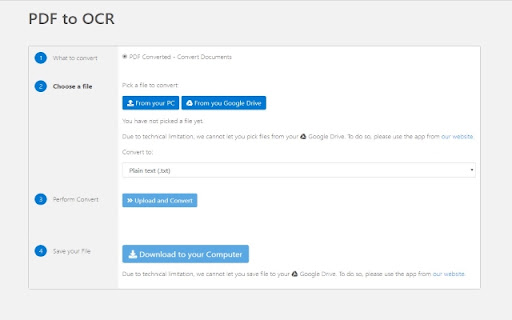
PDF to OCR for Google Chrome is a browser-based utility designed to convert PDF documents into text-based OCR formats. It operates via an upload-and-download interface managed on the developer's servers.

Version:3.0.0
Size:131KiB
Last updated:

Overview

Installs

5K+

Rating

2.2

25 reviews

Languages

41 locales

Includes Deutsch, English, English (United States), Filipino...

Market analysis

Review-backed positioning, friction, and market signals for this Chrome extension.

Backed by review samples

Macro category

Automation & Workflow Efficiency

Pricing friction

Low review signal

Complaint intensity

High review signal

Listing & review signals
Observed signals from store listing text and review samples.

Listing positioning

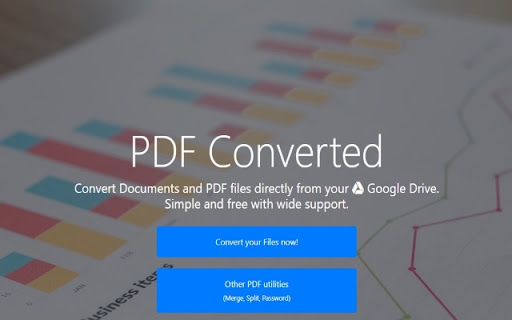
The store listing positions the tool as a straightforward, three-step PDF to OCR conversion solution. It emphasizes speed and ease of use, promising instant results after uploading files.

Inferred product pattern

Simple server-side wrapper utility that appears to have significant functional defects.

Review-backed pain points

Users consistently report that the extension outputs empty text files rather than converted content, with no guidance or feedback provided when the conversion fails.

Observed feature gaps

The extension lacks basic error handling, status feedback for failed conversions, and appears to fail on standard document inputs.

Tags
PDF ConverterOCR ToolDocument ProcessingFile Utility
Target users

- General users needing document digitization

- Casual PDF editors

Primary use cases

- Converting scanned PDFs to text

- OCR processing for digital documents

Positive themes

- None observed

Negative themes

- Consistently produces blank or empty output files

- Lack of error messaging or feedback during failure

- General perception of the tool as non-functional

Observed friction

- Performance complaints detected

- Privacy complaints detected

- No payment friction, but high functional friction due to non-performance.

Evidence boundary: The analysis is based on multiple user reviews citing a consistent technical failure where the product outputs blank files, supported by a low average store rating. Reviews are predominantly negative, which may not capture the experience of users for whom the tool works without issue.
Complaint summaries
Review-backed complaint signals grouped by operational area.

Support

Users express frustration over a total lack of feedback when the software fails.

Reliability

High reliability complaints; the tool is frequently cited as broken and incapable of producing output.

Privacy

Some users expressed concern regarding the security of documents uploaded to the developer's server.

Access & pricing

- Free usage observed

- No account requirement observed

- Free plan or free usage claimed

Store listing facts

Listing assets

- Screenshots: 2

- Videos: 0

- Languages: 41

Trust signals

- Privacy policy

- Developer contact

- Official website

Store metadata

- Version: 3.0.0

- Size: 131KiB

- Last updated:

Listing SEO keywords

Search intent keywords
Keyword signals for evaluating how users may discover, compare, or search for this extension category.

Core discovery

PDF to OCR Chrome extensionconvert PDF to textOCR tool for ChromePDF digitizer

Comparison

PDF to OCR alternativesbest free OCR tool

Problem

extension not workingPDF conversion failedempty OCR output

Alternative

online OCRAdobe Acrobat OCRGoogle Drive OCR

Similar extensions

Jump to related discovery paths:

Screenshots

PDF to OCR for Google Chrome™ screenshot

Links

Recommended Chrome extensions

Related listings from the same category, trending peers, and the same publisher portfolio.

Browse workflow