Clear cookies for one site icon

Clear cookies for one site Chrome Extension Analysis

Privacy, Security & Ad Blockers

Chrome extension ID: kajgpmmnnohnlajonknigghinhjmmehc

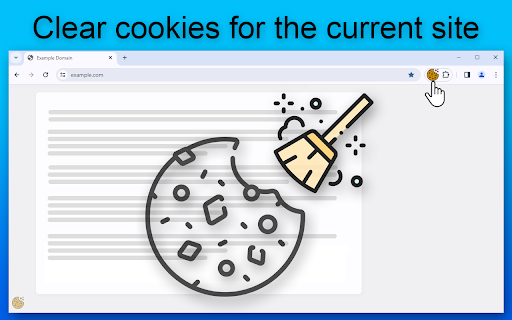
This Chrome extension provides three methods to clear cookies for the active website: clicking the extension icon, using a keyboard shortcut (Alt+C), or interacting with a floating artifact. It aims to offer users a fast and user-friendly way to manage site-specific cookies, improve privacy, and streamline their browsing experience, including features like customizable page reloading.

Developer:searche
Version:1.1.1
Size:192KiB
Last updated:

Overview

Installs

10K+

Rating

★ 4.3

28 reviews

Languages

52 locales

Includes Deutsch, English, Filipino, Indonesia...

Market analysis

Review-backed positioning, friction, and market signals for this Chrome extension.

Backed by review samples

Macro category

Privacy, Security & Ad Blockers

Pricing friction

Low review signal

Complaint intensity

High review signal

Listing & review signals
Observed signals from store listing text and review samples.

Listing positioning

The store listing positions the product as an essential Chrome extension designed for seamlessly and efficiently deleting cookies specifically for the current site. It highlights benefits such as safeguarding online privacy, enhancing browsing experience, boosting productivity with quick one-click solutions, and offering customization options like automatic page reloading.

Inferred product pattern

A simple, single-purpose utility designed to clear cookies for a specific website with minimal user interaction.

Review-backed pain points

The primary pain point identified in reviews is the extension's failure to consistently perform its core advertised function: deleting *all* cookies for the current site. Users report that it often leaves behind cookies from other domains loaded by the page, or simply does not work to clear any cookies, undermining its stated privacy and usability benefits.

Observed feature gaps

A significant feature gap observed from reviews is the inability of the extension to clear all associated cookies for a given site, often failing to remove cookies from subdomains or external services loaded by the primary site. This limits its effectiveness as a comprehensive 'one-site' cookie cleaner.

Tags
Cookie CleanerSite PrivacyBrowser UtilityData Management
Target users

- General Chrome users concerned with online privacy and data management

- Users who frequently encounter website login issues due to persistent cookies

- Individuals who manage multiple accounts on specific sites

- SEO specialists requiring targeted cookie deletion for research workflows

Primary use cases

- Quickly clearing cookies for privacy protection on a specific site

- Resolving website login or session issues by removing outdated cookie data

- Managing different user sessions or credentials on the same website

- Streamlining debugging or testing workflows for web developers

Positive themes

- Ease of use and simple one-click functionality

- Effective in clearing cookies for specific sites (for some users)

- Helps to resolve site login issues and manage multiple accounts

- Convenient and saves time compared to navigating browser settings

Negative themes

- Fails to delete all cookies for the current site, often leaving sub-domain or third-party cookies

- Does not work at all for some users or specific tabs/sites

- Functionality degraded or stopped working after previous effectiveness

- Incorrectly deletes all cookies instead of only site-specific ones (reported in Russian review)

Observed friction

- Performance complaints detected

- Pricing-related friction is not available from the provided data as there is no indication of payment required for use.

Evidence boundary: This analysis is based on the extension's title, short description, long description, and a sample of 10 user reviews, including both high-rating and low-rating feedback. The review sample size is limited to 10 reviews out of 29 total, which may not fully capture the complete spectrum of user experiences, satisfaction levels, or all specific issues/benefits.
Complaint summaries
Review-backed complaint signals grouped by operational area.

Support

Support, account, or refund-related complaints are not available from the provided data.

Reliability

There are significant complaints regarding the reliability of the extension, with multiple users reporting that it 'fails at its one job' by not deleting all cookies for a site or not working at all. This indicates a core functional reliability issue.

Privacy

While there are no direct complaints about privacy breaches, the core functional failure of the extension to delete *all* cookies for a site directly undermines its advertised privacy benefits, leading to unmet user expectations regarding data control.

Access & pricing

- Free usage observed

- No account requirement observed

- Free plan or free usage claimed

Store listing facts

Listing assets

- Screenshots: 1

- Videos: 0

- Languages: 52

Trust signals

- Privacy policy

- Developer contact

Store metadata

- Version: 1.1.1

- Size: 192KiB

- Last updated:

Listing SEO keywords

Search intent keywords
Keyword signals for evaluating how users may discover, compare, or search for this extension category.

Core discovery

clear cookies for one sitedelete cookies current sitechrome cookie cleanermanage site cookiesbrowser privacy tool

Comparison

EditThisCookie alternative

Problem

cookies not clearingsite login issuestracking cookies problemchrome cookies not deleting

Alternative

cookie management extensionsite data cleanerprivacy tool chrome

Similar extensions

Jump to related discovery paths:

Screenshots

Clear cookies for one site screenshot

Links

Recommended Chrome extensions

Related listings from the same category, trending peers, and the same publisher portfolio.

Browse workflow