Tonalis Audio Recorder icon

Tonalis Audio Recorder Chrome Extension Analysis

Automation & Workflow Efficiency

Chrome extension ID: kdchfpnbblcmofemnhnckhjfjndcibej

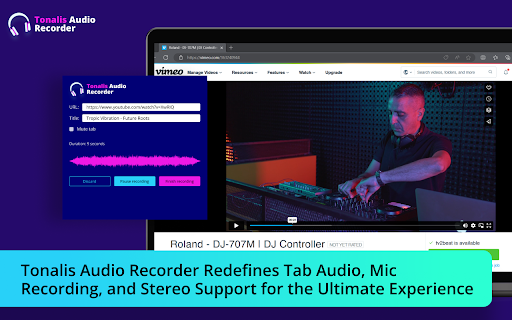
This extension allows users to record audio directly from their browser tabs or via a microphone. It supports multiple output formats such as MP3, WAV, and WebM, providing a straightforward interface for web-based audio capture.

Developer:Etti Gardner
Version:1.0.2
Size:469KiB
Last updated:

Overview

Installs

20K+

Rating

4.3

16 reviews

Languages

54 locales

Includes Deutsch, English, English (United Kingdom), English (United States)...

Market analysis

Review-backed positioning, friction, and market signals for this Chrome extension.

Backed by review samples

Macro category

Automation & Workflow Efficiency

Pricing friction

Low review signal

Complaint intensity

Moderate review signal

Listing & review signals
Observed signals from store listing text and review samples.

Listing positioning

Tonalis positions itself as a versatile, free browser extension for capturing both tab audio and microphone input. It targets a broad audience, including professionals, students, and gamers, by emphasizing ease of use and format flexibility.

Inferred product pattern

Simple utility browser extension focusing on media capture with no visible account infrastructure.

Review-backed pain points

Users have reported issues finding exported files and intermittent functional failures where the recording does not trigger or volume levels default to zero.

Observed feature gaps

Lack of clear file path management or intuitive post-recording navigation, leading to user confusion regarding where saved files are stored.

Tags
Audio RecorderScreen RecorderBrowser AudioWeb Audio Capture
Target users

- Professionals

- Students

- Gamers

- Music Enthusiasts

Primary use cases

- Recording browser-based webinars or meetings

- Capturing streaming audio

- Voiceover and memo recording

Positive themes

- Ease of use

- Versatile file format support

- Effective for capturing audio that cannot be directly downloaded

Negative themes

- Failure to record

- Difficulty locating downloaded files

- Technical glitches with volume settings

Observed friction

- Performance complaints detected

- None; the extension is marketed as free and there are no complaints regarding paywalls.

Evidence boundary: Evidence is based on a mix of positive user testimonials praising the utility and negative reports regarding file retrieval and technical functionality. Reviews include a limited sample size with some feedback provided in non-English languages, which may not capture the full scope of global user experience.
Complaint summaries
Review-backed complaint signals grouped by operational area.

Support

No specific complaints regarding support staff; frustrations are focused on functional defects.

Reliability

Some users report the tool 'not working' and technical bugs with automatic volume adjustment.

Privacy

None observed.

Access & pricing

- Free usage observed

- No account requirement observed

- Free plan or free usage claimed

Store listing facts

Listing assets

- Screenshots: 1

- Videos: 0

- Languages: 54

Trust signals

- Privacy policy

- Developer contact

Store metadata

- Version: 1.0.2

- Size: 469KiB

- Last updated:

Listing SEO keywords

Search intent keywords
Keyword signals for evaluating how users may discover, compare, or search for this extension category.

Core discovery

record browser audiochrome tab audio recordercapture microphone webMP3 audio recorder extension

Comparison

Tonalis vs audio recorderbest chrome audio extension

Problem

extension not recordingwhere are my recordings

Alternative

browser audio capture toolweb sound recorder

Similar extensions

Jump to related discovery paths:

Screenshots

Tonalis Audio Recorder screenshot

Links