AODocs - Smartbar for Google Workspace icon

AODocs Chrome Extension Analysis

Automation & Workflow Efficiency

Store listing title: AODocs - Smartbar for Google Workspace

Chrome extension ID: kedhimfmiceddmacbgnkpkilnjodoeim

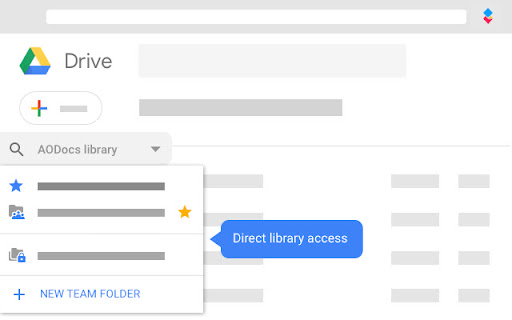
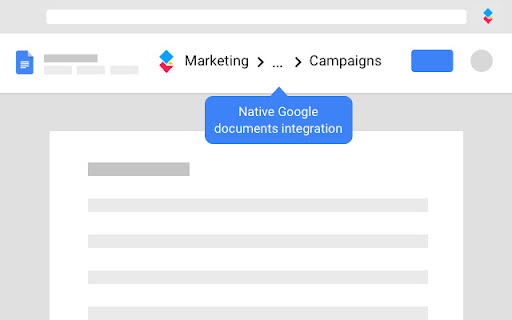
This extension enables users to interact with AODocs document repositories directly through the Google Drive and Google Workspace environments. It supports advanced file handling, metadata management, and workflow state transitions for organizational document control.

Developer:AODocs
Version:1.18 - 2026-08-10 09:49
Size:1.27MiB
Last updated:

Overview

Installs

40K+

Rating

5.0

2 reviews

Languages

5 locales

Includes English, español, français, português (Brasil)...

Market analysis

Review-backed positioning, friction, and market signals for this Chrome extension.

Backed by review samples

Macro category

Automation & Workflow Efficiency

Pricing friction

Moderate review signal

Complaint intensity

Low review signal

Listing & review signals
Observed signals from store listing text and review samples.

Listing positioning

AODocs Smartbar is positioned as an essential bridge between Google Drive and the AODocs document management platform. It emphasizes enterprise-grade capabilities, such as advanced workflow management, file property control, and regulatory compliance features, within the Google Workspace interface.

Inferred product pattern

Enterprise B2B SaaS plugin for existing workspace infrastructure.

Review-backed pain points

No significant review-backed pain points available.

Observed feature gaps

Requires a pre-configured AODocs environment and professional license, rendering the extension non-functional for standalone users.

Tags
Document ManagementGoogle WorkspaceWorkflow AutomationEnterprise Content ManagementCompliance
Target users

- Enterprise Google Workspace Users

- Compliance Officers

- IT Administrators

- Operations Managers

Primary use cases

- Document lifecycle management

- Regulatory compliance tracking

- Workflow state transitions

- Microsoft Office integration with Google Drive

Positive themes

- Seamless integration with AODocs platform

Negative themes

No negative theme data.

Observed friction

- Payment required for meaningful usage

- Requires an existing AODocs commercial license and administrator configuration.

Evidence boundary: Data is sourced from official store descriptions and limited available user reviews. Review sample size is minimal, providing limited insight into user sentiment.
Complaint summaries
Review-backed complaint signals grouped by operational area.

Support

No support-related complaints identified.

Reliability

No reliability or performance complaints identified.

Privacy

No privacy or security complaints identified.

Access & pricing

- Enterprise pricing observed

- Account required for core usage

- Paid-only usage observed

Store listing facts

Listing assets

- Screenshots: 2

- Videos: 0

- Languages: 5

Trust signals

- Privacy policy

- Developer contact

Store metadata

- Version: 1.18 - 2026-08-10 09:49

- Size: 1.27MiB

- Last updated:

Listing SEO keywords

Search intent keywords
Keyword signals for evaluating how users may discover, compare, or search for this extension category.

Core discovery

AODocs for Google DriveGoogle Workspace Document ManagementEnterprise Workflow Automation

Comparison

AODocs vs SharePointDocument Management System for Google

Problem

compliance document controlmigrate legacy document systems

Alternative

AODocs alternativesworkflow management extension

Similar extensions

Jump to related discovery paths:

Screenshots

AODocs - Smartbar for Google Workspace screenshot

Links

Recommended Chrome extensions

Related listings from the same category, trending peers, and the same publisher portfolio.

Browse workflow