Amazing Screenshot and Annotate Tool icon

Amazing Screenshot and Annotate Tool Chrome Extension Analysis

Automation & Workflow Efficiency

Chrome extension ID: kfcihfggijplpbcnnbbnckednhcbllah

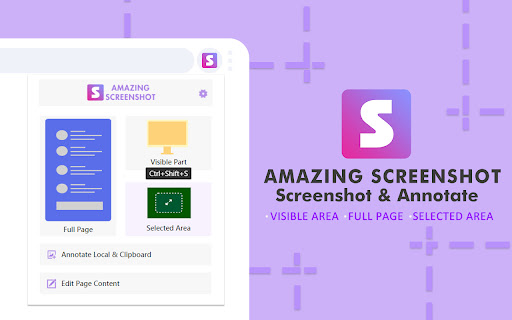
This is a browser-based screenshot and annotation utility that allows users to capture visible areas or full pages. It includes a basic image editor for adding text, stickers, lines, and obfuscating sensitive information.

Developer:extfun
Version:1.2.0
Size:1.42MiB
Last updated:

Overview

Installs

2K+

Rating

4.2

23 reviews

Languages

5 locales

Includes English, español, português (Brasil), português (Portugal)...

Market analysis

Review-backed positioning, friction, and market signals for this Chrome extension.

Backed by review samples

Macro category

Automation & Workflow Efficiency

Pricing friction

Low review signal

Complaint intensity

Moderate review signal

Listing & review signals
Observed signals from store listing text and review samples.

Listing positioning

The extension positions itself as a simple, free tool for capturing and annotating web page screenshots. It emphasizes ease of use, high-resolution output in multiple formats (PNG, JPG, PDF), and a built-in suite of editing features like text insertion, blurring, and drawing.

Inferred product pattern

Free utility browser extension focused on basic visual capturing and markup.

Review-backed pain points

Users reported that recent updates caused loss of existing features (e.g., blur), non-functional tools, and regression in file naming conventions.

Observed feature gaps

Lack of advanced editing options, limited color choices (e.g., no black text), and inconsistent file naming logic post-update.

Tags
Screenshot ToolAnnotation ToolScreen CaptureProductivity
Target users

- Web users

- Content creators

- Professionals needing quick visual documentation

Primary use cases

- Full page web capture

- Sensitive information redaction

- Annotation of web-based visuals

Positive themes

- Ease of use

- Effective full-page PDF capture

- Seamless browser integration

- Convenient keyboard shortcuts

Negative themes

- Recent update regression

- Broken feature functionality

- Limited customization options

- Removal of key tools like blur

Observed friction

- Performance complaints detected

- No pricing friction reported; the tool is claimed to be free, and no subscription or paywall complaints were found.

Evidence boundary: Evidence is derived from Chrome Web Store listing data and recent user reviews highlighting a divergence between long-term positive utility and recent update-related regressions. Review sample size is relatively small, and current sentiment is heavily influenced by a specific recent software update.
Complaint summaries
Review-backed complaint signals grouped by operational area.

Support

Users expressed frustration over the lack of support and the potential cessation of project maintenance, leading to feature degradation.

Reliability

Multiple users noted that recent updates broke previously functional features, leading to a diminished user experience.

Privacy

No specific privacy concerns raised by users; the listing explicitly claims no collection or sale of personal data.

Access & pricing

- Free usage observed

- No account requirement observed

- Free plan or free usage claimed

Store listing facts

Listing assets

- Screenshots: 1

- Videos: 0

- Languages: 5

Trust signals

- Privacy policy

- Developer contact

Store metadata

- Version: 1.2.0

- Size: 1.42MiB

- Last updated:

Listing SEO keywords

Search intent keywords
Keyword signals for evaluating how users may discover, compare, or search for this extension category.

Core discovery

screenshot extensionfull page capturebrowser annotation toolweb page screenshot PDF

Comparison

screenshot tool alternativebest screenshot extension

Problem

broken screenshot toolextension update issues

Alternative

screenshot softwarescreen capture tool

Similar extensions

Jump to related discovery paths:

Screenshots

Amazing Screenshot and Annotate Tool screenshot

Links

Recommended Chrome extensions

Related listings from the same category, trending peers, and the same publisher portfolio.

Browse tools