Sticky Notes Anywhere icon

Sticky Notes Anywhere Chrome Extension Analysis

Tab & Bookmark Productivity

Chrome extension ID: khonfiimlomeelfcepgcnadokpdbfplk

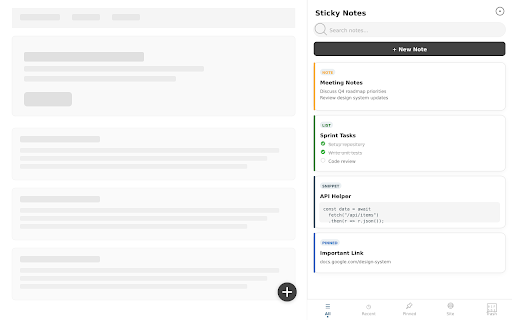
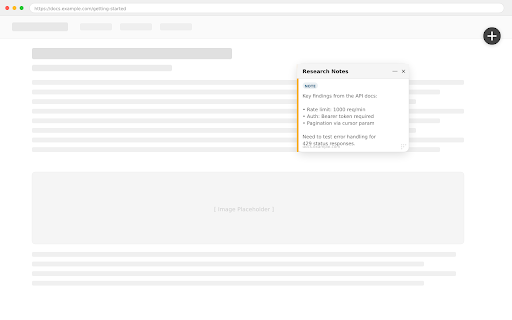
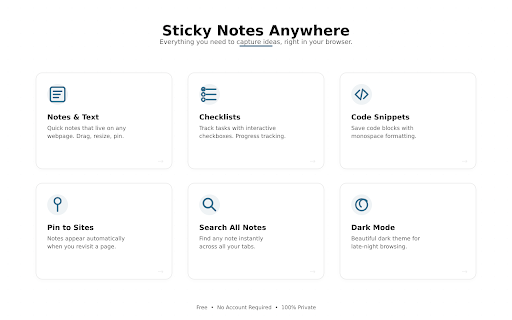
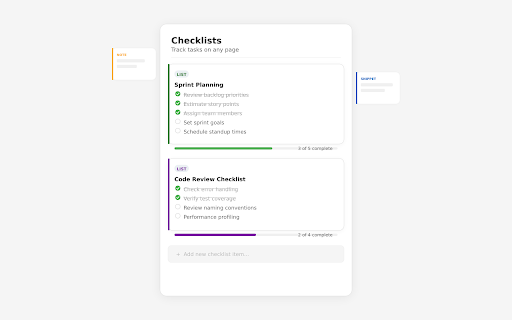
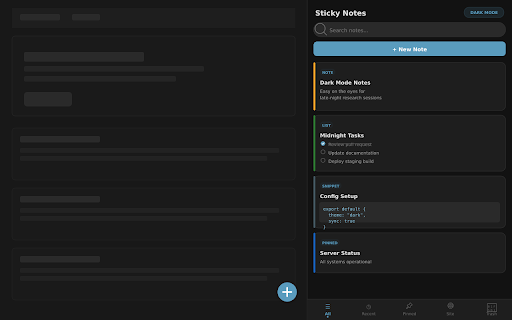
An extension that enables users to create context-aware sticky notes directly on web pages or via a dedicated Chrome side panel. It supports interactive checklists, code snippets, and standard text notes that persist across browsing sessions. The product is fully offline, requiring no account registration or cloud-based data sync.

Developer:Bushe.co
Version:1.4.0
Size:98.33KiB
Last updated:

Overview

Installs

24

Rating

0 reviews

Languages

1 locales

Includes English (United States)

Market analysis

Review-backed positioning, friction, and market signals for this Chrome extension.

No review samples found

Macro category

Tab & Bookmark Productivity

Pricing friction

Low review signal

Complaint intensity

Low review signal

Listing & review signals
Observed signals from store listing text and review samples.

Listing positioning

Sticky Notes Anywhere positions itself as an ultimate quick-note utility featuring a unified notepad sidebar and on-site sticky notes. It emphasizes a native-feeling experience that allows users to pin text, checklists, code snippets, or quotes directly to specific webpages. The listing highlights a strong privacy-first stance with 100% local storage and zero tracking.

Inferred product pattern

Local-first browser sidebar utility leveraging Chrome Side Panel API and local storage.

Review-backed pain points

Review-backed data is not available.

Observed feature gaps

Based on the store listing, there is no built-in cloud synchronization or cross-device sharing, which may limit users who work across multiple machines.

Tags
Sticky NotesProductivitySide Panel NotepadWeb Annotations
Target users

- Students and researchers

- Web developers needing code snippet storage

- General productivity enthusiasts

Primary use cases

- Pinning notes and reminders to specific domains or URLs

- Managing to-do checklists in the Chrome side panel

- Saving code snippets while browsing

Positive themes

- Review-backed data is not available.

Negative themes

- Review-backed data is not available.

Observed friction

- The extension is entirely free with no ads or subscriptions, presenting no observed pricing friction.

Evidence boundary: Analysis is based strictly on the Chrome Web Store listing metadata, developer description, and feature claims. No user reviews are available, limiting the analysis to self-reported developer claims and store listing descriptions.
Complaint summaries
Review-backed complaint signals grouped by operational area.

Support

No support complaints are available as there are no public reviews.

Reliability

No performance or reliability complaints are available due to a lack of public reviews.

Privacy

No privacy concerns are reported; the developer explicitly states the app operates 100% locally with no data collection.

Access & pricing

- Free usage observed

- No account requirement observed

- Free plan or free usage claimed

Store listing facts

Listing assets

- Screenshots: 5

- Videos: 0

- Languages: 1

Trust signals

- Privacy policy

- Developer contact

- Official website

- Support link

Store metadata

- Version: 1.4.0

- Size: 98.33KiB

- Last updated:

Listing SEO keywords

Search intent keywords
Keyword signals for evaluating how users may discover, compare, or search for this extension category.

Core discovery

sticky notes chrome extensionchrome side panel noteswebpage annotation toollocal sticky notes browser

Comparison

sticky notes vs google keepchrome notes vs feather notes

Problem

how to take notes on webpagesave code snippets in browser

Alternative

google keep alternativesticky notes offline alternative

Similar extensions

Jump to related discovery paths:

Screenshots

Sticky Notes Anywhere screenshot

Links

Recommended Chrome extensions

Related listings from the same category, trending peers, and the same publisher portfolio.

Browse workflow