Automation — MCP for Google Flow, Google Vids & Claude: AI video autopilot icon

Automation Chrome Extension Analysis

AI & Writing Assistants

Store listing title: Automation — MCP for Google Flow, Google Vids & Claude: AI video autopilot

Chrome extension ID: kljcdogggnjabpcffmbjbpaeahmkinik

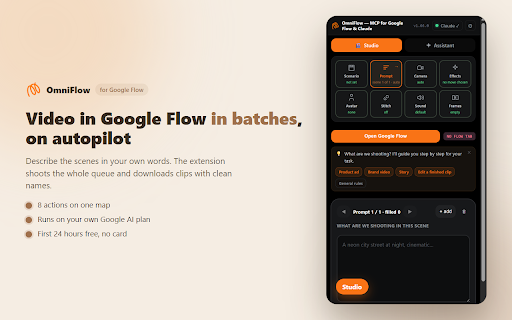
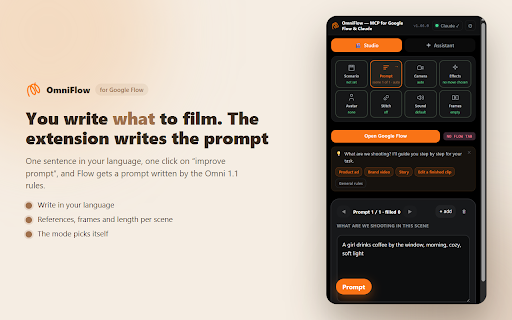
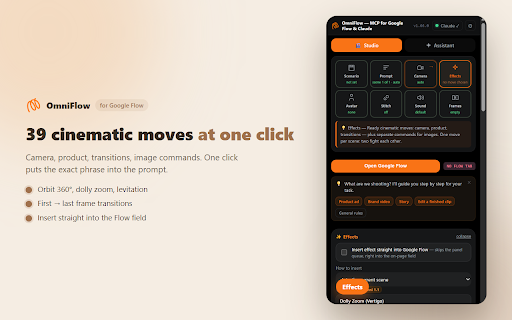
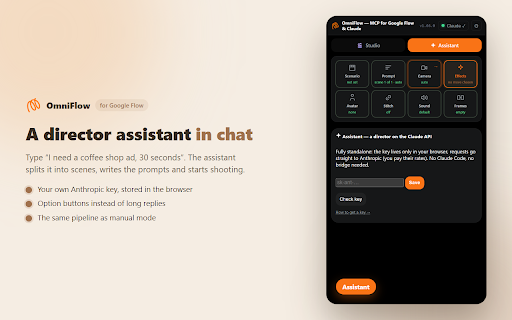
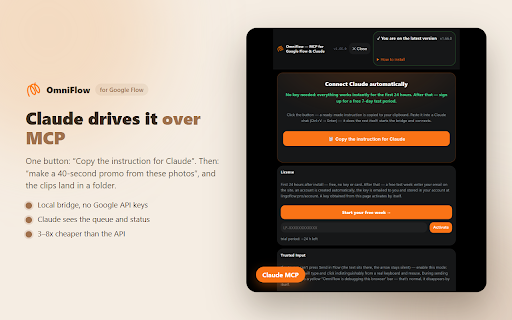
OmniFlow is a browser extension that automates scene-by-scene video generation within the Google Flow environment. It provides a studio interface and AI-assisted prompting to handle script splitting, cinematic camera movements, and scene stitching, allowing users to queue complex video projects for automated execution.

Version:1.95.0
Size:1.84MiB
Last updated:

Overview

Installs

192

Rating

★ 5.0

6 reviews

Languages

52 locales

Includes Deutsch, English, Filipino, Indonesia...

Market analysis

Review-backed positioning, friction, and market signals for this Chrome extension.

No review samples found

Macro category

AI & Writing Assistants

Pricing friction

Moderate review signal

Complaint intensity

Low review signal

Listing & review signals
Observed signals from store listing text and review samples.

Listing positioning

OmniFlow positions itself as an automation layer for Google Flow, designed to eliminate the manual labor of generating video clips one by one. It emphasizes cost savings by leveraging existing Google AI Pro/Ultra plan credits rather than per-second API billing and offers workflow enhancements like batch processing and cinematic shot orchestration.

Inferred product pattern

Automation wrapper for proprietary AI web platforms, utilizing browser-based UI interaction to manage batch workflows.

Review-backed pain points

Review-backed data is not available.

Observed feature gaps

Review-backed data is not available.

Tags
AI Video GenerationAutomationContent CreationGoogle FlowVideo Workflow
Target users

- Content creators

- Marketing agencies

- E-commerce business owners

- Video editors

Primary use cases

- Batch video generation

- Automating cinematic camera movements

- Generating marketplace product ads

- Continuous scene stitching

Positive themes

No positive theme data.

Negative themes

No negative theme data.

Observed friction

- Payment required for meaningful usage

- The extension offers a 24-hour free trial followed by a one-week free period via email registration. Afterward, it requires a paid subscription of 29 euros per year or a 79-euro lifetime purchase.

Evidence boundary: Data is derived from the Chrome Web Store listing details and provided product documentation. No external user reviews were available for analysis. The lack of user reviews limits insights into real-world stability, support quality, and potential friction points with Google account authentication.
Complaint summaries
Review-backed complaint signals grouped by operational area.

Support

Review-backed data is not available.

Reliability

Review-backed data is not available.

Privacy

Review-backed data is not available.

Access & pricing

- Subscription model observed

- Account required for core usage

- Trial or limited free usage before paid plan

Store listing facts

Listing assets

- Screenshots: 5

- Videos: 0

- Languages: 52

Trust signals

- Privacy policy

- Developer contact

- Official website

Store metadata

- Version: 1.95.0

- Size: 1.84MiB

- Last updated:

Listing SEO keywords

Search intent keywords
Keyword signals for evaluating how users may discover, compare, or search for this extension category.

Core discovery

Google Flow automationAI video generator extensionbatch video renderingcinematic AI video prompts

Comparison

Google Flow alternativesAI video editing toolsautomated video generation

Problem

Google Flow manual workflowslow video generationhigh API costs

Alternative

video batch processing toolsAI cinematic camera moves

Similar extensions

Jump to related discovery paths:

Screenshots

Automation — MCP for Google Flow, Google Vids & Claude: AI video autopilot screenshot

Links

Recommended Chrome extensions

Related listings from the same category, trending peers, and the same publisher portfolio.

Browse tools