Unify Phone icon

Unify Phone Chrome Extension Analysis

Automation & Workflow Efficiency

Chrome extension ID: kmecfbfkkbgoadanmacdkpfpljfocehm

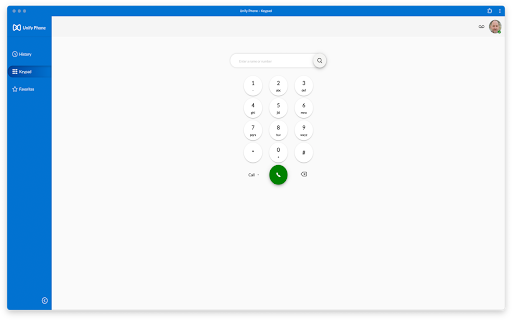
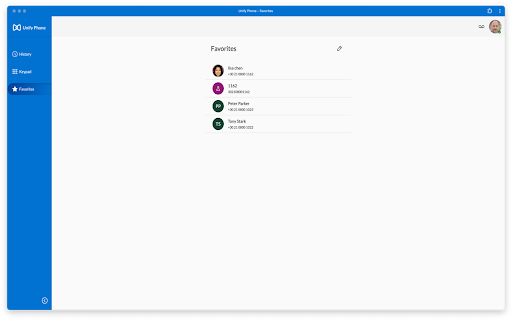
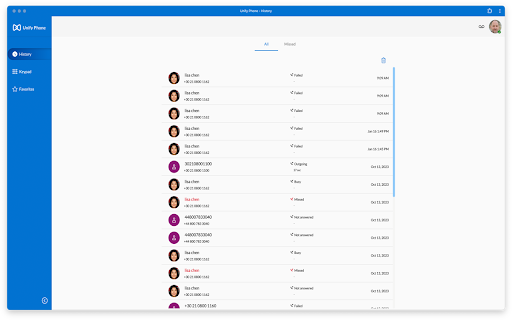
This Chrome extension extends Unify Phone, Mitel, and OpenScape communication systems, enabling users to manage business calls directly from their browser. It offers features like call diversion, transfers to colleagues, and the ability to seamlessly pull calls between various devices such as desk phones, laptops, and mobile phones.

Version:3.0.2
Size:51.15KiB
Last updated:

Overview

Installs

10K+

Rating

★ 4.6

7 reviews

Languages

2 locales

Includes Deutsch, English

Market analysis

Review-backed positioning, friction, and market signals for this Chrome extension.

Backed by review samples

Macro category

Automation & Workflow Efficiency

Pricing friction

Low review signal

Complaint intensity

Moderate review signal

Listing & review signals
Observed signals from store listing text and review samples.

Listing positioning

The extension is positioned as an enhancement for the Unify Phone experience, focusing on integrating with existing Mitel and OpenScape systems. It aims to provide a smooth transition to modern communication tools, emphasizing cloud flexibility and the reliability of a trusted voice platform, while ensuring launched calls remain within the same browser tab.

Inferred product pattern

An enterprise communication extension that integrates with existing Mitel and OpenScape systems, providing browser-based softphone capabilities and advanced call management features to enhance mobility and device flexibility for business users.

Review-backed pain points

The primary pain point reported is the failure of the extension to open or launch on specific Windows 11 Dell laptop models, preventing the user from utilizing its core functionality.

Observed feature gaps

No specific feature gaps are explicitly highlighted in the reviews, beyond a reported issue with the core functionality failing to launch on a specific system.

Tags
Unified CommunicationsSoftphoneCall ManagementBusiness Phone
Target users

- Business Professionals using Mitel or OpenScape systems

- Employees requiring portable and flexible business phone access

- Organizations seeking to modernize their voice communication infrastructure

Primary use cases

- Managing and making business calls directly from the Chrome browser

- Diverting calls and transferring them to colleagues

- Seamlessly moving active calls between different devices (desk phone, laptop, mobile)

- Using a company phone number across multiple devices for flexibility

Positive themes

- Enhanced portability and flexibility of the business phone system

- Seamless integration and ability to pull calls between multiple devices (laptop, desk, mobile)

- Ease of use with no required training for core functions

- Functionality as a reliable WebRTC client for sending and receiving calls

Negative themes

- Inability to open or launch the extension on certain operating system configurations

Observed friction

- Performance complaints detected

- No pricing information or complaints regarding payment are available in the provided data.

Evidence boundary: This analysis is based on the Chrome Web Store listing, including the short and long descriptions, and a sample of 6 user reviews (4 high-rating, 1 low-rating, 1 neutral/no info). The analysis is limited by the small number of available user reviews, which may not represent the full range of user experiences or sentiment. The most recent review is from November 2025 (future-dated in input) while other reviews are from 2023-2024.
Complaint summaries
Review-backed complaint signals grouped by operational area.

Support

No specific complaints related to customer support, account management, or refunds are available in the provided data.

Reliability

One review indicates a critical reliability issue where the extension fails to open or launch on a specific Windows 11 laptop, rendering it unusable for that user.

Privacy

No complaints or concerns regarding privacy or security practices are available in the provided data.

Access & pricing

- No clear monetization signal

- Login needed for core features

- No clear pricing signal

Store listing facts

Listing assets

- Screenshots: 5

- Videos: 0

- Languages: 2

Trust signals

- Developer contact

- Official website

Store metadata

- Version: 3.0.2

- Size: 51.15KiB

- Last updated:

Listing SEO keywords

Search intent keywords
Keyword signals for evaluating how users may discover, compare, or search for this extension category.

Core discovery

Mitel softphoneOpenScape communicationbusiness VoIP extensionunified communications Chromeportable desk phone browser

Problem

desk phone not portablemiss calls away from deskdifficulty transferring callsbusiness phone on multiple devicesunify phone not opening

Similar extensions

Jump to related discovery paths:

Screenshots

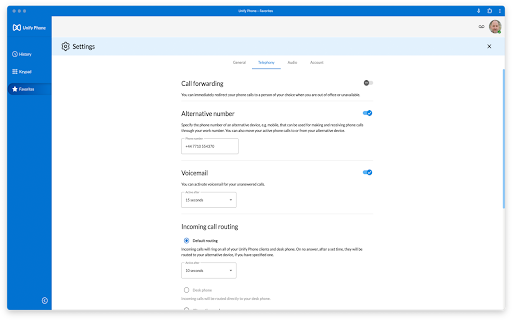
Unify Phone screenshot

Links

Website: unify.com

Recommended Chrome extensions

Related listings from the same category, trending peers, and the same publisher portfolio.

Browse social