Notion Web Clipper icon

Notion Web Clipper Chrome Extension Analysis

Automation & Workflow Efficiency

Chrome extension ID: knheggckgoiihginacbkhaalnibhilkk

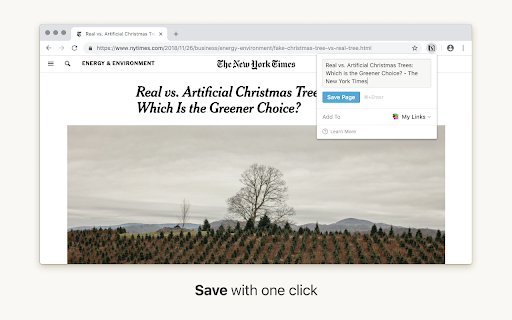
An official browser extension for Notion that allows users to clip web pages and save them to specific Notion pages or databases. It serves as a bridge between web browsing and structured knowledge organization.

Developer:team
Version:0.2.13
Size:5.12MiB
Last updated:

Overview

Installs

1.0M+

Rating

3.3

620 reviews

Languages

2 locales

Includes English, 한국어

Market analysis

Review-backed positioning, friction, and market signals for this Chrome extension.

Backed by review samples

Macro category

Automation & Workflow Efficiency

Pricing friction

Low review signal

Complaint intensity

Moderate review signal

Listing & review signals
Observed signals from store listing text and review samples.

Listing positioning

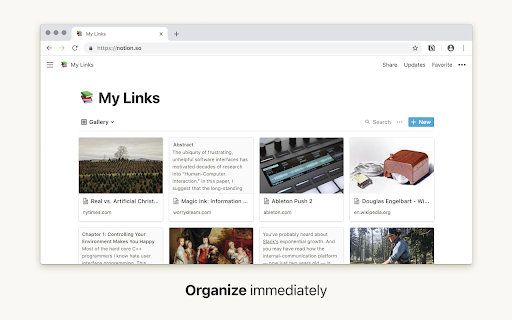
The product is positioned as a one-click tool to save any website directly into a Notion workspace. It emphasizes the ability to organize captured research and inspiration into databases to turn them into actionable items.

Inferred product pattern

Official ecosystem utility designed to facilitate data ingestion into a primary SaaS workspace.

Review-backed pain points

Users report that the clipper often fails to capture full page content or saves internal Notion links instead of original URLs. There are frequent reports of 'Please go online' errors occurring while the user is connected to the internet.

Observed feature gaps

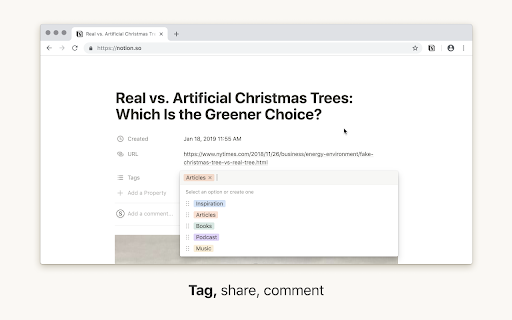
Lack of a directory tree for database selection, inability to clip pages requiring login, absence of a default database setting, and no ability to edit properties or tags within the clipper interface.

Tags
Web ClipperNotion IntegrationResearch ToolKnowledge ManagementContent Capture
Target users

- Notion users

- Researchers

- Students

- Content curators

- Knowledge workers

Primary use cases

- Saving research articles

- Creating reading lists

- Collecting project inspiration

- Organizing web-based information

Positive themes

- Ease of saving pages to Notion

Negative themes

- Incomplete content extraction

- Poor database navigation

- Connectivity errors

- Lack of multi-account support

- Inability to clip gated content

Observed friction

- Performance complaints detected

- No pricing friction observed in the provided data.

Evidence boundary: Extracted from the official Chrome Web Store listing and a sample of 15 user reviews including multi-language feedback. Review samples are limited and represent a specific subset of dissatisfied users, which may not reflect the experience of the total user base.
Complaint summaries
Review-backed complaint signals grouped by operational area.

Support

Users express frustration over the perceived lack of updates and failure to address long-standing functional bugs.

Reliability

Significant reliability issues regarding content clipping accuracy and false connectivity error messages.

Privacy

No privacy complaints observed.

Access & pricing

- Free entry with paid features

- Account required for core usage

- Free plan or free usage claimed

Store listing facts

Listing assets

- Screenshots: 3

- Videos: 0

- Languages: 2

Trust signals

- Privacy policy

- Developer contact

- Official website

Store metadata

- Version: 0.2.13

- Size: 5.12MiB

- Last updated:

Listing SEO keywords

Search intent keywords
Keyword signals for evaluating how users may discover, compare, or search for this extension category.

Core discovery

Notion web clippersave websites to NotionNotion browser extensionweb to notion

Comparison

Notion vs Evernote web clipper

Problem

notion clipper not workingsave web page to notion databasenotion web clipper offline error

Alternative

Notion clipper alternativesbest web clipper for Notion

Similar extensions

Jump to related discovery paths:

Screenshots

Notion Web Clipper screenshot

Links

Recommended Chrome extensions

Related listings from the same category, trending peers, and the same publisher portfolio.

Browse workflow