Website Blocker — Block Sites, Focus Timer & Productivity Tools icon

Website Blocker Chrome Extension Analysis

Automation & Workflow Efficiency

Store listing title: Website Blocker — Block Sites, Focus Timer & Productivity Tools

Chrome extension ID: kniediipngcpmbmpeacaoinhoeipfina

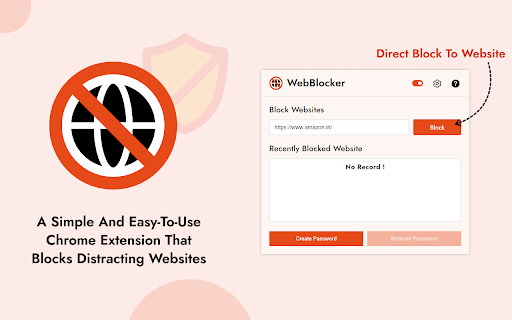
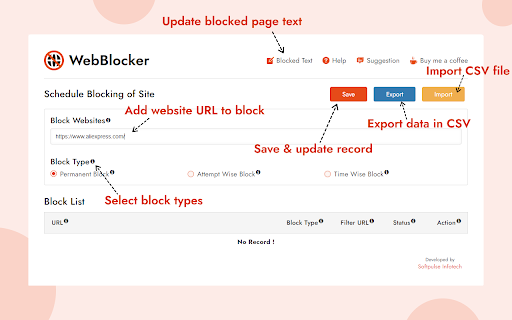
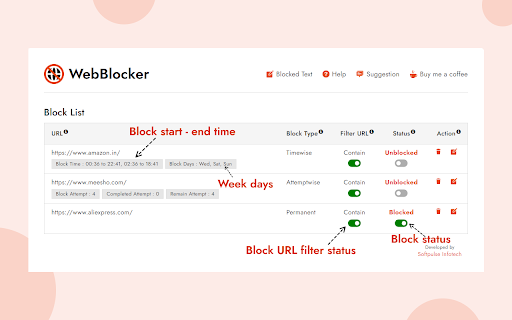
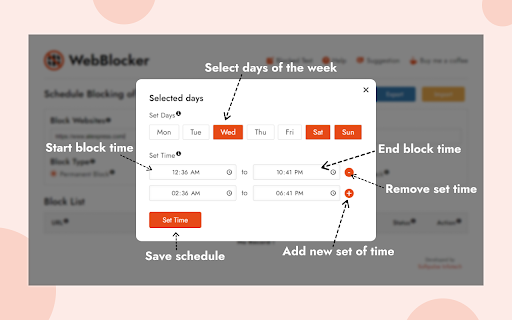
This tool allows users to restrict access to specific websites or content categories within the Chrome browser. It includes flexible scheduling options, attempt-limited access, and various block types to help users maintain focus and enforce digital boundaries.

Version:1.0.14
Size:953KiB
Last updated:

Overview

Installs

20K+

Rating

4.7

129 reviews

Languages

43 locales

Includes Deutsch, English, Filipino, Indonesia...

Market analysis

Review-backed positioning, friction, and market signals for this Chrome extension.

Backed by review samples

Macro category

Automation & Workflow Efficiency

Pricing friction

Low review signal

Complaint intensity

Moderate review signal

Listing & review signals
Observed signals from store listing text and review samples.

Listing positioning

The extension positions itself as a comprehensive productivity utility designed to eliminate online distractions through URL, keyword, and time-based blocking. It highlights both free core functionality and advanced 'Pro' features like Pomodoro timers, bypass prevention, and silent block modes to appeal to both casual and power users.

Inferred product pattern

Utility-focused productivity tool with a straightforward 'block-and-focus' core logic and a secondary upsell path for advanced scheduling/automation features.

Review-backed pain points

Users experience frustration with the UI, specifically when configuring complex custom time schedules, and note occasional reliability issues where previously functional settings stop working.

Observed feature gaps

Lack of bulk list import/export (e.g., text file support), inability to block site previews in search engines, and minor UI UX friction when re-opening settings dialogs.

Tags
Website BlockerFocus TimerProductivityContent FilterTime Management
Target users

- Students

- Remote Workers

- Content Creators

- Parents

Primary use cases

- Blocking distracting social media or news sites

- Enforcing work-study focus sessions

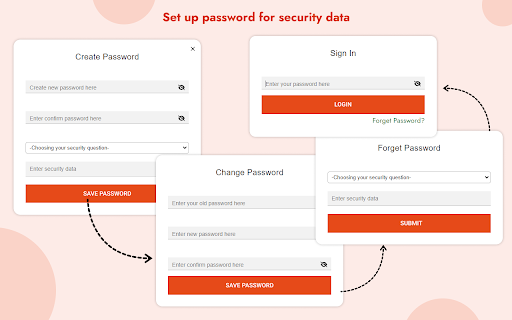
- Setting up parent-controlled web access via passwords

- Limiting time spent on unproductive domains

Positive themes

- Accessible one-click toggle switch

- Unlimited block list capacity compared to competitors

- Effective password-protection for child accounts

- Useful auto-close functionality for blocked tabs

Negative themes

- UI navigation bugs within custom scheduling settings

- Inconsistent reliability for time-based blocking

- Failure to prevent blocked sites from appearing in search results

- Requirement for manual intervention to close some blocked tabs

Observed friction

- Performance complaints detected

- No direct complaints regarding pricing; users generally appreciate that the core features are free, though some advanced features are locked behind a Pro tier.

Evidence boundary: The assessment is based on public store listing descriptions and user feedback covering UI performance, feature efficacy, and recurring usage bugs. Review sample size is relatively small compared to user base, and feedback is gathered across multiple languages which may reflect regional feature usage variances.
Complaint summaries
Review-backed complaint signals grouped by operational area.

Support

Minimal feedback on support; primary technical concerns relate to UI bugs and intermittent feature failure rather than account or billing issues.

Reliability

Users report sporadic failures where custom schedules or blocking rules stop applying, requiring restarts or re-configuration.

Privacy

No significant privacy or security complaints identified in the sample set.

Access & pricing

- Free entry with paid features

- No account requirement observed

- Limited free usage observed

Store listing facts

Listing assets

- Screenshots: 5

- Videos: 0

- Languages: 43

Trust signals

- Developer contact

- Official website

Store metadata

- Version: 1.0.14

- Size: 953KiB

- Last updated:

Listing SEO keywords

Search intent keywords
Keyword signals for evaluating how users may discover, compare, or search for this extension category.

Core discovery

chrome website blockerfocus timer extensionblock distracting websitesproductivity tool for chromeURL blocker

Comparison

website blocker alternativebest chrome blocker for studyfree site blocker for chrome

Problem

how to block sites in chromestay focused on computerstop browsing distractions

Alternative

StayFocusd alternativesBlockSite alternatives

Similar extensions

Jump to related discovery paths:

Screenshots

Website Blocker — Block Sites, Focus Timer & Productivity Tools screenshot

Links

Recommended Chrome extensions

Related listings from the same category, trending peers, and the same publisher portfolio.

Browse workflow