Color Picker icon

Color Picker Chrome Extension Analysis

Developer & Designer Tools

Chrome extension ID: kpppomnoahmhnmmamjfbnnnmeabkjcni

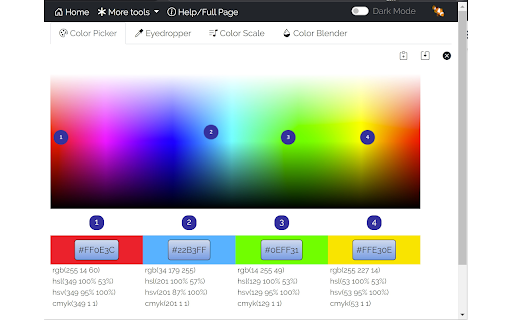
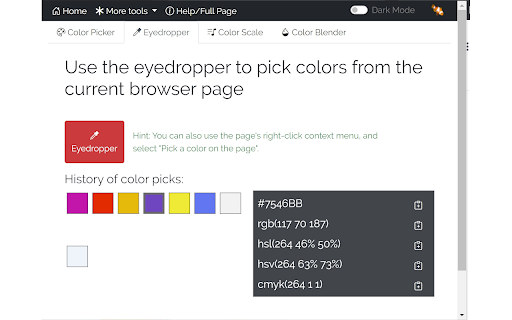
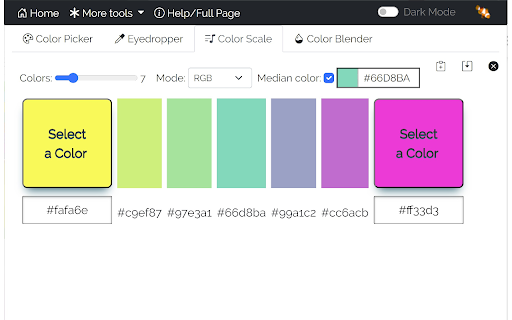
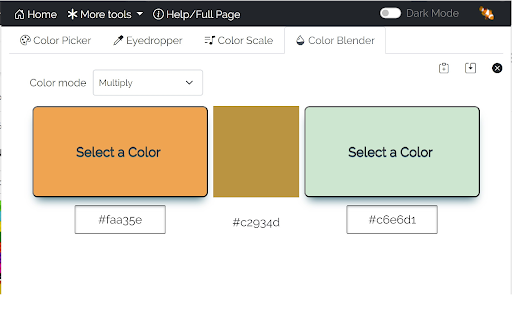
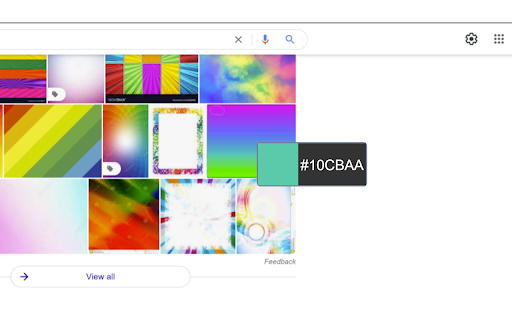
Color Picker is a utility extension that allows users to capture colors from webpages using an eyedropper tool and perform color manipulations. It supports multiple color formats, color blending, and the generation of custom color palettes and scales.

Developer:LinangData
Version:2.0.3
Size:1.74MiB
Last updated:

Overview

Installs

20K+

Rating

4.2

10 reviews

Languages

1 locales

Includes English (United States)

Market analysis

Review-backed positioning, friction, and market signals for this Chrome extension.

Backed by review samples

Macro category

Developer & Designer Tools

Pricing friction

Low review signal

Complaint intensity

Moderate review signal

Listing & review signals
Observed signals from store listing text and review samples.

Listing positioning

The store listing positions this extension as a comprehensive toolkit for web designers and data visualizers. It emphasizes versatile features like color selection, palette creation, and algorithmic color scaling for charts and maps.

Inferred product pattern

Utility-focused browser extension with no external dependency.

Review-backed pain points

Some users report that the extension simply fails to work, though specific technical causes for these failures are not provided in the feedback.

Observed feature gaps

The listing itself acknowledges limitations such as inability to pick colors from sensitive pages (e.g., chrome://) and potential blurring on high-DPI displays.

Tags
Color PickerDesign ToolEyedropperPalette GeneratorColor Blender
Target users

- Web Designers

- Frontend Developers

- Data Analysts

- UI/UX Professionals

Primary use cases

- Sampling colors from web pages

- Creating color palettes for design projects

- Generating color scales for data visualization

- Blending colors for CSS or design assets

Positive themes

- Ease of use

- General utility for design tasks

- Functional reliability for core features

Negative themes

- Generic functionality failures

- Lack of clear error reporting

Observed friction

- None; the product claims to be free.

Evidence boundary: Evidence is drawn from the official store listing and user reviews. High ratings indicate general satisfaction, while low ratings are isolated incidents of functional failure. Review volume is relatively low, limiting the ability to assess long-term stability or specific edge-case bugs.
Complaint summaries
Review-backed complaint signals grouped by operational area.

Support

No specific support or refund complaints identified.

Reliability

Minor mentions of the extension not working, with no specific patterns or recurring technical bugs identified.

Privacy

No privacy or security-related complaints identified.

Access & pricing

- Free usage observed

- No account requirement observed

- Free plan or free usage claimed

Store listing facts

Listing assets

- Screenshots: 5

- Videos: 1

- Languages: 1

Trust signals

- Privacy policy

- Developer contact

- Official website

Store metadata

- Version: 2.0.3

- Size: 1.74MiB

- Last updated:

Listing SEO keywords

Search intent keywords
Keyword signals for evaluating how users may discover, compare, or search for this extension category.

Core discovery

eyedropper toolhex color pickercss color palette generatorrgb to hex converter

Comparison

Color Picker vs ColorZillabest chrome color picker

Problem

cannot pick color from webpagefind color hex code

Alternative

color picker extensionweb design color tool

Similar extensions

Jump to related discovery paths:

Screenshots

Color Picker screenshot

Links

Recommended Chrome extensions

Related listings from the same category, trending peers, and the same publisher portfolio.

Browse workflow