Vision Capture 4K icon

Vision Capture 4K Chrome Extension Analysis

Automation & Workflow Efficiency

Chrome extension ID: lbhfjpleedffopccedeklpkkjeogklem

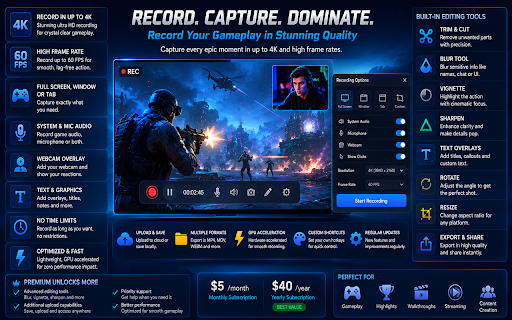
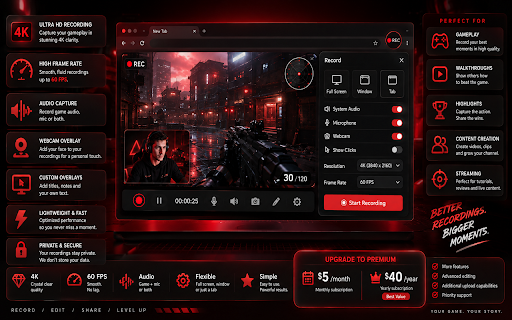
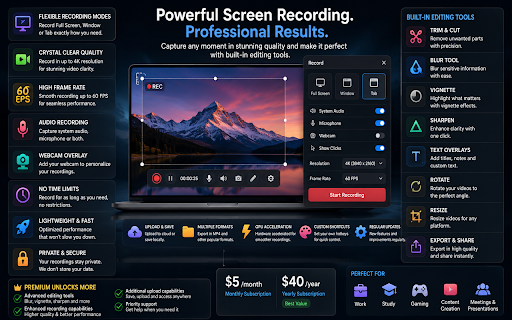
Vision Capture 4K is a browser-based tool for recording screen activity and taking high-resolution screenshots. It includes integrated editing features such as annotation, filters, text overlays, and resizing, with advanced editing capabilities gated behind a subscription model.

Developer:eyedolise
Version:1.2.4
Size:14.85MiB
Last updated:

Overview

Installs

19

Rating

0 reviews

Languages

1 locales

Includes English

Market analysis

Review-backed positioning, friction, and market signals for this Chrome extension.

No review samples found

Macro category

Automation & Workflow Efficiency

Pricing friction

Low review signal

Complaint intensity

Low review signal

Listing & review signals
Observed signals from store listing text and review samples.

Listing positioning

The extension positions itself as a premium, all-in-one browser-based studio for high-quality screen recording and advanced image editing. It targets content creators and professionals by emphasizing high-resolution 4K output, high-frame-rate capture, and a suite of post-production tools like sharpening and blurring.

Inferred product pattern

Screen capture utility transitioning into a subscription-based creative suite.

Review-backed pain points

Review-backed data is not available.

Observed feature gaps

No feature gaps identified from user feedback, though the store listing implies complex editing features may require specific subscription tiers to access.

Tags
Screen RecorderScreenshot ToolVideo EditorBrowser Productivity
Target users

- Content Creators

- Educators

- Professionals

- Technical Support Staff

Primary use cases

- Recording tutorials

- Capturing high-resolution screenshots

- Editing and annotating visual content

- Creating educational presentations

Positive themes

No positive theme data.

Negative themes

No negative theme data.

Observed friction

- The extension uses a tiered subscription model (monthly and yearly) to gate advanced editing features like image uploads and specific filters.

Evidence boundary: Data is extracted exclusively from the provided store listing; no user reviews or external feedback were available for verification. The lack of user reviews means product claims regarding performance and stability cannot be verified.
Complaint summaries
Review-backed complaint signals grouped by operational area.

Support

Review-backed data is not available.

Reliability

Review-backed data is not available.

Privacy

Review-backed data is not available.

Access & pricing

- Free entry with paid features

- No clear access signal

- Trial or limited free usage before paid plan

Store listing facts

Listing assets

- Screenshots: 5

- Videos: 0

- Languages: 1

Trust signals

- Privacy policy

- Developer contact

- Official website

Store metadata

- Version: 1.2.4

- Size: 14.85MiB

- Last updated:

Listing SEO keywords

Search intent keywords
Keyword signals for evaluating how users may discover, compare, or search for this extension category.

Core discovery

4k screen recorderbrowser screenshot extensionvideo annotation tool

Comparison

Loom alternativeAwesome Screenshot alternative

Problem

low quality screen recordingbrowser screen capture issues

Alternative

screen recording softwareonline image editor

Similar extensions

Jump to related discovery paths:

Screenshots

Vision Capture 4K screenshot

Links

Recommended Chrome extensions

Related listings from the same category, trending peers, and the same publisher portfolio.

Browse shopping