Call From Browser: Click-to-Call icon

Call From Browser Chrome Extension Analysis

Automation & Workflow Efficiency

Store listing title: Call From Browser: Click-to-Call

Chrome extension ID: ldenfjcepmcgmfjhbgdjkjbmidkohbkd

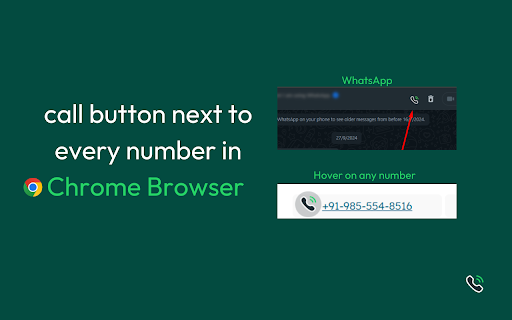
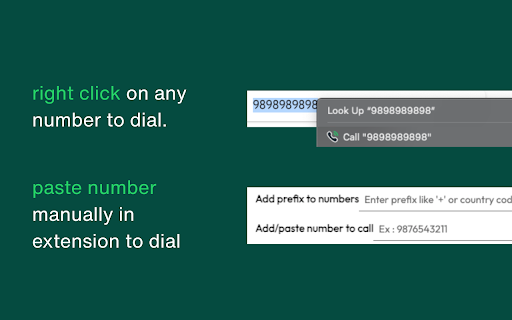
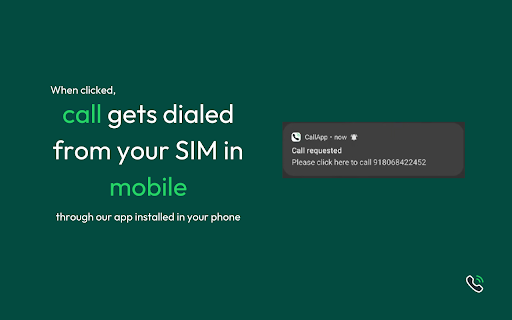
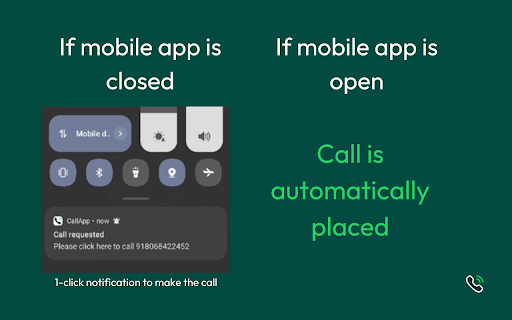
This extension is a browser-to-mobile calling bridge that scans web pages for phone numbers and inserts a click-to-dial icon next to them. When triggered, it communicates with the companion WAcall app on iOS or Android to initiate a call through the user's cellular carrier. It aims to bridge the gap between computer-based lead browsing and smartphone-based dialing.

Developer:WAtext
Version:1.25
Size:2.3MiB
Last updated:

Overview

Installs

793

Rating

4.7

257 reviews

Languages

1 locales

Includes English (United States)

Market analysis

Review-backed positioning, friction, and market signals for this Chrome extension.

Backed by review samples

Macro category

Automation & Workflow Efficiency

Pricing friction

Moderate review signal

Complaint intensity

Moderate review signal

Listing & review signals
Observed signals from store listing text and review samples.

Listing positioning

The store listing positions 'Call From Browser: Click-to-Call' as an efficiency tool that turns web-based phone numbers into instant click-to-call buttons. It emphasizes saving hours of manual dialing by routing calls directly through the user's physical mobile SIM card via a companion mobile app rather than using VoIP. The positioning targets outbound-heavy professionals who want to maintain their real caller ID without paying for expensive desktop telephony setups.

Inferred product pattern

A browser-to-mobile calling connector utilizing a Chrome scraper coupled with web sockets/push messaging to trigger native smartphone dialers.

Review-backed pain points

The most significant pain point is a highly controversial review-gate system where the extension demands a 5-star review to unlock or continue free usage, yet the review verification link consistently fails with errors. Additionally, technical frustrations stem from the extension failing to recognize numbers in Google Sheets—a core tool for sales workflows—and sporadic disconnects that require a full reinstall of the companion mobile app.

Observed feature gaps

Reviews indicate a critical need for Google Sheets compatibility to support sales lead sheets. Users also noted the absence of an API for smoother integrations, the lack of a native desktop dialer interface (relying solely on the Chrome extension UI), and occasional detection failures requiring manual copy-pasting into the extension window.

Tags
Click To CallSales DialerWorkflow Automation
Target users

- Sales professionals

- Customer support representatives

- Recruiters

- High-volume outbound dialers

Primary use cases

- Initiating carrier-based mobile calls directly from web pages

- Eliminating manual data entry and dialing errors during lead outreach

- Click-to-calling directly from web-based CRM and email platforms

Positive themes

- Saves time compared to manual dialing on a mobile keypad

- Convenient laptop-to-mobile dialing integration

- Maintains real caller ID through SIM integration rather than VoIP

Negative themes

- Forced 5-star review gatekeeping to access or continue using the extension

- Buggy review verification system that errors out and blocks usability

- Failure to automatically detect phone numbers on Google Sheets

- Intermittent call connection failures requiring reinstallation and reverification

Observed friction

- Free-tier complaints detected

- Performance complaints detected

- Friction centers heavily around the free tier's limitations and a coercive mechanic requiring 5-star reviews to sustain free usage. Even paying subscribers report encountering errors claiming they are not allowed to use the service for free, alongside broken review-link verification loops.

Evidence boundary: The analysis is derived from the Chrome Web Store listing metadata, the official watext.me setup guide, and a detailed examination of 10 recent user reviews outlining pairing bugs, forced review prompt failures, and Google Sheets detection limitations. Findings are constrained by the small pool of 10 public review samples, which may skew heavily toward active troubleshooters and frustrated users reporting verification bugs.
Complaint summaries
Review-backed complaint signals grouped by operational area.

Support

Users report extremely poor developer support when trying to resolve glitches, particularly when encountering verification errors or issues with active subscriptions.

Reliability

The extension suffers from spotty reliability, with users reporting that it only detects about 50% of webpage numbers and frequently fails to trigger the mobile companion app, forcing users to reinstall and re-pair devices.

Privacy

No privacy complaints were documented in the review samples. The publisher claims no call logs are stored and calls are routed purely via the user's mobile carrier.

Access & pricing

- Free entry with paid features

- Account required for core usage

- Limited free usage observed

Store listing facts

Listing assets

- Screenshots: 5

- Videos: 1

- Languages: 1

Trust signals

- Privacy policy

- Developer contact

- Official website

- Support link

Store metadata

- Version: 1.25

- Size: 2.3MiB

- Last updated:

Listing SEO keywords

Search intent keywords
Keyword signals for evaluating how users may discover, compare, or search for this extension category.

Core discovery

click to call chrome extensioncall from browser mobile simchrome extension to mobile dialerwacall browser click to call

Comparison

click to call vs link to windowsbrowser dialer vs voip

Problem

how to call from laptop using simeliminate manual dialing salesdial phone numbers from chrome

Alternative

Link to WindowsVoIP Click to CallChrome phone dialer

Similar extensions

Jump to related discovery paths:

Screenshots

Call From Browser: Click-to-Call screenshot

Links

Recommended Chrome extensions

Related listings from the same category, trending peers, and the same publisher portfolio.

Browse workflow