Picture-in-Picture Floating Video Player icon

Picture-in-Picture Floating Video Player Chrome Extension Analysis

Automation & Workflow Efficiency

Chrome extension ID: ldmmfmfmgnpknfmjmdlfkogaicgpjelg

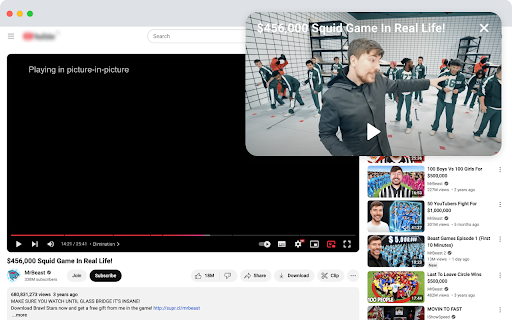
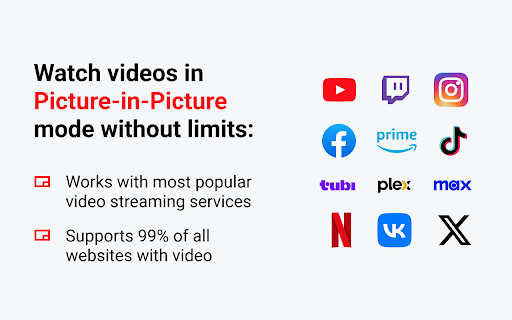
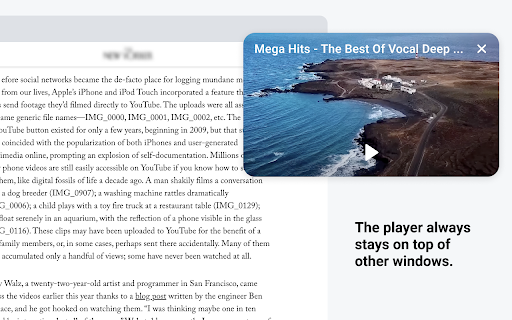
This Chrome extension enables Picture-in-Picture (PiP) mode for various video platforms. It provides a floating video window that remains on top of other windows, allowing for uninterrupted viewing while browsing or working.

Developer:Pic Mode Player
Version:2.0.1
Size:201KiB
Last updated:

Overview

Installs

2K+

Rating

4.9

11 reviews

Languages

54 locales

Includes Deutsch, English, English (United Kingdom), English (United States)...

Market analysis

Review-backed positioning, friction, and market signals for this Chrome extension.

Backed by review samples

Macro category

Automation & Workflow Efficiency

Pricing friction

Low review signal

Complaint intensity

Low review signal

Listing & review signals
Observed signals from store listing text and review samples.

Listing positioning

The product is positioned as a powerful tool for effortless multitasking, allowing users to watch videos in a floating window that stays on top of other applications. It emphasizes simplicity through one-click activation and customizable hotkey support.

Inferred product pattern

A lightweight productivity utility providing a floating video overlay to facilitate multitasking.

Review-backed pain points

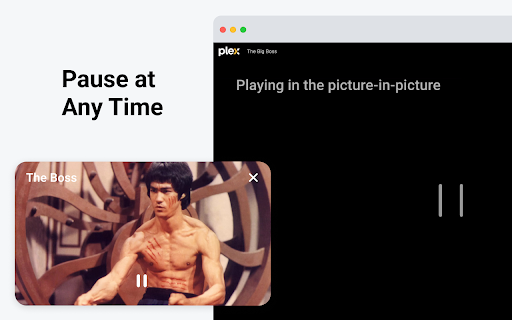
The pause function within the floating window is unreliable; videos automatically resume after a second, requiring users to return to the original tab to pause.

Observed feature gaps

Functional and reliable playback controls (specifically pausing) within the PiP window interface.

Tags
Video PlayerPicture In PictureMultitasking Tool
Target users

- Multitaskers

- Students

- Remote workers

Primary use cases

- Watching videos while working

- Following tutorials while browsing

- Monitoring live streams while multitasking

Positive themes

- Improved UI compared to other options

- Simple and easy to use

- Effective for multitasking

Negative themes

- Unreliable playback controls in PiP mode

Observed friction

- No pricing information is provided in the store listing or reviews.

Evidence boundary: Evidence is derived from the product listing and a small sample of user reviews highlighting usability and a specific control bug. The total number of reviews is small (11), which may not capture the full breadth of user experiences.
Complaint summaries
Review-backed complaint signals grouped by operational area.

Support

No support or account-related complaints were identified.

Reliability

One user reported a bug where the pause button in the PiP window fails to keep the video paused.

Privacy

No privacy complaints were observed; the developer claims no personal data is collected or shared.

Access & pricing

- No clear monetization signal

- No account requirement observed

- No clear pricing signal

Store listing facts

Listing assets

- Screenshots: 4

- Videos: 0

- Languages: 54

Trust signals

- Privacy policy

- Developer contact

Store metadata

- Version: 2.0.1

- Size: 201KiB

- Last updated:

Listing SEO keywords

Search intent keywords
Keyword signals for evaluating how users may discover, compare, or search for this extension category.

Core discovery

Picture-in-PictureFloating Video PlayerPiP ExtensionMultitasking Video

Comparison

better than other PiP options

Problem

video won't pause in PiPPiP player bug

Alternative

Floating video playerPiP multitasking tool

Similar extensions

Jump to related discovery paths:

Screenshots

Picture-in-Picture Floating Video Player screenshot

Links

Recommended Chrome extensions

Related listings from the same category, trending peers, and the same publisher portfolio.

Browse workflow