Voice Typing in Google Docs icon

Voice Typing in Google Docs Chrome Extension Analysis

AI & Writing Assistants

Chrome extension ID: lflnjdgjeeaghghhkgaphbicgijmdiab

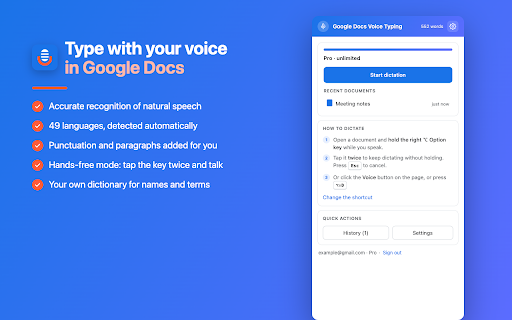
An AI-powered Chrome extension that provides advanced speech-to-text capabilities specifically optimized for Google Docs. It utilizes a Whisper-class cloud model to handle accents and offers features like hands-free mode and automatic punctuation.

Developer:dansolo2025
Version:1.0.10
Size:104KiB
Last updated:

Overview

Installs

8

Rating

★ 4.2

5 reviews

Languages

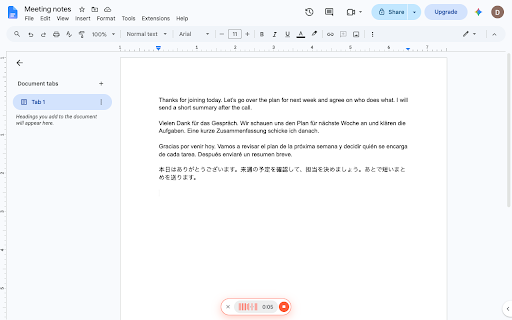
52 locales

Includes Deutsch, English, Filipino, Indonesia...

Market analysis

Review-backed positioning, friction, and market signals for this Chrome extension.

Backed by review samples

Macro category

AI & Writing Assistants

Pricing friction

Low review signal

Complaint intensity

Low review signal

Listing & review signals
Observed signals from store listing text and review samples.

Listing positioning

The product positions itself as a superior alternative to Google Docs' built-in voice typing tool. It emphasizes continuous listening, automatic punctuation, and the ability to learn custom terminology and names.

Inferred product pattern

Usage-based productivity tool targeting the Google Docs ecosystem through enhanced dictation features.

Review-backed pain points

No review-backed pain points identified.

Observed feature gaps

The tool is currently limited to Google Docs, with a 'dictate anywhere on the web' feature listed as coming next.

Tags
Voice TypingSpeech To TextDictationGoogle Docs
Target users

- Students

- Writers

- Bloggers

- Professionals

- People with RSI or dyslexia

Primary use cases

- Drafting essays

- Writing blog posts

- Taking meeting notes

- Research summaries

Positive themes

- High quality transcription

- Ease of use

Negative themes

No negative theme data.

Observed friction

- The product uses a freemium model providing free monthly minutes with a Pro tier for heavy users.

Evidence boundary: Data extracted from the product store listing and two high-rating reviews. The review sample size is extremely small, representing only positive sentiment.
Complaint summaries
Review-backed complaint signals grouped by operational area.

Support

No support complaints observed in reviews.

Reliability

No reliability complaints observed in reviews.

Privacy

No privacy complaints observed in reviews.

Access & pricing

- Free entry with paid features

- No clear access signal

- Limited free usage observed

Store listing facts

Listing assets

- Screenshots: 2

- Videos: 0

- Languages: 52

Trust signals

- Privacy policy

- Developer contact

- Official website

Store metadata

- Version: 1.0.10

- Size: 104KiB

- Last updated:

Listing SEO keywords

Search intent keywords
Keyword signals for evaluating how users may discover, compare, or search for this extension category.

Core discovery

google docs voice typingspeech to text google docsvoice to text google docsgoogle docs dictation

Comparison

built-in google docs voice typinggoogle docs speech to text

Problem

voice typing stops after silencegoogle docs voice typing not workingwrong spelling in voice typing

Alternative

AI dictation toolspeech to text extension

Similar extensions

Jump to related discovery paths:

Screenshots

Voice Typing in Google Docs screenshot

Links

Recommended Chrome extensions

Related listings from the same category, trending peers, and the same publisher portfolio.

Browse workflow