XPaint image editor and painter icon

XPaint image editor and painter Chrome Extension Analysis

Developer & Designer Tools

Chrome extension ID: lfmobnhbpkejigiaeliemikgciidndak

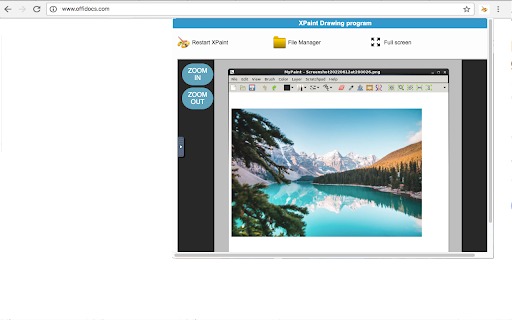
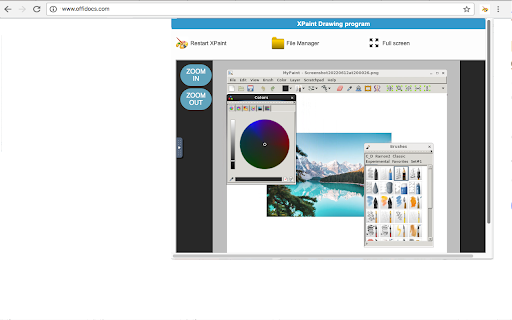
XPaint is a web extension designed for creating and editing images directly in the browser. It features image resizing, filtering, color modification, and support for vector graphics and transparent images.

Version:2.14.9
Size:510KiB
Last updated:

Overview

Installs

4K+

Rating

3.2

31 reviews

Languages

18 locales

Includes Deutsch, English, Nederlands, Türkçe...

Market analysis

Review-backed positioning, friction, and market signals for this Chrome extension.

Backed by review samples

Macro category

Developer & Designer Tools

Pricing friction

Low review signal

Complaint intensity

Moderate review signal

Listing & review signals
Observed signals from store listing text and review samples.

Listing positioning

XPaint positions itself as a browser-integrated image editor that automatically detects images from browsed URLs. It offers a suite of advanced image manipulation tools under the GNU General Public License.

Inferred product pattern

A utility-driven image editing extension that relies on server-side URL scanning to facilitate quick web-based graphic manipulation.

Review-backed pain points

Users report the interface is overly complicated, difficult to navigate, and lacks support for drawing pads. There are also complaints regarding the tool being English-only and redirecting users to other sites.

Observed feature gaps

Lack of support for drawing tablets/pads and limited language localization.

Tags
Image EditorGraphic DesignBrowser ExtensionVector Graphics
Target users

- Digital artists

- Graphic designers

- Casual web users

Primary use cases

- Editing images found online

- Simple graphic creation

- Image resizing and filtering

Positive themes

- Authentic XPaint experience for developers

Negative themes

- Difficult user interface

- Lack of language localization

- Hardware incompatibility

- Unwanted site redirects

Observed friction

- Performance complaints detected

- While claimed as free, one user reported being redirected to other sites for sale.

Evidence boundary: Evidence gathered from the Chrome Web Store product description and a small sample of user reviews. The review sample size is small and contains a high concentration of low-rating entries.
Complaint summaries
Review-backed complaint signals grouped by operational area.

Support

No specific support complaints observed.

Reliability

Some users reported the extension fails to load or functions poorly with specific hardware like drawing pads.

Privacy

No specific privacy complaints in reviews, though the listing discloses that browsed URLs are uploaded to servers for image detection.

Access & pricing

- Free usage observed

- No account requirement observed

- Free plan or free usage claimed

Store listing facts

Listing assets

- Screenshots: 3

- Videos: 1

- Languages: 18

Trust signals

- Privacy policy

- Developer contact

- Official website

Store metadata

- Version: 2.14.9

- Size: 510KiB

- Last updated:

Listing SEO keywords

Search intent keywords
Keyword signals for evaluating how users may discover, compare, or search for this extension category.

Core discovery

online image editorbrowser paint tooledit web imagesXPaint extension

Comparison

Photoshop alternativeMS Paint extension

Problem

complicated image editorpaint tool not loadingbrowser editor drawing pad support

Alternative

online photo editorweb-based drawing tool

Similar extensions

Jump to related discovery paths:

Screenshots

XPaint image editor and painter screenshot

Links

Recommended Chrome extensions

Related listings from the same category, trending peers, and the same publisher portfolio.

Browse art