Tango – Document and Automate Your Processes icon

Tango Chrome Extension Analysis

Automation & Workflow Efficiency

Store listing title: Tango – Document and Automate Your Processes

Chrome extension ID: lggdbpblkekjjbobadliahffoaobaknh

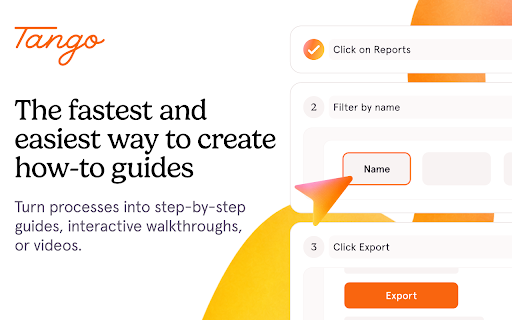
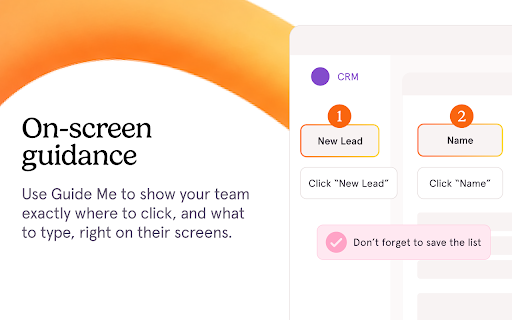
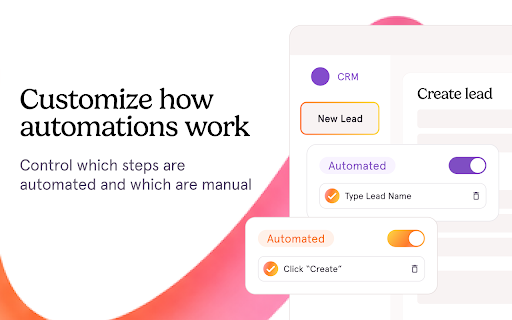
Tango is a browser-based tool that records user actions to automatically generate step-by-step documentation, annotated screenshots, and interactive walkthroughs. It also offers enterprise-grade automation features for repetitive tasks in platforms like Salesforce and HubSpot.

Version:8.9.3
Size:2.81MiB
Last updated:

Overview

Installs

400K+

Rating

4.8

346 reviews

Languages

1 locales

Includes English (United States)

Market analysis

Review-backed positioning, friction, and market signals for this Chrome extension.

Backed by review samples

Macro category

Automation & Workflow Efficiency

Pricing friction

High review signal

Complaint intensity

Moderate review signal

Listing & review signals
Observed signals from store listing text and review samples.

Listing positioning

Tango positions itself as a comprehensive platform for documenting and automating software processes without requiring technical expertise or coding. It emphasizes ease of use, enabling users to create interactive guides, shareable knowledge bases, and real-time automations for SaaS applications.

Inferred product pattern

Automated workflow capture and documentation engine with a tiered SaaS subscription model.

Review-backed pain points

Users cite frustration with the restricted free tier, loss of UI features that previously allowed for efficient workflow comparison, and occasional failures in capture accuracy or synchronization.

Observed feature gaps

Lack of robust Jira cloud integration, limited multi-monitor support for desktop capture, and difficulty in localizing predefined instructional text.

Tags
Process DocumentationWorkflow AutomationSOP CreatorInteractive WalkthroughsKnowledge Management
Target users

- Operations

- IT

- HR

- Sales

- Customer Support

- Training Managers

Primary use cases

- Creating SOP documentation

- Building interactive employee walkthroughs

- Automating CRM data entry

- Sharing procedural knowledge

Positive themes

- Rapid creation of documentation

- Valuable time-saving for manual documentation tasks

- High utility of screenshots and annotated guides

Negative themes

- Aggressive monetization of the free tier

- Technical bugs regarding multi-monitor support

- Account login persistence issues

- Loss of work due to UI/navigation changes

Observed friction

- Payment required for meaningful usage

- Free-tier complaints detected

- Account blocking complaints detected

- Performance complaints detected

- Users express frustration over the reduction of free-tier features and perceived high costs of pro/enterprise plans.

Evidence boundary: Data is extracted from the Chrome Webstore listing and a selection of user reviews highlighting both the product's core utility and recent friction regarding changes to the free-tier model. Review samples represent a subset of the total user base and may focus disproportionately on recent feature updates or negative experiences.
Complaint summaries
Review-backed complaint signals grouped by operational area.

Support

Support is reported to be slow, with some users highlighting difficulty in resolving billing or technical account access issues.

Reliability

Performance issues include inaccurate screen captures, session loss when navigating tabs, and login persistence problems.

Privacy

No privacy or security-related complaints found in the analyzed samples.

Access & pricing

- Free entry with paid features

- Login needed for core features

- Limited free usage observed

Store listing facts

Listing assets

- Screenshots: 5

- Videos: 0

- Languages: 1

Trust signals

- Privacy policy

- Developer contact

- Official website

- Support link

Store metadata

- Version: 8.9.3

- Size: 2.81MiB

- Last updated:

Listing SEO keywords

Search intent keywords
Keyword signals for evaluating how users may discover, compare, or search for this extension category.

Core discovery

automated documentation toolstep by step guide creatorworkflow automation softwareSOP generator

Comparison

Tango alternativesbest process documentation software

Problem

how to document business processesautomate manual data entry

Alternative

ScribeUserGuidingTrainual

Similar extensions

Jump to related discovery paths:

Screenshots

Tango – Document and Automate Your Processes screenshot

Links

Website: tango.ai

Privacy policy: https://www.tango.ai/privacy

Support links: https://help.tango.us/

Recommended Chrome extensions

Related listings from the same category, trending peers, and the same publisher portfolio.

Browse workflow