HP Omni+ icon

HP Omni+ Chrome Extension Analysis

Privacy, Security & Ad Blockers

Chrome extension ID: lgmaomfmjpeeipfkljbibfpncjfmlobp

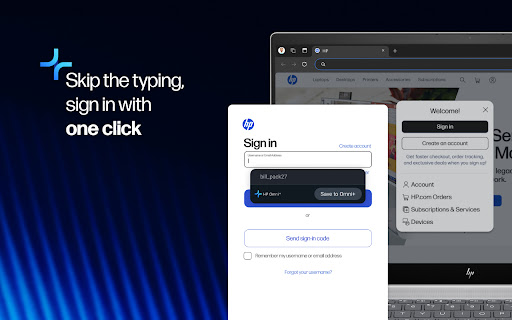
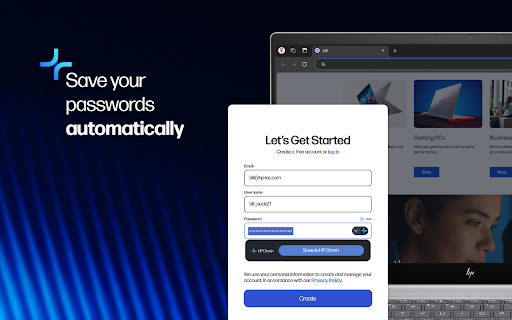
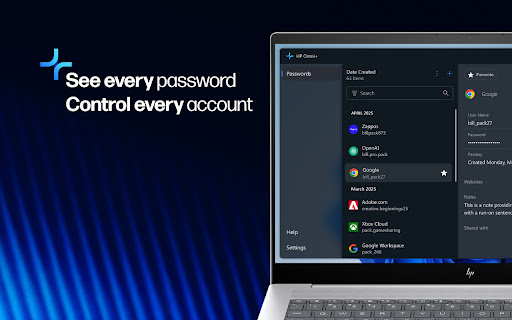
HP Omni+ is a browser extension that works in tandem with a desktop application to save, generate, and autofill login credentials. It features end-to-end encryption and synchronizes passwords across devices linked to an HP account.

Developer:HP Inc.
Version:1.1.9
Size:3.74MiB
Last updated:

Overview

Installs

2K+

Rating

4.8

6 reviews

Languages

1 locales

Includes English

Market analysis

Review-backed positioning, friction, and market signals for this Chrome extension.

Backed by review samples

Macro category

Privacy, Security & Ad Blockers

Pricing friction

Low review signal

Complaint intensity

Low review signal

Listing & review signals
Observed signals from store listing text and review samples.

Listing positioning

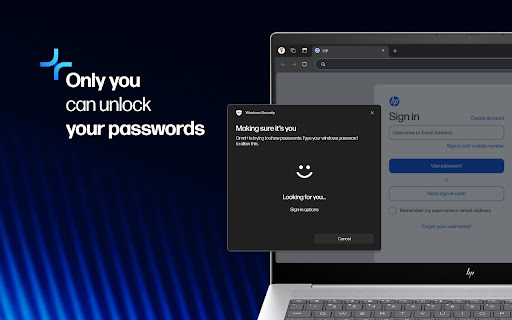
The product is positioned as a free, secure password management solution specifically for HP Windows 11 PC users in the US. It emphasizes seamless integration with the HP Omni+ desktop app and secure authentication via Windows Hello.

Inferred product pattern

Hardware-vendor bundled security utility designed to enhance the native OS experience for specific brand owners.

Review-backed pain points

No review-backed pain points observed in the provided samples.

Observed feature gaps

The product is restricted to HP Windows 11 PCs within the US, making it unavailable to users of other hardware, operating systems, or regions.

Tags
Password ManagerHP EcosystemSecurity ToolWindows 11Autofill
Target users

- HP Windows 11 PC users

- Users based in the US

- Users seeking a free ecosystem-integrated password manager

Primary use cases

- Automating website logins via autofill

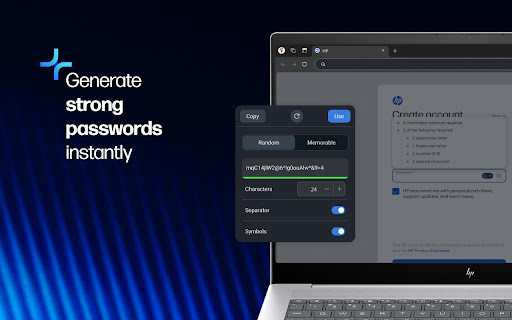
- Generating secure, unique passwords

- Syncing credentials across multiple HP devices

- Importing passwords from Chrome

Positive themes

- Ease of setup

- Intuitive user interface

- Non-intrusive popup design

- Improved sign-in speed

Negative themes

No negative theme data.

Observed friction

- No pricing friction observed; listing explicitly claims the service is completely free with no subscription required.

Evidence boundary: Extracted from the official store listing and five 5-star user reviews. Small review sample size and limited regional availability of the product.
Complaint summaries
Review-backed complaint signals grouped by operational area.

Support

No support or account complaints found in available reviews.

Reliability

No reliability or performance complaints found in available reviews.

Privacy

No privacy or security complaints found in available reviews.

Access & pricing

- Free usage observed

- Account required for core usage

- Free plan or free usage claimed

Store listing facts

Listing assets

- Screenshots: 5

- Videos: 0

- Languages: 1

Trust signals

- Privacy policy

- Developer contact

Store metadata

- Version: 1.1.9

- Size: 3.74MiB

- Last updated:

Listing SEO keywords

Search intent keywords
Keyword signals for evaluating how users may discover, compare, or search for this extension category.

Core discovery

HP Omni+ password managerHP Windows 11 password extensionfree HP password tool

Comparison

HP Omni+ vs Chrome password managerHP Omni+ vs LastPass

Problem

forgetting passwordsweak passwordsmanaging multiple accounts

Alternative

free password manager for HP laptopsWindows Hello compatible password manager

Similar extensions

Jump to related discovery paths:

Screenshots

HP Omni+ screenshot
HP Omni+ screenshot
HP Omni+ screenshot
HP Omni+ screenshot
HP Omni+ screenshot

Links

Privacy policy: https://hp.com/privacy

Recommended Chrome extensions

Related listings from the same category, trending peers, and the same publisher portfolio.

Browse workflow