Reflect in Seesaw Extension icon

Reflect in Seesaw Extension Chrome Extension Analysis

Automation & Workflow Efficiency

Chrome extension ID: lhgiigkiddoalobhmmcpdhddlccindjj

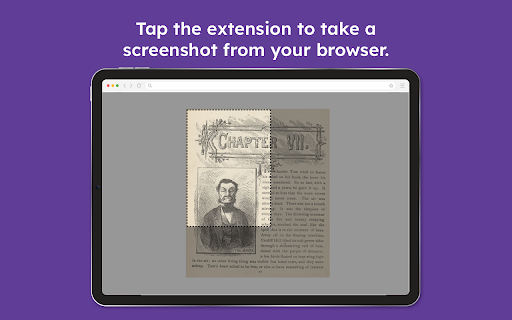
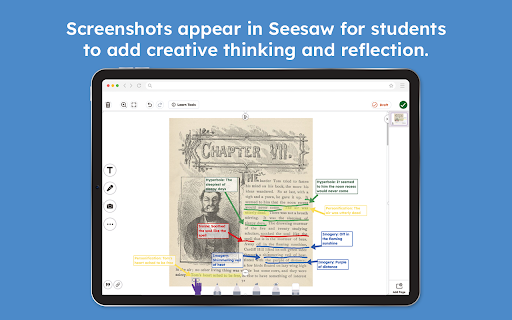
A browser extension that enables users to capture screenshots of web pages and drop them directly into the Seesaw creative canvas. It requires a Seesaw account and is designed to facilitate digital portfolio building and classroom reflection.

Developer:Seesaw
Version:1.3.1
Size:57.25KiB
Last updated:

Overview

Installs

600K+

Rating

★ 3.9

15 reviews

Languages

1 locales

Includes English (United States)

Market analysis

Review-backed positioning, friction, and market signals for this Chrome extension.

Backed by review samples

Macro category

Automation & Workflow Efficiency

Pricing friction

Low review signal

Complaint intensity

Low review signal

Listing & review signals
Observed signals from store listing text and review samples.

Listing positioning

The extension is positioned as a productivity bridge that allows students and teachers to instantly capture web content and import it into Seesaw. It emphasizes reducing friction in the creative reflection process and saving time for teachers creating activity templates.

Inferred product pattern

Companion utility for a SaaS educational platform to streamline content ingestion.

Review-backed pain points

Some users feel the extension is unnecessary because native device screenshots achieve the same result. A few users reported the tool did not work for them.

Observed feature gaps

Users suggest a lack of unique value for those who do not use Seesaw frequently, as it duplicates native OS functionality.

Tags
EducationScreenshot ToolStudent PortfoliosClassroom WorkflowSeesaw Integration
Target users

- K-12 Students

- K-12 Teachers

Primary use cases

- Capturing web research for student portfolios

- Creating activity templates from web sources

- Importing browser content for creative annotation

Positive themes

- Time-saving workflow for teachers

- Simplification of the screenshot-upload process

- Utility for secondary student research

Negative themes

- Perceived redundancy compared to native OS screenshot tools

- Reports of the extension not functioning

Observed friction

- Performance complaints detected

- No pricing friction observed in the provided data.

Evidence boundary: Data extracted from the official store listing and a sample of 10 user reviews. The review sample size is very small relative to the 400,000 total users.
Complaint summaries
Review-backed complaint signals grouped by operational area.

Support

No specific support or account recovery complaints found in the sample.

Reliability

Minimal reports of the extension being non-functional ('Doesnt do anything').

Privacy

No privacy or security complaints observed.

Access & pricing

- No clear monetization signal

- Account required for core usage

- No clear pricing signal

Store listing facts

Listing assets

- Screenshots: 3

- Videos: 0

- Languages: 1

Trust signals

- Privacy policy

- Developer contact

- Official website

- Support link

Store metadata

- Version: 1.3.1

- Size: 57.25KiB

- Last updated:

Listing SEO keywords

Search intent keywords
Keyword signals for evaluating how users may discover, compare, or search for this extension category.

Core discovery

Seesaw Chrome extensioncapture web work for SeesawSeesaw screenshot tool

Comparison

Seesaw vs native screenshotbest student portfolio capture tool

Problem

how to put website in Seesawimport web page to Seesaw portfolio

Alternative

Seesaw alternativesdigital classroom portfolio tools

Similar extensions

Jump to related discovery paths:

Screenshots

Reflect in Seesaw Extension screenshot

Links

Recommended Chrome extensions

Related listings from the same category, trending peers, and the same publisher portfolio.

Browse workflow