Markup — Annotate & Export Page icon

Markup Chrome Extension Analysis

Developer & Designer Tools

Store listing title: Markup — Annotate & Export Page

Chrome extension ID: lilhlgofkompncbngjebanhjiimmolkd

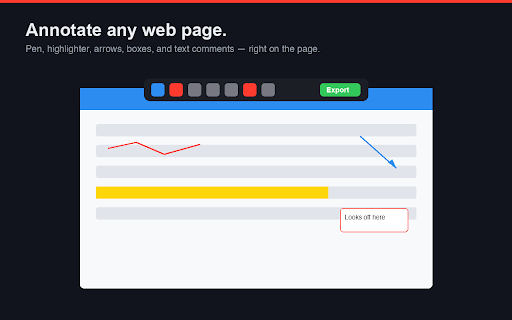
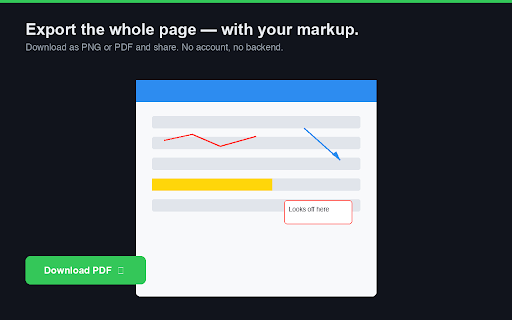
Markup is a browser extension that provides a floating toolbar for drawing, highlighting, and adding text comments to web pages. It includes functionality to export the annotated state as a PNG or PDF, ensuring the annotations remain anchored during scrolling.

Version:0.1.0
Size:25.33KiB
Last updated:

Overview

Installs

10

Rating

★ —

0 reviews

Languages

1 locales

Includes English

Market analysis

Review-backed positioning, friction, and market signals for this Chrome extension.

No review samples found

Macro category

Developer & Designer Tools

Pricing friction

Low review signal

Complaint intensity

Low review signal

Listing & review signals
Observed signals from store listing text and review samples.

Listing positioning

The product positions itself as a lightweight, privacy-first annotation tool that allows users to mark up web pages directly. It emphasizes a simple workflow that captures full-page content without the need for accounts, backend processing, or data uploads.

Inferred product pattern

Local-first utility extension with no external dependency or user tracking.

Review-backed pain points

Review-backed data is not available.

Observed feature gaps

No specific feature gaps observed in documentation; tool scope is strictly limited to local browser-based annotation.

Tags
AnnotationWeb CaptureScreenshot ToolVisual FeedbackProductivity
Target users

- Designers

- Developers

- QA Testers

- Educators

- Remote Collaboration Teams

Primary use cases

- Providing visual feedback on web design

- Reporting software bugs

- Creating instructional annotations

- Archiving annotated web research

Positive themes

- Review-backed data is not available.

Negative themes

- Review-backed data is not available.

Observed friction

- No pricing friction; the tool is marketed as free with no backend or account requirements.

Evidence boundary: Analysis based on the official Chrome Web Store listing provided by the developer. The listing explicitly states a 'no account/no backend' policy. Product analysis is based solely on listing claims; no user reviews are available to verify real-world performance or feature stability.
Complaint summaries
Review-backed complaint signals grouped by operational area.

Support

No support complaints identified due to lack of review data.

Reliability

No reliability complaints identified due to lack of review data.

Privacy

No privacy complaints identified; listing highlights minimal permission usage (activeTab, scripting).

Access & pricing

- Free usage observed

- No account requirement observed

- Free plan or free usage claimed

Store listing facts

Listing assets

- Screenshots: 2

- Videos: 0

- Languages: 1

Trust signals

- Privacy policy

- Developer contact

Store metadata

- Version: 0.1.0

- Size: 25.33KiB

- Last updated:

Listing SEO keywords

Search intent keywords
Keyword signals for evaluating how users may discover, compare, or search for this extension category.

Core discovery

web page annotatorchrome extension screenshotannotate webpagefull page capturevisual feedback tool

Comparison

alternative to Nimbus screenshotweb markup toolbrowser annotation extension

Problem

how to annotate websitescreenshot with commentsfeedback on web design

Alternative

page marker extensionweb paint toolannotate extension

Similar extensions

Jump to related discovery paths:

Screenshots

Markup — Annotate & Export Page screenshot

Links

Recommended Chrome extensions

Related listings from the same category, trending peers, and the same publisher portfolio.

Browse developer