New Tab Clock icon

New Tab Clock Chrome Extension Analysis

Tab & Bookmark Productivity

Chrome extension ID: ljpapphpgkmigobbbakmnfoohclifanm

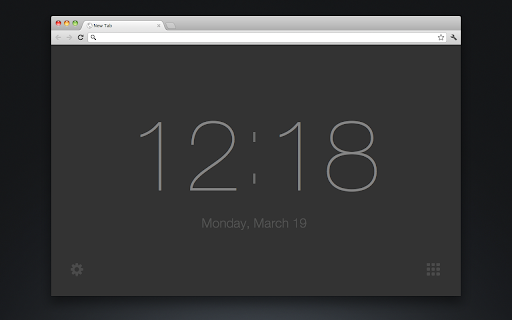
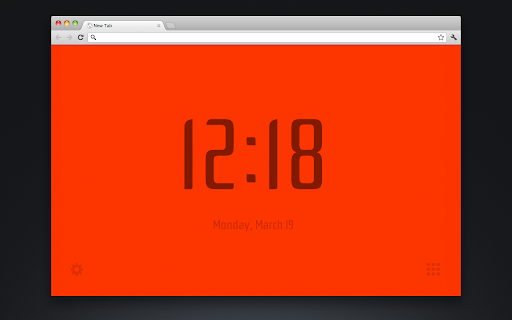
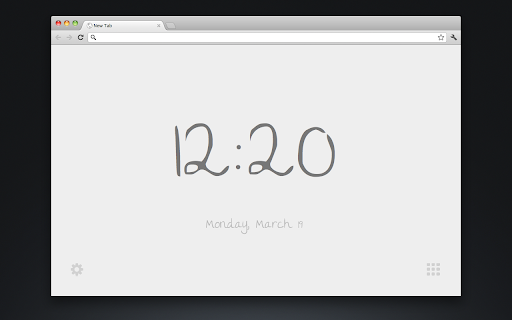
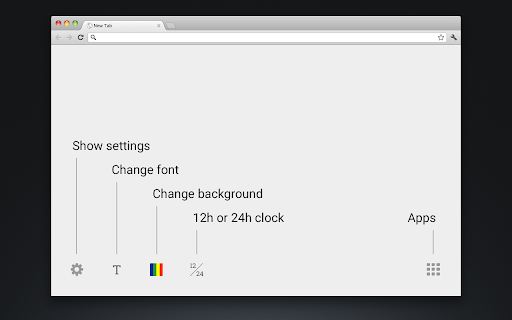
New Tab Clock is a Chrome extension that replaces your default new tab page with a clean and customizable clock. It offers basic customization options for background color, font, and the 12/24 hour format. The extension is designed to be lightweight and privacy-focused, with all settings stored locally on your device.

Developer:Michael Leggett
Version:2.8
Size:75.83KiB
Last updated:

Overview

Installs

10K+

Rating

3.9

189 reviews

Languages

1 locales

Includes English (United States)

Market analysis

Review-backed positioning, friction, and market signals for this Chrome extension.

Backed by review samples

Macro category

Tab & Bookmark Productivity

Pricing friction

Low review signal

Complaint intensity

High review signal

Listing & review signals
Observed signals from store listing text and review samples.

Listing positioning

This extension replaces the default Chrome New Tab page with a simple, customizable clock displaying the time and date. The listing emphasizes focus and a lack of distractions, promoting a minimalist approach to the new tab experience. It also highlights its privacy-conscious design with no ads, trackers, or server communication, storing all settings locally.

Inferred product pattern

A free, simple utility extension that aims to enhance the new tab experience with a clock, but suffers from reliability and usability issues based on user feedback.

Review-backed pain points

Multiple users express significant frustration with the inability to remove or uninstall the extension, with some describing it as 'horrible' and 'annoying'. Several reviews mention the extension becoming unstable or displaying a blank page after updates, leading to dissatisfaction. Specific functional issues include a lack of 24-hour clock support and interference with the bookmarks bar.

Observed feature gaps

Based on reviews, the extension lacks a clear or easy method for uninstallation or disabling. There are also requests for better integration with Chrome features like the bookmarks bar and potentially linking to tabs open on other devices. The inability to use a 24-hour clock is also noted as a significant limitation for some users.

Tags
New Tab ClockProductivityClockNew Tab
Target users

- Users seeking a minimalist new tab experience

- Individuals who want a quick time and date reference on new tabs

- Privacy-conscious Chrome users

Primary use cases

- Replacing the default new tab page with a clock

- Providing a quick time and date display

- Customizing the new tab appearance with a clock

Positive themes

- Simple and effective replacement for the new tab page

- Loved the extension before recent issues

Negative themes

- Difficulty removing or disabling the extension

- Unstable behavior and blank pages after updates

- Inability to use 24-hour clock format

- Interference with bookmarks bar functionality

Observed friction

- Performance complaints detected

- The extension is free to use and there are no mentions of pricing friction in the reviews or listing.

Evidence boundary: The analysis is based on the Chrome Web Store listing details, including the title, short and long descriptions, and user reviews. Helpful and low-rating reviews were prioritized for extracting specific themes and pain points. The review data is from a specific point in time and may not reflect current user sentiment or recent updates. The number of reviews is moderate, and sentiment distribution beyond the provided samples is not fully captured.
Complaint summaries
Review-backed complaint signals grouped by operational area.

Support

Users report difficulty uninstalling the extension, suggesting a lack of clear support or user-friendly uninstallation process. There are no direct complaints about customer support responsiveness.

Reliability

Several users have reported that the extension has become unstable, shows a blank page, or does not work as expected, particularly after updates. This indicates significant reliability issues for a portion of the user base.

Privacy

The listing explicitly states 'This extension has no ads, trackers, or analytics. It requires no permissions. No information is transmitted to or from the extension to any server. All settings are saved locally on your computer.' There are no privacy complaints found in the reviews.

Access & pricing

- Free usage observed

- No account requirement observed

- Free plan or free usage claimed

Store listing facts

Listing assets

- Screenshots: 4

- Videos: 0

- Languages: 1

Trust signals

- Privacy policy

- Developer contact

- Official website

Store metadata

- Version: 2.8

- Size: 75.83KiB

- Last updated:

Listing SEO keywords

Search intent keywords
Keyword signals for evaluating how users may discover, compare, or search for this extension category.

Core discovery

new tab clockchrome new tab extensionproductivity new tabsimple clock extension

Comparison

new tab page replacementchrome clock extensionminimalist new tab

Problem

new tab clutteredcan't remove new tab extensionchrome new tab not working

Alternative

new tab redirectproductivity dashboard extensionchrome homepage extension

Similar extensions

Jump to related discovery paths:

Screenshots

New Tab Clock screenshot

Links

Website: leggett.org

Privacy policy: https://simpl.fyi/privacy

Recommended Chrome extensions

Related listings from the same category, trending peers, and the same publisher portfolio.

Browse workflow