Screenshot YouTube Video icon

Screenshot YouTube Video Chrome Extension Analysis

Video & Image Downloaders

Chrome extension ID: lnaahdmijnjnmgaalacdgakieangpjgp

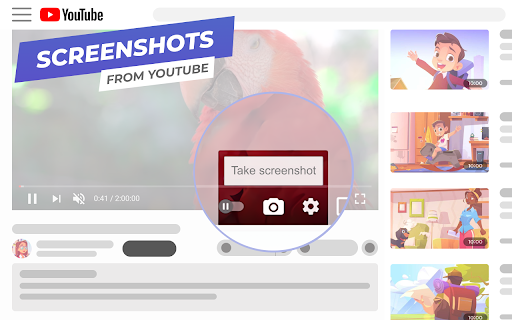
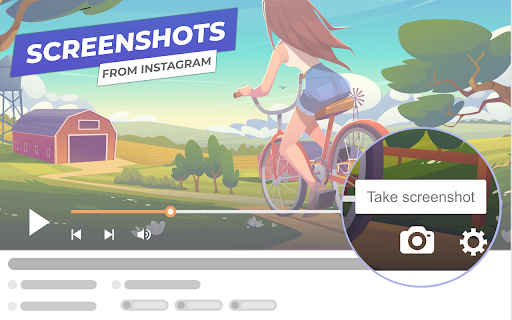
This Chrome extension allows users to extract individual frames from YouTube and OK.ru videos and save them as JPEG images. It features an integrated camera icon within the video player for easy access and supports embedded videos on third-party sites.

Developer:uScreenshoter
Version:0.7.69.0
Size:352KiB
Last updated:

Overview

Installs

70K+

Rating

4.8

1,165 reviews

Languages

27 locales

Includes Deutsch, English, Filipino, Indonesia...

Market analysis

Review-backed positioning, friction, and market signals for this Chrome extension.

Backed by review samples

Macro category

Video & Image Downloaders

Pricing friction

Low review signal

Complaint intensity

High review signal

Listing & review signals
Observed signals from store listing text and review samples.

Listing positioning

The product is positioned as a compact and user-friendly utility for capturing high-quality video frames from YouTube and OK.ru. It emphasizes a seamless, one-click experience that integrates directly into the video player without requiring third-party software.

Inferred product pattern

A niche media utility that provides high value through seamless integration but currently faces critical stability and performance issues due to platform updates and resource management.

Review-backed pain points

Users report extreme CPU spikes (up to 100%) causing browser lag, the screenshot icon disappearing following YouTube UI changes, and inability to use the tool on live streams.

Observed feature gaps

The extension currently lacks support for livestreamed videos and suffers from compatibility issues with recent YouTube interface updates.

Tags
YouTube ScreenshotVideo Frame CaptureImage Downloader
Target users

- Content Creators

- Video Researchers

- Social Media Users

Primary use cases

- Capturing high-quality video frames

- Saving specific video moments as images

- Extracting frames from embedded web videos

Positive themes

- Ease of use

- Seamless UI integration

Negative themes

- Excessive CPU usage

- Broken functionality after YouTube updates

- Incompatibility with live streams

Observed friction

- Performance complaints detected

- Privacy complaints detected

- No pricing friction observed in the provided data.

Evidence boundary: Analysis based on store listing descriptions and user reviews highlighting performance and compatibility issues. User claims regarding malware and bitcoin mining are anecdotal and not independently verified.
Complaint summaries
Review-backed complaint signals grouped by operational area.

Support

Users expressed frustration over the lack of timely fixes for known bugs regarding the disappearing icon.

Reliability

Significant reports of the extension causing 100% CPU usage, browser instability, and breaking completely after platform updates.

Privacy

Some users expressed concerns regarding excessive data access and high resource consumption patterns.

Access & pricing

- No clear monetization signal

- No account requirement observed

- No clear pricing signal

Store listing facts

Listing assets

- Screenshots: 3

- Videos: 0

- Languages: 27

Trust signals

- Privacy policy

- Developer contact

Store metadata

- Version: 0.7.69.0

- Size: 352KiB

- Last updated:

Listing SEO keywords

Search intent keywords
Keyword signals for evaluating how users may discover, compare, or search for this extension category.

Core discovery

YouTube screenshotvideo frame capturesave YouTube framevideo to JPG

Comparison

YouTube video downloadervideo screenshot tool

Problem

high CPU usage extensionYouTube screenshot button missingvideo capture lag

Alternative

video frame extractorYouTube capture tool

Similar extensions

Jump to related discovery paths:

Screenshots

Screenshot YouTube Video screenshot

Links

Recommended Chrome extensions

Related listings from the same category, trending peers, and the same publisher portfolio.

Browse social