
Anki Tool Chrome Extension Analysis
Automation & Workflow EfficiencyChrome extension ID: lpfpajiaohmafbnaidbfiolibpnclhei
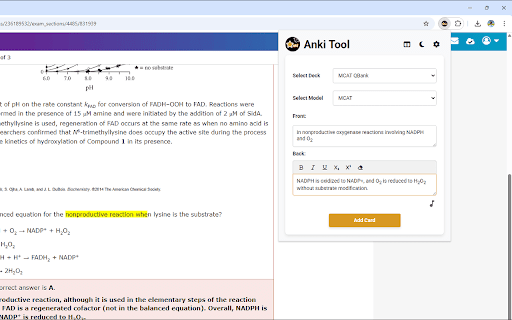
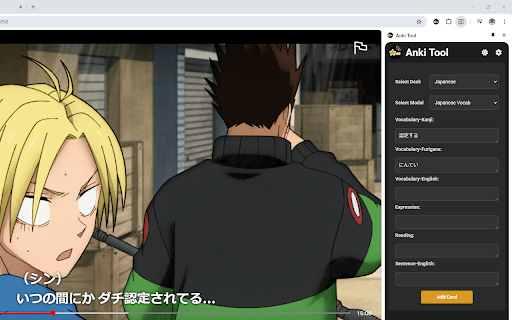
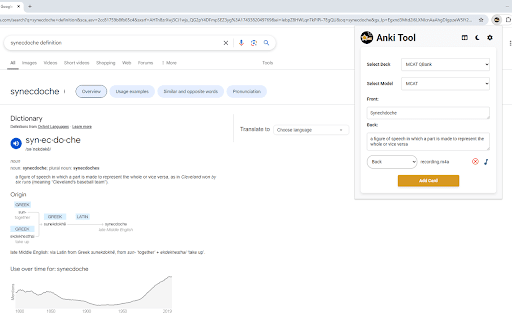
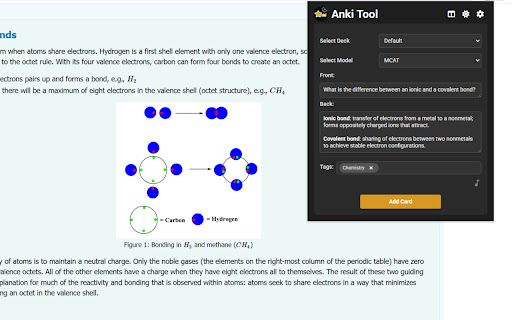
Anki Tool is a Chrome extension designed to facilitate the creation and management of Anki flashcards directly from web pages. It connects with the Anki desktop application via AnkiConnect, offering features like instant card generation, AI auto-fill for content, cloze deletion, image and audio uploads, and deck/model selection.
Overview
Installs
4K+
Rating
★ 4.6
96 reviews
Languages
15 locales
Includes Deutsch, English, Indonesia, Tiếng Việt...
Market analysis
Review-backed positioning, friction, and market signals for this Chrome extension.
Macro category
Automation & Workflow Efficiency
Pricing friction
Low review signal
Complaint intensity
High review signal
Listing positioning
Anki Tool positions itself as a seamless solution for students, teachers, and lifelong learners to effortlessly convert any web content into Anki flashcards. It emphasizes enhancing study efficiency and knowledge retention through quick, browser-based card creation and integration with existing Anki profiles.
Inferred product pattern
Browser-based flashcard creation tool that integrates with the Anki desktop application, featuring AI assistance for content generation.
Review-backed pain points
Users encounter severe pain points with the initial setup, as the extension often fails to connect to Anki despite following detailed instructions, rendering it unusable for some. Operational frustrations include slow performance and freezing when accessing the extension, an 'annoying' notification system, and a 'clunky' user interface that disrupts the copy-paste workflow.
Observed feature gaps
Observed feature gaps include the lack of a seamless highlight-to-card creation shortcut, which many users desire for faster input. The extension also appears to struggle with maintaining text formatting during copying and reportedly overwrites content when attempting to add multiple entries to a single flashcard.
- Students
- Teachers
- Lifelong Learners
- Users preparing for exams
- Individuals learning new languages
- College students taking proof-heavy classes
- Instantly generate new flashcards from web content
- Utilize AI to auto-fill flashcard fields
- Create cloze deletion cards for targeted knowledge testing
- Add images and audio recordings to flashcards
- Select and manage existing Anki decks and card types
- Flawless and seamless integration with AnkiConnect
- Efficient and fast flashcard creation workflow
- Highly helpful for studying and organizing academic materials
- Intuitive design and ease of use
- Useful features such as card preview and image uploads
- Significant difficulty with initial setup and connecting to AnkiConnect
- Annoying and intrusive notifications
- Slow performance and freezing when opening the extension, especially on Edge
- Clunky user experience that interrupts workflow, such as the extension closing upon copying text
- Lack of direct highlight-to-create-card functionality
- Overwriting of previously added content when making multiple additions to a single card
- Loss of text formatting when copying content
- Performance complaints detected
- Pricing data is not available from the store listing or reviews, and no pricing friction was observed.
Support
No support, account, or refund-related complaints were found in the provided reviews.
Reliability
Several users report that the extension fails to connect to Anki, even after following all setup instructions, which makes the product unusable for them. There are also complaints of slow performance and freezing when opening the extension, particularly on the Edge browser.
Privacy
No privacy or security complaints were observed in the reviews. The listing explicitly states that no personal data is collected.
- Free usage observed
- No account requirement observed
- Free plan or free usage claimed
Store listing facts
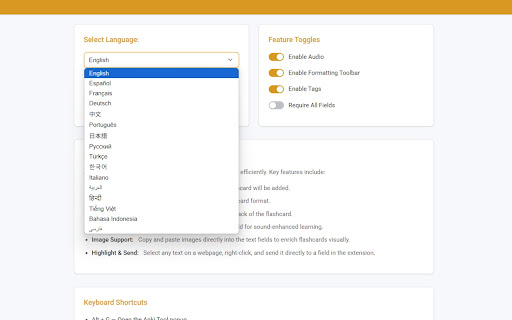
- Screenshots: 5
- Videos: 1
- Languages: 15
- Privacy policy
- Developer contact
- Version: 1.10.0
- Size: 136KiB
- Last updated:
Listing SEO keywords
Core discovery
Comparison
Problem
Alternative
Similar extensions
Jump to related discovery paths:
Screenshots
Links
Privacy policy: https://blawand.github.io/ankitool-privacy/
Videos: Watch