RingCentral Contact Center Voice icon

RingCentral Contact Center Voice Chrome Extension Analysis

Automation & Workflow Efficiency

Chrome extension ID: melamlloomehapkpdgnbbepdiomabacm

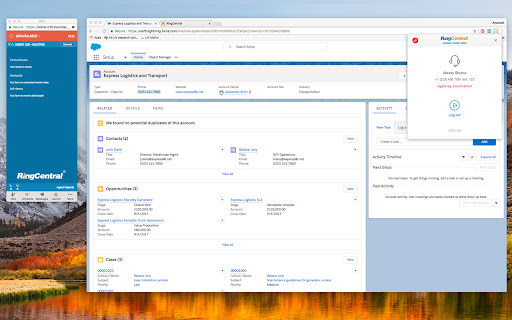
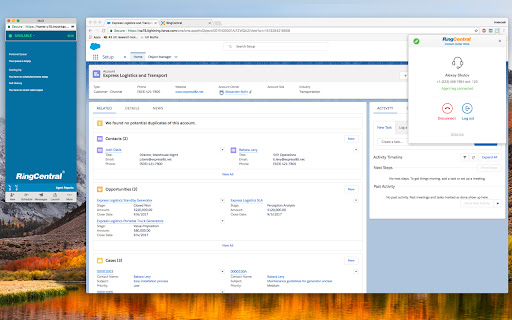
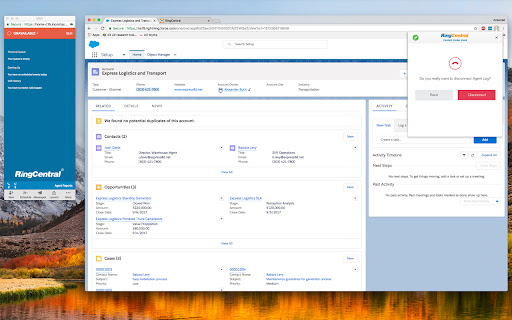
This extension enables contact center agents to make and receive calls directly within their web-based agent interface. It leverages the RingCentral voice platform to provide real-time agent state monitoring and call management via WebRTC.

Developer:RingCentral
Version:2.2.3
Size:3.65MiB
Last updated:

Overview

Installs

30K+

Rating

2.9

13 reviews

Languages

1 locales

Includes English (United States)

Market analysis

Review-backed positioning, friction, and market signals for this Chrome extension.

Backed by review samples

Macro category

Automation & Workflow Efficiency

Pricing friction

Low review signal

Complaint intensity

High review signal

Listing & review signals
Observed signals from store listing text and review samples.

Listing positioning

The product is positioned as a browser-based voice solution that integrates directly into the CXone Agent interface. It aims to replace the need for physical desk phones or separate softphone applications by utilizing WebRTC within the Chrome browser.

Inferred product pattern

Enterprise-grade voice integration plugin for browser-based contact center workflows.

Review-backed pain points

Users report significant reliability issues requiring weekly reinstalls, poor integration with Salesforce, and unwanted automatic gain control overriding audio settings.

Observed feature gaps

Users expressed a need for separate ring and call volume controls, more diverse ringing tones, and better call control functionality beyond status monitoring.

Tags
Contact CenterVoice CallingWebRTCAgent Integration
Target users

- Contact Center Agents

- Customer Experience Managers

- CXone Users

Primary use cases

- Browser-based voice calling

- Real-time agent state monitoring

- Integrated call management within CXone

Positive themes

- Successful core functionality when operational

- Convenience of browser-based calling

Negative themes

- Extreme unreliability and frequent breakage

- Poor integration with Salesforce

- Lack of granular audio and call controls

Observed friction

- Performance complaints detected

- No pricing friction observed in the provided reviews.

Evidence boundary: Analysis based on store listing features and user reviews highlighting reliability, audio control, and integration issues. The review sample size is limited to 13 comments, which may not reflect the full user experience.
Complaint summaries
Review-backed complaint signals grouped by operational area.

Support

No specific support or refund complaints were identified in the reviews.

Reliability

Users report high levels of unreliability, with claims of the extension stopping work frequently and requiring manual uninstalls and reinstalls.

Privacy

No privacy or security complaints were observed.

Access & pricing

- No clear monetization signal

- Account required for core usage

- No clear pricing signal

Store listing facts

Listing assets

- Screenshots: 3

- Videos: 0

- Languages: 1

Trust signals

- Privacy policy

- Developer contact

Store metadata

- Version: 2.2.3

- Size: 3.65MiB

- Last updated:

Listing SEO keywords

Search intent keywords
Keyword signals for evaluating how users may discover, compare, or search for this extension category.

Core discovery

RingCentral Contact CenterCXone Agent VoiceWebRTC Browser CallingContact Center Extension

Comparison

RingCentral vs Salesforce integrationCXone agent voice plugin

Problem

unreliable voice extensioncontact center audio issuesautomatic gain control problems

Alternative

softphone browser extensionWebRTC agent tool

Similar extensions

Jump to related discovery paths:

Screenshots

RingCentral Contact Center Voice screenshot

Links

Recommended Chrome extensions

Related listings from the same category, trending peers, and the same publisher portfolio.

Browse workflow