Scrolling screenshot tool & screen capture icon

Scrolling screenshot tool & screen capture Chrome Extension Analysis

Automation & Workflow Efficiency

Chrome extension ID: mfpiaehgjbbfednooihadalhehabhcjo

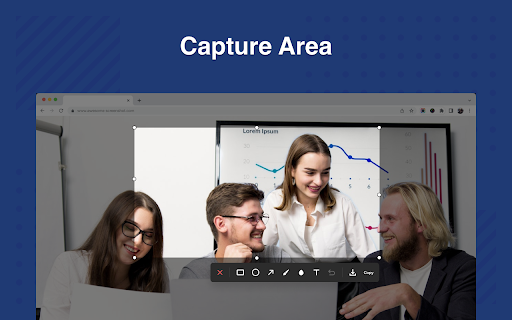
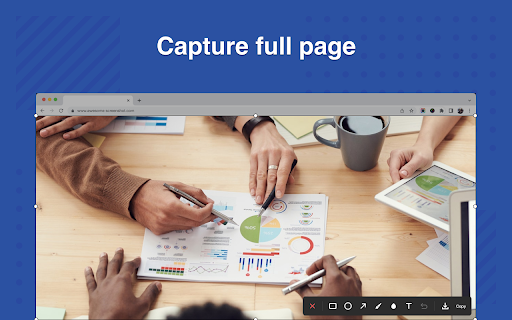
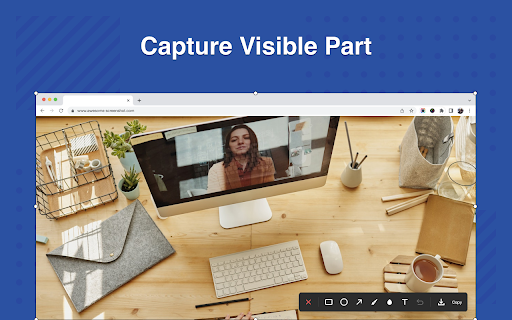
A screen capture utility that allows users to snap visible areas, selected portions, or entire scrolling pages within Chrome. It includes built-in annotation tools for adding shapes, text, blurs, and highlights to images. Captured screenshots can be directly copied to the clipboard or downloaded in PNG or PDF formats.

Developer:Screen Recorder
Version:2.0.5
Size:5.72MiB
Last updated:

Overview

Installs

400K+

Rating

4.3

2,339 reviews

Languages

54 locales

Includes Deutsch, English, English (United Kingdom), English (United States)...

Market analysis

Review-backed positioning, friction, and market signals for this Chrome extension.

Backed by review samples

Macro category

Automation & Workflow Efficiency

Pricing friction

Low review signal

Complaint intensity

High review signal

Listing & review signals
Observed signals from store listing text and review samples.

Listing positioning

The extension positions itself as a lightweight, quick-to-use version of the popular Awesome Screenshot tool. It highlights over a decade of stable service and promises a fast, ad-free, and privacy-respecting user experience. The listing focuses heavily on providing quick options to capture, annotate, and share web images to streamline reporting and tutorial creation.

Inferred product pattern

A free utility tool that acts as a lightweight entry point to direct traffic toward a larger, premium parent platform.

Review-backed pain points

The most severe pain point is that the scrolling screenshot feature often fails to scroll, acting like a standard static screenshot tool for several users. Additionally, users are highly frustrated by a recent update that stamps a 'save' watermark on final images and intermittent hotkey unresponsiveness.

Observed feature gaps

Users note that there is no option to choose a custom save path within Chrome, forcing all files into the default Downloads directory. There is also a lack of support for dynamically overlapping web layouts (like sticky headers on Twitter) which ruins scrolling capture alignment.

Tags
Screen CaptureScrolling ScreenshotImage AnnotationProductivity Tool
Target users

- Technical support agents

- Software developers and educators

- General web researchers

Primary use cases

- Documenting technical issues and software bugs

- Creating step-by-step visual tutorials and guides

- Capturing complete web content like long receipts or chat logs for AI analysis

Positive themes

- Successfully capturing long pages that built-in browser tools miss

- High ease-of-use and speed during crop-and-paste tasks

- Seamless visual sharing with AI tools

Negative themes

- Complete failure to scroll on certain web pages

- Layout-rendering bugs on infinite-scroll platforms like Twitter

- Unresponsive hotkeys and page-load freezes during capture

- A recently introduced bug where a 'save' watermark overlaps final images

Observed friction

- Performance complaints detected

- No pricing complaints or hidden paywalls were mentioned in the user reviews. The tool is currently utilized as a fully free extension.

Evidence boundary: Based on store listing declarations and user reviews spanning multiple languages (English, Spanish, Dutch, and Chinese) detailing feature performance and recent bugs. The analysis is constrained to the provided review sample, which may highlight acute performance complaints over overall long-term stability.
Complaint summaries
Review-backed complaint signals grouped by operational area.

Support

No customer support or account blocking complaints were observed in the reviewed samples.

Reliability

Users report occasional freezing during full-page loading, hotkeys that fail to trigger, and a visual bug where the word 'save' gets rendered directly onto the downloaded screenshot.

Privacy

No privacy or data security complaints were reported in the user reviews.

Access & pricing

- Free usage observed

- No account requirement observed

- Free plan or free usage claimed

Store listing facts

Listing assets

- Screenshots: 4

- Videos: 0

- Languages: 54

Trust signals

- Privacy policy

- Developer contact

- Official website

Store metadata

- Version: 2.0.5

- Size: 5.72MiB

- Last updated:

Listing SEO keywords

Search intent keywords
Keyword signals for evaluating how users may discover, compare, or search for this extension category.

Core discovery

scrolling screenshot chrome extensionfull page screen capture toolchrome annotate screenshot

Comparison

awesome screenshot vs lightshotchrome screenshot vs native snipping tool

Problem

how to take screenshot of entire webpagescrolling capture not working chrome

Alternative

awesome screenshotmonosnapgofullpage alternative

Similar extensions

Jump to related discovery paths:

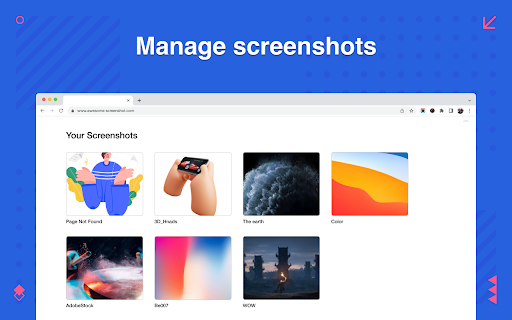
Screenshots

Scrolling screenshot tool & screen capture screenshot

Links

Recommended Chrome extensions

Related listings from the same category, trending peers, and the same publisher portfolio.

Browse workflow
Awesome Screen Recorder & Screenshot icon

Awesome Screen Recorder & Screenshot

Screen Recorder

The best screen recorder and screen capture & screenshot tool to record screen.

Installs

3.0M+

Rating

4.7

Web Threat Shield icon

Web Threat Shield

Webroot

Keeps you safe when browsing the web by identifying and blocking dangerous websites.

Installs

3.0M+

Rating

2.5

Free Download Manager icon

Free Download Manager

Free Download Manager.ORG

Free Download Manager integration with browser

Installs

3.0M+

Rating

4.2

TeraBox Download Assistant icon

TeraBox Download Assistant

terabox-developers

Supports screenshots, uploads, and other TeraBox features

Installs

3.0M+

Rating

2.3

夸克网盘-网页嗅探 icon

夸克网盘-网页嗅探

广州市动悦信息技术有限公司

识别到网页资源时,可一键存夸克网盘

Installs

3.0M+

Rating

1.7

AI Grammar Checker & Paraphraser – LanguageTool icon

AI Grammar Checker & Paraphraser – LanguageTool

lt-extension-publisher

Instantly Enhance Your Texts with LanguageTool’s Grammar Checker and Paraphrasing Tool

Installs

2.0M+

Rating

4.7

Sound Booster - increase volume up icon

Sound Booster - increase volume up

Sound-ultimate.com

Volume Booster helps boost sound video or music on any tab! Increase volume and bass booster, equalizer. Volume control.

Installs

2.0M+

Rating

4.5

Momentum icon

Momentum

Momentum

Transform your browser into a beautifully designed tab that helps you feel calm, keep focus, and stay energized.

Installs

2.0M+

Rating

4.5

Pop up blocker for Chrome™ - Poper Blocker icon

Pop up blocker for Chrome™ - Poper Blocker

dingosolutions

Block popups, ads, cookie requests, trackers, notifications, ads on social media & more. A clean browsing experience starts today.

Installs

2.0M+

Rating

4.8

Evernote Web Clipper icon

Evernote Web Clipper

Evernote

Use the Evernote extension to save things you see on the web into your Evernote account.

Installs

2.0M+

Rating

4.7