ScrnCap – Screenshot & Full Page Capture icon

ScrnCap Chrome Extension Analysis

Automation & Workflow Efficiency

Store listing title: ScrnCap – Screenshot & Full Page Capture

Chrome extension ID: mheihdpifmpajkhidbfcccmfihljjpgd

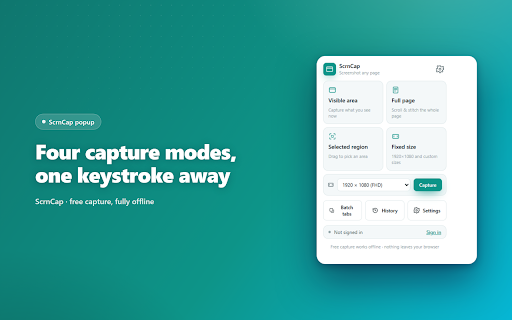
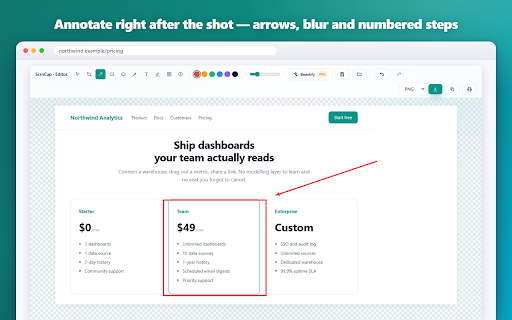
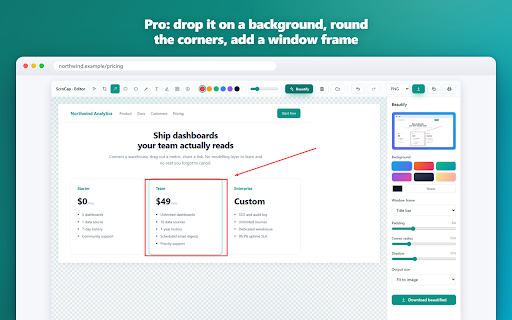
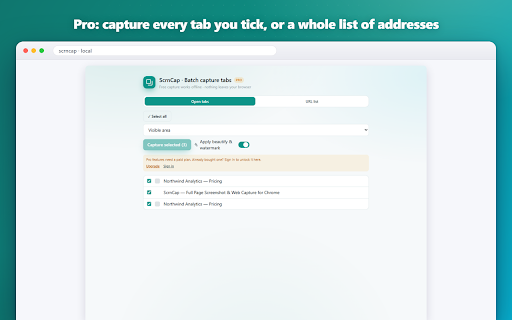
This extension provides four capture modes including full-page scrolling and custom regions, combined with a built-in image editor for annotations. It supports multiple file formats, batch processing for tabs, and direct integration with AI chatbots via the clipboard.

Developer:XEVIORA
Version:0.1.1
Size:863KiB
Last updated:

Overview

Installs

11

Rating

0 reviews

Languages

27 locales

Includes Deutsch, English, Indonesia, Nederlands...

Market analysis

Review-backed positioning, friction, and market signals for this Chrome extension.

No review samples found

Macro category

Automation & Workflow Efficiency

Pricing friction

Low review signal

Complaint intensity

Low review signal

Listing & review signals
Observed signals from store listing text and review samples.

Listing positioning

ScrnCap positions itself as an all-in-one, privacy-focused browser utility for capturing, annotating, and exporting web pages. It emphasizes offline functionality and data privacy by explicitly stating that no accounts or external servers are required.

Inferred product pattern

A privacy-first, offline-only utility that relies on browser-native APIs to avoid backend infrastructure costs.

Review-backed pain points

Review-backed data is not available.

Observed feature gaps

No feature gaps identified from store listing data.

Tags
Screenshot ToolScreen CaptureAnnotation ToolProductivityOffline Utility
Target users

- Designers

- QA Engineers

- Support Agents

- Marketers

- Researchers

Primary use cases

- Full page web capture

- Image annotation and redaction

- Batch screenshotting of multiple tabs

- Preparing screenshots for technical documentation or bug reports

Positive themes

No positive theme data.

Negative themes

No negative theme data.

Observed friction

- None observed; the extension is presented as a free, offline tool.

Evidence boundary: Data is derived from the Chrome Web Store listing details, including feature lists, developer claims, and technical specifications provided by the publisher. Review-backed data is not available to confirm real-world performance, bugs, or user satisfaction levels.
Complaint summaries
Review-backed complaint signals grouped by operational area.

Support

Review-backed data is not available.

Reliability

Review-backed data is not available.

Privacy

Review-backed data is not available.

Access & pricing

- Free usage observed

- No account requirement observed

- Free plan or free usage claimed

Store listing facts

Listing assets

- Screenshots: 3

- Videos: 0

- Languages: 27

Trust signals

- Privacy policy

- Developer contact

- Official website

Store metadata

- Version: 0.1.1

- Size: 863KiB

- Last updated:

Listing SEO keywords

Search intent keywords
Keyword signals for evaluating how users may discover, compare, or search for this extension category.

Core discovery

full page screenshot extensionchrome screenshot toolweb page annotation tooloffline screen capture chrome

Comparison

ScrnCap vs GoFullPageScrnCap vs Awesome Screenshot

Problem

crop screenshots manuallyslow screenshot workflowprivacy concerns in browser extensions

Alternative

best free screenshot chrome extensionopen source screen capture

Similar extensions

Jump to related discovery paths:

Screenshots

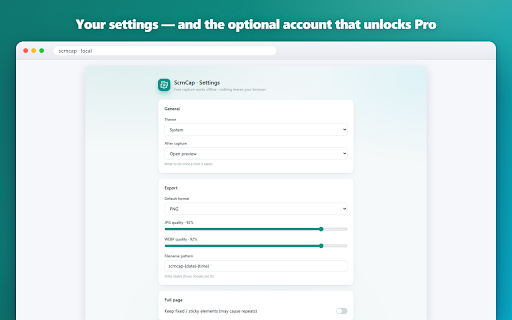
ScrnCap – Screenshot & Full Page Capture screenshot

Links

Recommended Chrome extensions

Related listings from the same category, trending peers, and the same publisher portfolio.

Browse tools