Hotshot icon

Hotshot Chrome Extension Analysis

Automation & Workflow Efficiency

Chrome extension ID: mildajdhebgolpllmcbfmnbffkdiibng

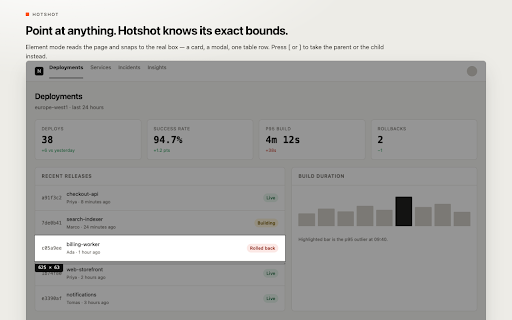
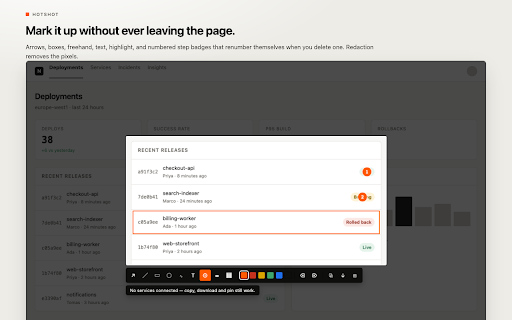
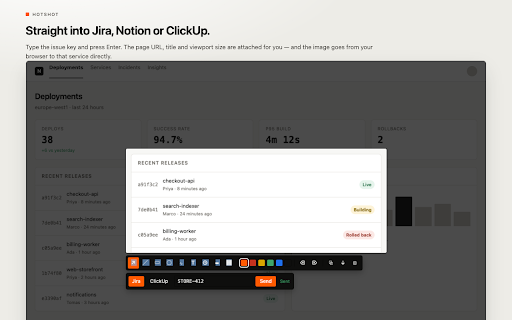
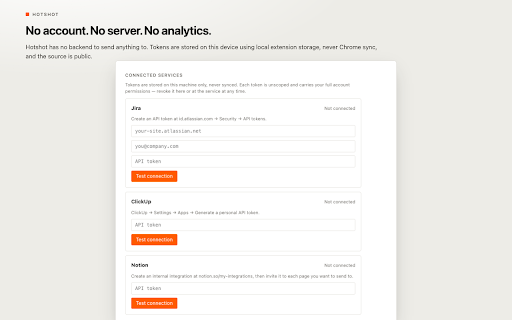
A Chrome extension for capturing precise regions, individual HTML elements, or full scrolling pages. It provides local markup tools, redaction, and the ability to send captures to project management tools like Jira, Notion, and ClickUp via API tokens.

Developer:Sharaj
Version:1.2
Size:124KiB
Last updated:

Overview

Installs

2

Rating

★ —

0 reviews

Languages

1 locales

Includes English

Market analysis

Review-backed positioning, friction, and market signals for this Chrome extension.

No review samples found

Macro category

Automation & Workflow Efficiency

Pricing friction

Low review signal

Complaint intensity

Low review signal

Listing & review signals
Observed signals from store listing text and review samples.

Listing positioning

Hotshot positions itself as a high-precision screenshot tool that prioritizes user privacy. It emphasizes the ability to capture specific page elements exactly and ensures that all data remains on the user's local machine.

Inferred product pattern

Privacy-centric local utility for high-precision web capture and annotation.

Review-backed pain points

Review-backed data is not available.

Observed feature gaps

Lacks cloud-based image hosting, public sharing links, and team collaboration workspaces by design.

Tags
Screenshot ToolWeb CaptureMarkup EditorPrivacy FocusedProductivity Tool
Target users

- QA Engineers

- Web Designers

- Product Managers

- Technical Writers

Primary use cases

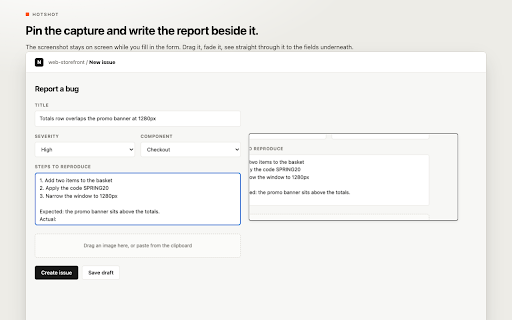
- Bug reporting with precise element captures

- UI/UX design documentation

- Creating tutorials with numbered step badges

- Capturing private data with permanent redaction

Positive themes

No positive theme data.

Negative themes

No negative theme data.

Observed friction

- No pricing information is provided in the listing.

Evidence boundary: Analysis based solely on the Chrome Web Store listing description. No user reviews are available to validate real-world performance or user satisfaction.
Complaint summaries
Review-backed complaint signals grouped by operational area.

Support

Review-backed data is not available.

Reliability

Review-backed data is not available.

Privacy

Review-backed data is not available.

Access & pricing

- No clear monetization signal

- No account requirement observed

- No clear pricing signal

Store listing facts

Listing assets

- Screenshots: 5

- Videos: 0

- Languages: 1

Trust signals

- Privacy policy

- Developer contact

- Official website

Store metadata

- Version: 1.2

- Size: 124KiB

- Last updated:

Listing SEO keywords

Search intent keywords
Keyword signals for evaluating how users may discover, compare, or search for this extension category.

Core discovery

precision screenshot extensionelement capture toolprivate web screenshotterfull page screen capturelocal image annotation

Comparison

Hotshot vs Awesome ScreenshotHotshot vs Nimbusbest private screenshot extension

Problem

how to capture specific web elementscreenshot tool without cloudhow to redact screenshots permanently

Alternative

Hotshot alternativesprivate screenshot toollocal web capture extension

Similar extensions

Jump to related discovery paths:

Screenshots

Hotshot screenshot
Hotshot screenshot
Hotshot screenshot
Hotshot screenshot
Hotshot screenshot

Links

Recommended Chrome extensions

Related listings from the same category, trending peers, and the same publisher portfolio.

Browse tools