VideoSkip icon

VideoSkip Chrome Extension Analysis

Niche Lifestyle & Gaming Hacks

Chrome extension ID: mlmifkfgafheljfcjlgoiggcfjenjeed

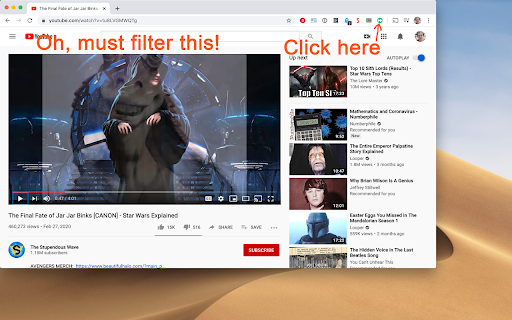
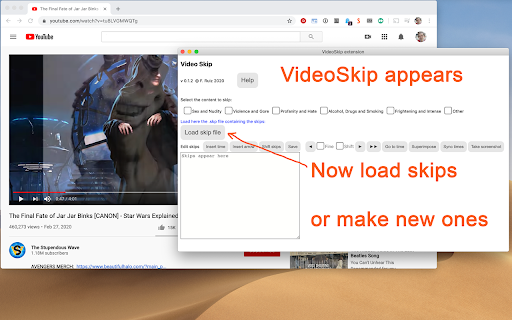
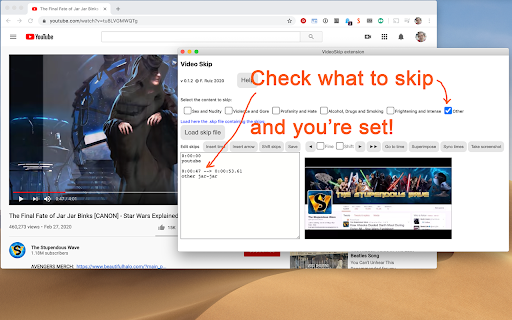
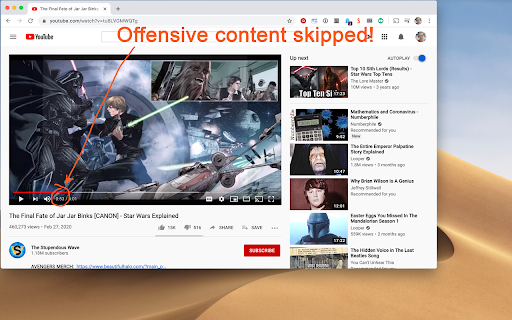
This extension enables users to skip or mute specific timestamps in streaming videos. It features a community-driven 'Exchange' for skip files and allows for manual synchronization and custom filtering strengths.

Developer:Francisco Ruiz
Version:0.6.2
Size:89.03KiB
Last updated:

Overview

Installs

3K+

Rating

4.4

14 reviews

Languages

3 locales

Includes English, español, français

Market analysis

Review-backed positioning, friction, and market signals for this Chrome extension.

Backed by review samples

Macro category

Niche Lifestyle & Gaming Hacks

Pricing friction

Low review signal

Complaint intensity

Low review signal

Listing & review signals
Observed signals from store listing text and review samples.

Listing positioning

VideoSkip positions itself as a tool to filter objectionable content from streaming services using categories similar to IMDb's Parents Guide. It allows users to skip, mute, or blank specific video segments to customize their viewing experience.

Inferred product pattern

A community-driven content moderation utility for streaming video based on timestamp-driven skip files.

Review-backed pain points

Users report difficulty understanding the setup process and syncing mechanism, often requiring extensive reading of documentation to operate effectively.

Observed feature gaps

Limited support for some embedded videos and specific streaming platforms like Disney+.

Tags
Video SkipperContent FilterStreaming UtilityFamily Safety
Target users

- Parents

- Content-sensitive viewers

- Streaming media consumers

Primary use cases

- Filtering objectionable content in movies and shows

- Customizing video playback for children

- Skipping specific scenes in streaming services

Positive themes

- High level of customization for content filtering

- Availability of community-made skip files

- Effective performance on major platforms like YouTube and Amazon

Negative themes

- Steep learning curve and confusing user interface

- Inconsistent compatibility with certain platforms like Disney+

Observed friction

- No pricing friction observed; users explicitly mention the tool is completely free.

Evidence boundary: Data extracted from the Chrome Web Store listing and 14 user reviews. The review sample size is small, which may not represent the total user sentiment.
Complaint summaries
Review-backed complaint signals grouped by operational area.

Support

No direct support complaints, though users expressed frustration with the product's complexity and the need for heavy documentation.

Reliability

Users noted the extension does not work on all embedded videos and has issues with specific services like Disney+.

Privacy

No privacy complaints observed.

Access & pricing

- Free usage observed

- Login needed for core features

- Free plan or free usage claimed

Store listing facts

Listing assets

- Screenshots: 4

- Videos: 0

- Languages: 3

Trust signals

- Privacy policy

- Developer contact

Store metadata

- Version: 0.6.2

- Size: 89.03KiB

- Last updated:

Listing SEO keywords

Search intent keywords
Keyword signals for evaluating how users may discover, compare, or search for this extension category.

Core discovery

skip movie scenesfilter video contentstreaming content filterskip objectionable scenesvideo scene skipper

Comparison

IMDb Parents Guidecontent moderation tools

Problem

inappropriate video contentskip bad scenes in moviesmute objectionable video

Alternative

video content filterstreaming scene skipper

Similar extensions

Jump to related discovery paths:

Screenshots

VideoSkip screenshot

Links

Recommended Chrome extensions

Related listings from the same category, trending peers, and the same publisher portfolio.

Browse entertainment