
xFanatical Safe Doc Chrome Extension Analysis
Automation & Workflow EfficiencyChrome extension ID: mmhppocgfdombmapajfeafhecobfcjpk
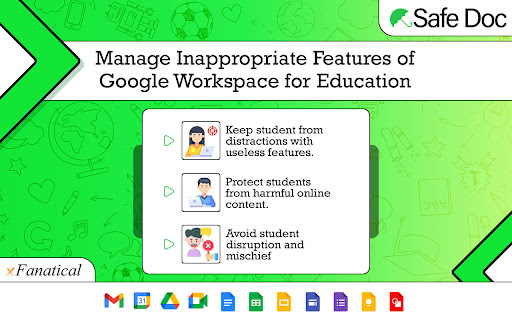
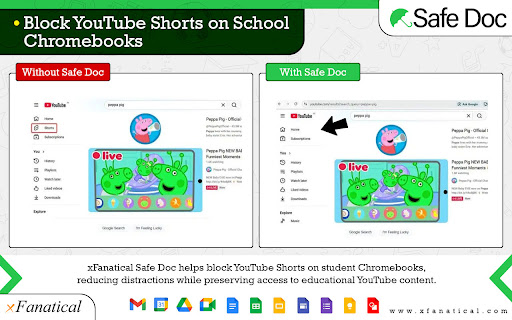
xFanatical Safe Doc is a Chrome extension designed to provide granular control over Google Workspace for Education features. It allows administrators to block specific functionalities within Google Docs, Sheets, Slides, Classroom, Meet, and Search to ensure a safe and focused learning environment for students. The extension can be configured for different age groups and supports managed environments.
Overview
Installs
1.0M+
Rating
★ 1.4
38 reviews
Languages
1 locales
Includes English (United States)
Market analysis
Review-backed positioning, friction, and market signals for this Chrome extension.
Macro category
Automation & Workflow Efficiency
Pricing friction
Moderate review signal
Complaint intensity
High review signal
Listing positioning
xFanatical Safe Doc is positioned as a solution for schools managing Google Workspace for Education. It aims to enhance student safety by blocking inappropriate content and preventing misuse of features within Docs, Sheets, Slides, Classroom, and Search. The listing emphasizes its ability to simplify feature management for administrators.
Inferred product pattern
A Chrome extension that aims to enforce acceptable use policies within Google Workspace for Education by blocking specific features and content. It targets educational institutions with a freemium model, offering basic free use for individual accounts and paid licenses for organizational deployments.
Review-backed pain points
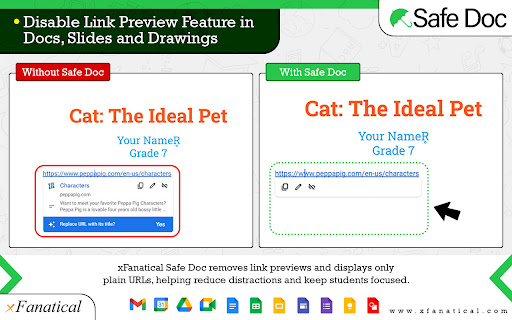
Users report that the extension is unreliable and can be easily bypassed, with features like grammar checking and emoji blocking still functional. The blocking of features like Google Images and link previews is cited as hindering student productivity and making assignments more difficult. Some reviews also make severe, unsubstantiated claims of the extension causing financial loss, device bricking, and data theft.
Observed feature gaps
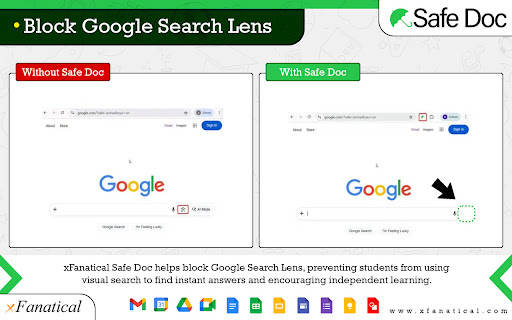
Despite the listing's claims, multiple reviews indicate that the extension's core blocking features (e.g., image search, emojis, dictionary, copy/paste functionality) are easily bypassed or do not work as intended, suggesting a gap between advertised functionality and actual performance.
- School Administrators
- IT Managers in Education
- Teachers using Google Workspace for Education
- Blocking inappropriate content and features in Google Workspace
- Managing student access to specific tools within Docs, Sheets, Slides, and Classroom
- Enhancing student privacy and online safety
- Preventing disruption in virtual classrooms
No positive theme data.
- Extension is easily bypassed and unreliable in blocking features
- Features that are blocked negatively impact student productivity and learning
- Concerns about the extension being intrusive and a form of surveillance
- Accusations of the extension causing data loss, device issues, and financial problems for schools
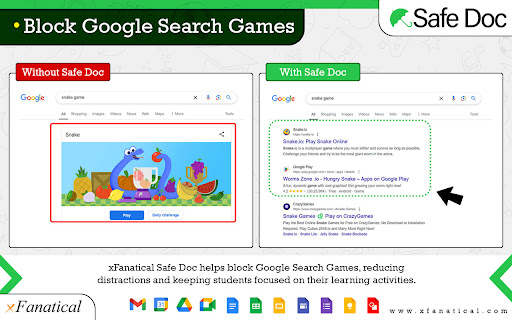
- Users report that features like blocking games, images, or emojis do not work as intended
- Payment required for meaningful usage
- Performance complaints detected
- Privacy complaints detected
- The extension is free for individual @gmail accounts. However, school-wide usage requires a paid license, with pricing starting at $899/year for a single student domain with unlimited users. A 30-day trial is available.
Support
No specific support complaints were identified in the provided reviews. Support channels include self-service documentation, email, and a Google Group community.
Reliability
Multiple reviews state the extension is unreliable and features are easily bypassed. Specific examples include continued access to grammar check, emojis, and other Google Docs/Sheets features that are supposed to be blocked. One review explicitly states the application 'doesn't even work'.
Privacy
Some reviews express concern about the extension's invasive nature, describing it as a 'surveillance nightmare' and questioning the extent of monitoring. One highly critical review makes unsubstantiated accusations of data theft and changes to search history, labeling the extension as malware.
- Free entry with paid features
- No clear access signal
- Limited free usage observed
Store listing facts
- Screenshots: 5
- Videos: 1
- Languages: 1
- Privacy policy
- Developer contact
- Official website
- Support link
- Version: 1.64.6
- Size: 758KiB
- Last updated:
Listing SEO keywords
Core discovery
Comparison
Problem
Alternative
Similar extensions
Jump to related discovery paths:
Screenshots
Links
Website: xfanatical.com
Privacy policy: https://xfanatical.com/privacy-policy/
Support links: https://xfanatical.com/product/safe-doc/support
Videos: Watch