Allow Copy - Select & Enable Right Click icon

Allow Copy Chrome Extension Analysis

Automation & Workflow Efficiency

Store listing title: Allow Copy - Select & Enable Right Click

Chrome extension ID: mmpljcghnbpkokhbkmfdmoagllopfmlm

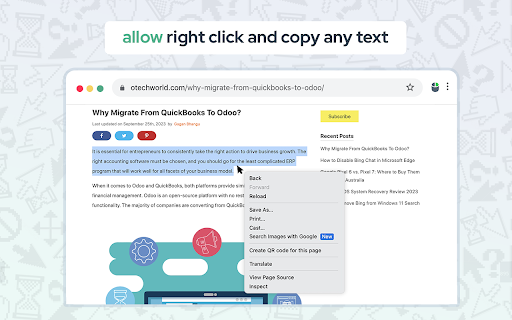
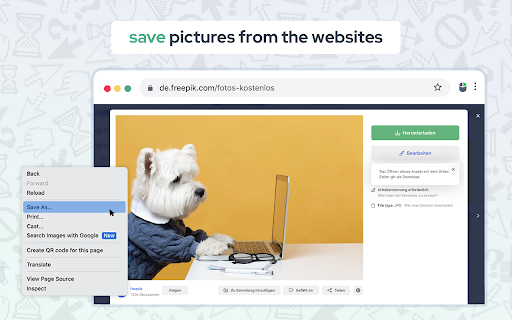
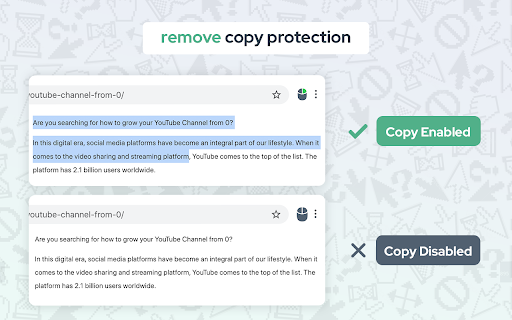
This extension is designed to bypass website restrictions on text selection, context menus, and right-click functionality. It aims to provide users with full control over content interaction on protected web pages.

Developer:EnableCopy
Version:1.1.11
Size:244KiB
Last updated:

Overview

Installs

200K+

Rating

4.4

556 reviews

Languages

31 locales

Includes Deutsch, English, English (United States), Filipino...

Market analysis

Review-backed positioning, friction, and market signals for this Chrome extension.

Backed by review samples

Macro category

Automation & Workflow Efficiency

Pricing friction

Low review signal

Complaint intensity

High review signal

Listing & review signals
Observed signals from store listing text and review samples.

Listing positioning

The product positions itself as an advanced remedy for websites that restrict user interaction through technical blocks. It claims to use unique technology to enable right-clicking, text selection, and copying while minimizing disruption to standard website functions.

Inferred product pattern

A DOM-manipulation utility that overrides website-level event listeners to restore restricted interactions.

Review-backed pain points

Users report significant side effects, including the loss of left-click functionality, broken form submissions (Enter key), and interference with site-specific controls like YouTube's spacebar and time bar.

Observed feature gaps

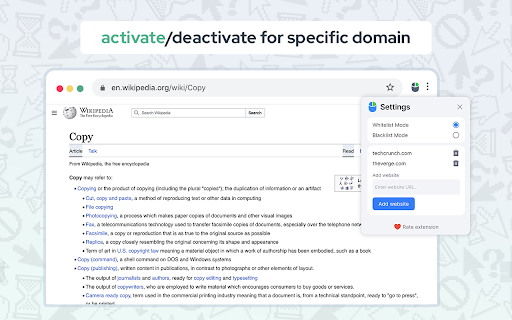
Users expressed a need for the ability to toggle off specific unintended behaviors, such as the modification of the Enter key in forms.

Tags
Right Click EnablerCopy UnblockerContext Menu Unlocker
Target users

- Researchers

- Content Aggregators

- General Web Users

Primary use cases

- Bypassing copy protection

- Enabling right-click on restricted sites

- Restoring text selection capabilities

Positive themes

- Review-backed positive themes are not available in the provided sample.

Negative themes

- Interference with standard website functionality

- Complex user interface/setup friction

- Broken keyboard input behavior

Observed friction

- Performance complaints detected

- No pricing friction observed; the listing claims the extension is free to use.

Evidence boundary: Data extracted from the Chrome Web Store listing and a collection of user reviews covering various languages. The provided review sample is heavily weighted toward low-rating feedback, which may not reflect the experience of the total user base.
Complaint summaries
Review-backed complaint signals grouped by operational area.

Support

No support-related complaints were identified in the provided reviews.

Reliability

Frequent reports of the extension breaking essential website features, including mouse clicks, keyboard inputs, and media controls.

Privacy

No privacy or security complaints were found in the review samples.

Access & pricing

- Free usage observed

- No account requirement observed

- Free plan or free usage claimed

Store listing facts

Listing assets

- Screenshots: 4

- Videos: 0

- Languages: 31

Trust signals

- Privacy policy

- Developer contact

- Official website

Store metadata

- Version: 1.1.11

- Size: 244KiB

- Last updated:

Listing SEO keywords

Search intent keywords
Keyword signals for evaluating how users may discover, compare, or search for this extension category.

Core discovery

enable right clickunblock copy pasteallow text selectionenable context menu

Comparison

right click enablercopy protection bypass

Problem

cannot copy textright click disabledwebsite prevents selection

Alternative

unblock selectionenable context menu

Similar extensions

Jump to related discovery paths:

Screenshots

Allow Copy - Select & Enable Right Click screenshot

Links

Recommended Chrome extensions

Related listings from the same category, trending peers, and the same publisher portfolio.

Browse workflow