Salesforce Mass Editor icon

Salesforce Mass Editor Chrome Extension Analysis

Automation & Workflow Efficiency

Chrome extension ID: mnmlmkmjjhpbfemhmhpcpfkdlgadbigf

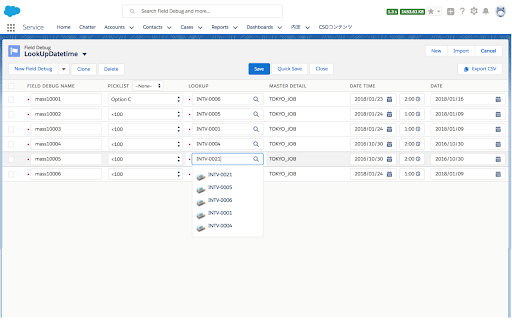
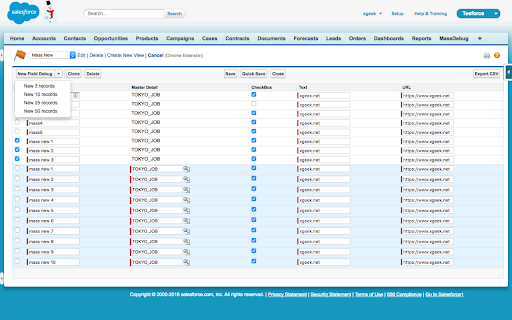
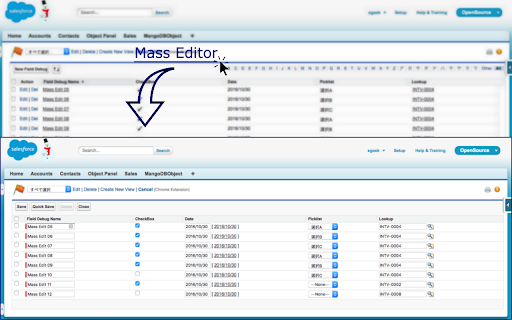
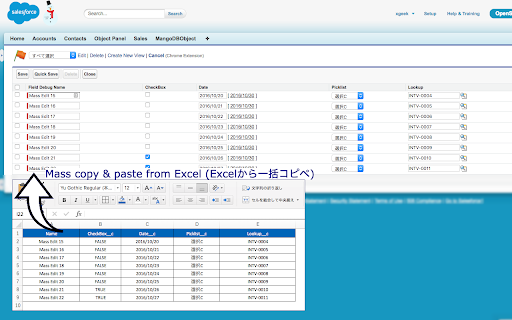
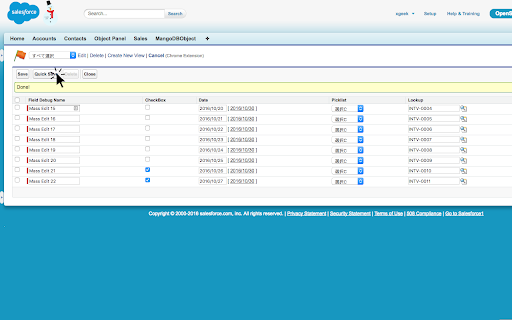
Salesforce Mass Editor allows users to perform bulk actions such as create, update, clone, and delete records directly within Salesforce list views. It is designed to function like a spreadsheet, enabling rapid data manipulation that otherwise requires manual record-by-record entry.

Developer:xgeek.net
Version:3.3.0
Size:289KiB
Last updated:

Overview

Installs

5K+

Rating

★ 4.1

26 reviews

Languages

1 locales

Includes English

Market analysis

Review-backed positioning, friction, and market signals for this Chrome extension.

Backed by review samples

Macro category

Automation & Workflow Efficiency

Pricing friction

Low review signal

Complaint intensity

Moderate review signal

Listing & review signals
Observed signals from store listing text and review samples.

Listing positioning

The store listing positions this tool as a legacy utility for mass data operations within Salesforce Classic and Lightning. It currently directs users to transition to the developer's new 'AI Work for Salesforce' product, framing it as the modern evolution of the original Mass Editor tool.

Inferred product pattern

A legacy workflow utility transitioning its user base to a newer AI-focused SaaS product by the same vendor.

Review-backed pain points

Users struggle with intermittent loading issues, lack of full compatibility with Lightning interface features, and occasional data loss when required fields (like record types) are not explicitly handled.

Observed feature gaps

Reviewers note difficulty with Salesforce dependent fields and inconsistency when operating within the Lightning environment compared to the original Classic experience.

Tags
SalesforceData ManagementMass EditProductivity
Target users

- Salesforce Administrators

- Sales Ops Professionals

Primary use cases

- Bulk editing Salesforce records

- Copying and pasting data from Excel into Salesforce

- Exporting list views

Positive themes

- High utility for bulk record updates

- Spreadsheet-like interface efficiency

- Reduces manual data entry burden

Negative themes

- Performance issues in Salesforce Lightning

- Unreliability with complex or dependent fields

- Loading failures

- Introduction of ads

Observed friction

- Performance complaints detected

- Users expressed mild frustration regarding the introduction of ads in the extension.

Evidence boundary: Extracted from Chrome Web Store listing, developer transition notices, and user reviews ranging from 2017 to 2024. Review data spans several years and captures different states of the extension's lifecycle, which may not reflect the current version's specific performance.
Complaint summaries
Review-backed complaint signals grouped by operational area.

Support

Historical reviews mentioned positive experiences with support responsiveness, though more recent reviews report performance degradation.

Reliability

Multiple reports indicate the extension fails to load or function correctly within Salesforce Lightning, leading to user abandonment.

Privacy

No specific privacy or security complaints found.

Access & pricing

- Free entry with paid features

- No account requirement observed

- Free plan or free usage claimed

Store listing facts

Listing assets

- Screenshots: 5

- Videos: 0

- Languages: 1

Trust signals

- Privacy policy

- Developer contact

- Official website

- Support link

Store metadata

- Version: 3.3.0

- Size: 289KiB

- Last updated:

Listing SEO keywords

Search intent keywords
Keyword signals for evaluating how users may discover, compare, or search for this extension category.

Core discovery

Salesforce mass updateSalesforce list view editorSalesforce bulk edit extension

Comparison

Gridbuddy alternativeSalesforce bulk data tool

Problem

Salesforce manual entryslow Salesforce data entry

Alternative

Salesforce data loaderSalesforce mass delete

Similar extensions

Jump to related discovery paths:

Screenshots

Salesforce Mass Editor screenshot

Links

Recommended Chrome extensions

Related listings from the same category, trending peers, and the same publisher portfolio.

Browse workflow