SuperRecord – Screen Recorder with Camera icon

SuperRecord Chrome Extension Analysis

Automation & Workflow Efficiency

Store listing title: SuperRecord – Screen Recorder with Camera

Chrome extension ID: nbgmlhmkkcheolldenkdkcokehhjfkco

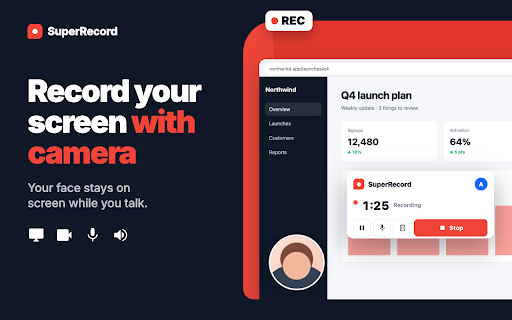
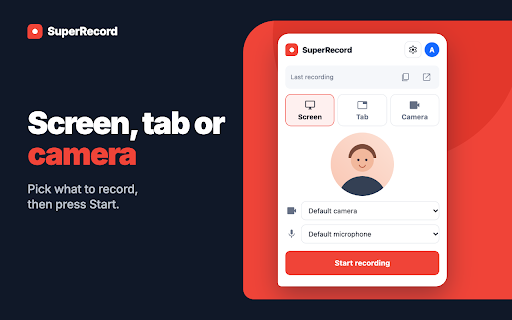
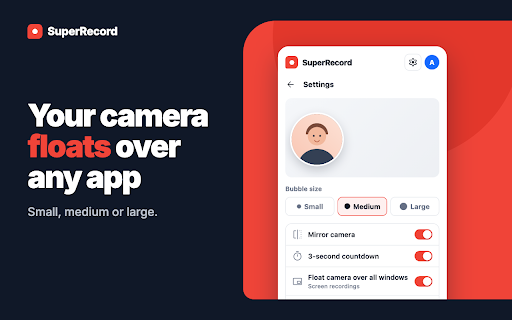
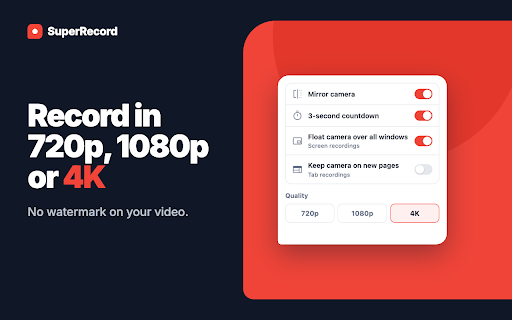
A Chrome extension for capturing screen, tab, or camera video with audio. It offers local storage for recordings and a cloud-based sharing system for signed-in users, supporting quality up to 4K.

Developer:VerbLike
Version:1.0.0
Size:176KiB
Last updated:

Overview

Installs

0

Rating

★ —

0 reviews

Languages

55 locales

Includes Deutsch, English, English (Australia), English (United Kingdom)...

Market analysis

Review-backed positioning, friction, and market signals for this Chrome extension.

Backed by review samples

Macro category

Automation & Workflow Efficiency

Pricing friction

Low review signal

Complaint intensity

Low review signal

Listing & review signals
Observed signals from store listing text and review samples.

Listing positioning

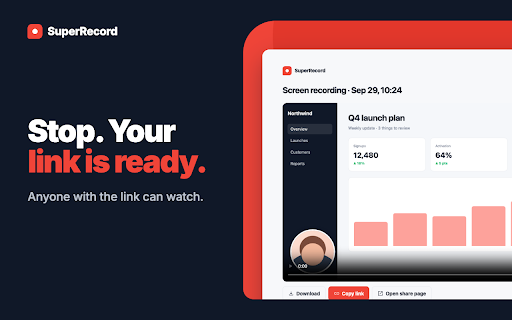
Positioned as a fast, watermark-free screen recording tool that allows users to record their screen, tab, or camera. It emphasizes the ability to generate instant shareable links to replace meetings and streamline communication for teams and creators.

Inferred product pattern

Async video communication tool focusing on low-friction capture and rapid link distribution.

Review-backed pain points

No negative reviews provided; the available sample is positive.

Observed feature gaps

The free plan restricts videos to 5 minutes and a limit of 25 saved videos, which may be restrictive for long-form content.

Tags
Screen RecorderVideo CaptureCamera BubbleQuick SharingTutorial Tool
Target users

- Remote Teams

- QA & Support Engineers

- Teachers

- Content Creators

Primary use cases

- Sending quick video updates

- Explaining bugs with screen and voice

- Recording short walkthroughs

- Creating tutorials

Positive themes

- Ease of use

- Smooth performance

- Hassle-free setup

Negative themes

- Review-backed data is not available

Observed friction

- Free plan is limited to 5-minute recordings and 25 saved videos.

Evidence boundary: Data extracted from the Chrome Web Store listing and one high-rating user review. Very limited review sample size (1 review), which prevents the identification of common user pain points or reliability trends.
Complaint summaries
Review-backed complaint signals grouped by operational area.

Support

Review-backed data is not available.

Reliability

Review-backed data is not available.

Privacy

Review-backed data is not available.

Access & pricing

- Free entry with paid features

- Login needed for core features

- Limited free usage observed

Store listing facts

Listing assets

- Screenshots: 5

- Videos: 0

- Languages: 55

Trust signals

- Privacy policy

- Developer contact

- Official website

Store metadata

- Version: 1.0.0

- Size: 176KiB

- Last updated:

Listing SEO keywords

Search intent keywords
Keyword signals for evaluating how users may discover, compare, or search for this extension category.

Core discovery

chrome screen recorderscreen recorder with camerano watermark screen recorderrecord browser tab

Comparison

Loom alternativescreen recorder with bubblebest chrome screen recorder

Problem

how to record screen with camerashare screen recording quicklyrecord tab with audio

Alternative

SuperRecord alternativefree screen recorder extension

Similar extensions

Jump to related discovery paths:

Screenshots

SuperRecord – Screen Recorder with Camera screenshot

Links

Recommended Chrome extensions

Related listings from the same category, trending peers, and the same publisher portfolio.

Browse workflow