Chromoji - Emojis for Google Chrome icon

Chromoji Chrome Extension Analysis

Niche Lifestyle & Gaming Hacks

Store listing title: Chromoji - Emojis for Google Chrome

Chrome extension ID: negakbijaemdgbhklopmghphgaeadmpo

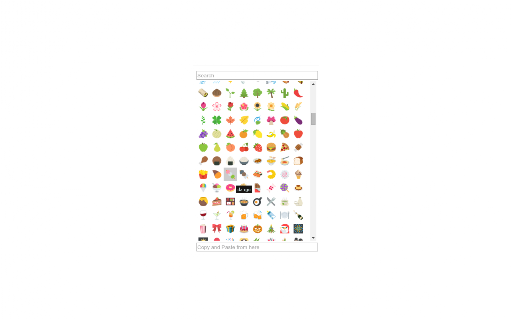
Chromoji is a Chrome extension designed to override or supplement the default system emojis with custom visual styles. It provides an interface to insert emojis into web forms and posts across different websites.

Developer:ahmedsohag3283
Version:1.1.0
Size:26.12MiB
Last updated:

Overview

Installs

10K+

Rating

3.8

152 reviews

Languages

1 locales

Includes English

Market analysis

Review-backed positioning, friction, and market signals for this Chrome extension.

Backed by review samples

Macro category

Niche Lifestyle & Gaming Hacks

Pricing friction

Low review signal

Complaint intensity

Moderate review signal

Listing & review signals
Observed signals from store listing text and review samples.

Listing positioning

Chromoji positions itself as a browser-level utility that enables users to view and use various emoji sets, such as Twitter, EmojiOne, Apple, and Google, directly within their browser. The extension aims to enhance the native emoji experience on web platforms like Facebook and Twitter.

Inferred product pattern

Legacy browser extension suffering from technical debt and performance issues due to lack of updates.

Review-backed pain points

Users frequently report severe performance issues including high CPU consumption, stuttering animations, and slow page loading. Significant visual bugs exist, such as the extension's emojis clashing with native OS/browser emojis and interfering with website metadata (e.g., YouTube titles/descriptions).

Observed feature gaps

Lack of updates to handle modern browser emoji rendering, failure to properly replace native system emojis, and compatibility issues with dynamic web content.

Tags
EmojisBrowser CustomizationTypography
Target users

- Social media users

- Gamers

- Content creators

Primary use cases

- Inserting custom emojis into social media posts

- Viewing alternative emoji sets on websites

Positive themes

- Initial promise of visual customization

- Successful emoji rendering in specific gaming environments

Negative themes

- High CPU usage and performance degradation

- Visual overlapping with native system emojis

- Website layout glitches and crashing

- Inaccurate text rendering on YouTube

Observed friction

- Performance complaints detected

- No pricing friction reported; extension appears to be free.

Evidence boundary: Evidence based on a collection of user reviews spanning several years, consistently highlighting stability, performance, and UI-clash issues. Review data spans a long period (2016-2026), suggesting the extension may have been abandoned or rarely updated during critical periods.
Complaint summaries
Review-backed complaint signals grouped by operational area.

Support

Users note a lack of updates to fix long-standing bugs and compatibility issues.

Reliability

High; users report crashes, page display glitches, and heavy CPU usage.

Privacy

None reported.

Access & pricing

- Free usage observed

- No account requirement observed

- Free plan or free usage claimed

Store listing facts

Listing assets

- Screenshots: 2

- Videos: 0

- Languages: 1

Trust signals

- Privacy policy

- Developer contact

Store metadata

- Version: 1.1.0

- Size: 26.12MiB

- Last updated:

Listing SEO keywords

Search intent keywords
Keyword signals for evaluating how users may discover, compare, or search for this extension category.

Core discovery

Chrome emoji extensionCustom emojis for browserReplace default emojis chrome

Comparison

Twemoji for Chrome alternative

Problem

extension causing high cpuemoji overlay bugchrome extension crashing browser

Alternative

best emoji chrome extensions

Similar extensions

Jump to related discovery paths:

Screenshots

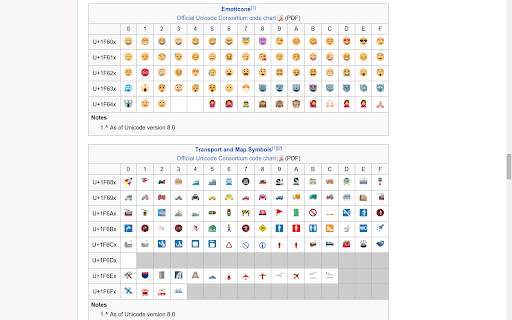
Chromoji - Emojis for Google Chrome screenshot

Links

Recommended Chrome extensions

Related listings from the same category, trending peers, and the same publisher portfolio.

Browse social