blurweb.app Chrome Extension Analysis
Privacy, Security & Ad BlockersChrome extension ID: oeingmcibfkfneecplcppjhcekgedmco
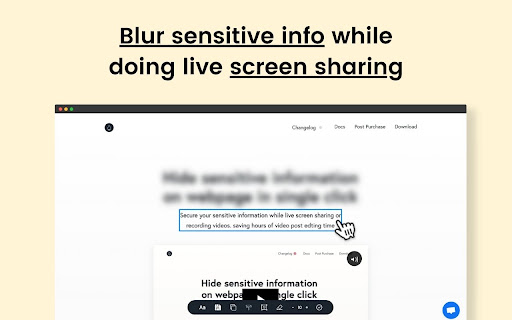
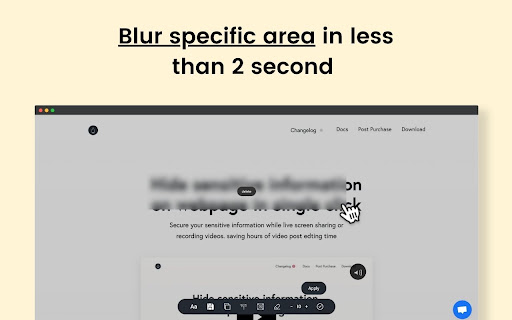
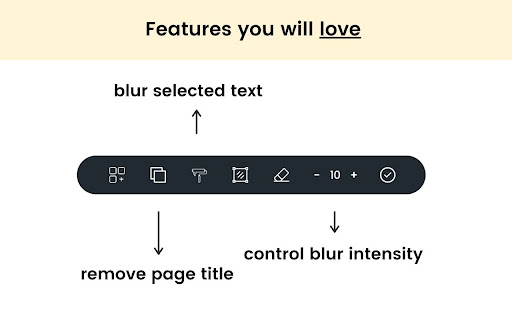
An extension that allows users to instantly blur out specific web elements such as text, paragraphs, input fields, or images with a single click. It features an area-blur tool and a persistence feature that keeps selected elements blurred even after reloading the page.
Overview
Installs
10K+
Rating
★ 4.3
119 reviews
Languages
1 locales
Includes English
Market analysis
Review-backed positioning, friction, and market signals for this Chrome extension.
Macro category
Privacy, Security & Ad Blockers
Pricing friction
Moderate review signal
Complaint intensity
High review signal
Listing positioning
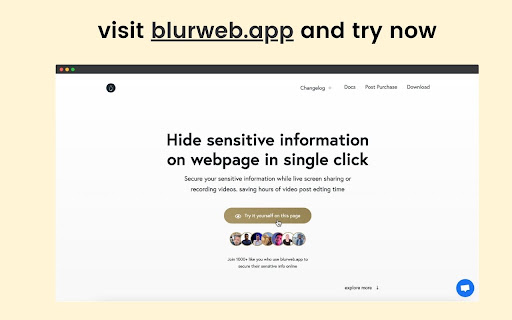
The store listing positions blurweb.app as an instant privacy solution for protecting sensitive web data during screen sharing, video recording, or presentations. It emphasizes a fast, one-click mechanism that eliminates the need for post-production video editing. The tool is marketed towards creators, educators, and business professionals who frequently share screens.
Inferred product pattern
A premium utility extension that injects blur styling overlays onto user-selected HTML elements, locked behind an external license verification gate.
Review-backed pain points
The most severe pain points are transaction-related, with multiple customers reporting that they purchased licenses (directly or via AppSumo) but never received activation keys, accompanied by a complete lack of response from support channels. Others note immediate technical failure where entering the license code does nothing.
Observed feature gaps
Based on reviews, there is a clear operational gap in the automated license delivery and validation system, alongside limited compatibility warnings for certain websites that fail to register the blur actions.
- Content creators
- SaaS and customer support professionals
- Teachers and educators
- Agency owners
- Remote workers
- Hiding customer or personal data during video tutorial production
- Protecting sensitive company information during live webinars or presentations
- Obscuring private credentials or chats while live streaming
- Drastic reduction in post-production video editing times
- Excellent return on investment for professional video creators
- Ease of use for fast, manual blurring on active webpages
- Failure to receive license keys after making payments
- No response from customer support email addresses
- License activation errors and failure of the extension popup to respond
- Payment required for meaningful usage
- Refund complaints detected
- Performance complaints detected
- Users express strong frustration over paying for subscriptions or licenses and receiving no activation codes, causing them to pursue card chargebacks or refunds.
Support
Highly negative feedback regarding customer service, with multiple users noting that emails sent to both support and the developer's direct address went entirely unanswered.
Reliability
Some users report that the extension became completely unusable because entering the activation code in the popup triggered no response or validation errors.
Privacy
No privacy or security concerns were raised in the provided review sample.
- Subscription model observed
- Account required for core usage
- Paid-only usage observed
Store listing facts
- Screenshots: 4
- Videos: 1
- Languages: 1
- Privacy policy
- Developer contact
- Official website
- Version: 1.5.0
- Size: 38.9KiB
- Last updated:
Listing SEO keywords
Core discovery
Comparison
Problem
Alternative
Similar extensions
Jump to related discovery paths:
Screenshots