Philips Device Connector icon

Philips Device Connector Chrome Extension Analysis

Automation & Workflow Efficiency

Chrome extension ID: okdioccnnkeanlegkfgnnboncggagfjh

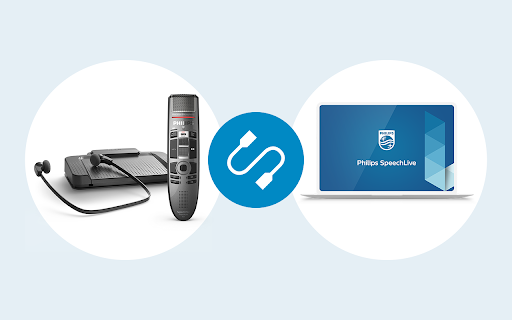
This tool enables communication between browsers and local Philips dictation devices. It requires a separate native host application installed on the host machine to function alongside the Chrome extension.

Version:5.2.8.3
Size:70.47KiB
Last updated:

Overview

Installs

80K+

Rating

★ 2.8

9 reviews

Languages

1 locales

Includes English

Market analysis

Review-backed positioning, friction, and market signals for this Chrome extension.

Backed by review samples

Macro category

Automation & Workflow Efficiency

Pricing friction

Low review signal

Complaint intensity

High review signal

Listing & review signals
Observed signals from store listing text and review samples.

Listing positioning

The extension is positioned as a bridge between web-based dictation platforms like SpeechLive and Philips proprietary hardware. It enables web applications to interface with physical devices such as foot controls and SpeechMikes.

Inferred product pattern

Hardware-to-Web Bridge Middleware

Review-backed pain points

Users report chronic issues with hardware reconnection, forcing them to reinstall the extension or re-authenticate frequently to make the foot pedal active.

Observed feature gaps

Lack of persistent hardware connection stability across browser sessions and OS log-ins.

Tags
DictationWorkflow HardwareSpeechliveFoot PedalHardware Connector
Target users

- Medical transcriptionists

- Legal professionals

- SpeechLive users

- Office administrative staff

Primary use cases

- Connecting foot pedals to web-based dictation software

- Controlling web players and recorders with hardware

- Speech to text workflows via hardware integration

Positive themes

- Enables reliable hardware integration

- Allows hardware operation while the browser is minimized

Negative themes

- Connection instability

- Frequent need to reinstall or reconnect hardware

- Workflow interruption at login

Observed friction

- Performance complaints detected

- No pricing friction reported; the extension appears to be a utility for existing hardware users.

Evidence boundary: The analysis is based on 9 user reviews showing a dichotomy between early positive experiences and recent severe technical complaints regarding connection persistence. Review sample size is small relative to the reported user base, potentially limiting the representative nature of the complaints.
Complaint summaries
Review-backed complaint signals grouped by operational area.

Support

High user frustration regarding technical reliability and the necessity of repetitive setup procedures.

Reliability

Frequent complaints about the product failing to maintain a connection, requiring users to reinstall or re-login to restore hardware functionality.

Privacy

None noted.

Access & pricing

- Free usage observed

- No account requirement observed

- Free plan or free usage claimed

Store listing facts

Listing assets

- Screenshots: 1

- Videos: 1

- Languages: 1

Trust signals

- Privacy policy

- Developer contact

- Support link

Store metadata

- Version: 5.2.8.3

- Size: 70.47KiB

- Last updated:

Listing SEO keywords

Search intent keywords
Keyword signals for evaluating how users may discover, compare, or search for this extension category.

Core discovery

Philips dictation hardware supportChrome extension for Philips foot pedalSpeechLive hardware connectorDictation device browser integration

Comparison

Philips SpeechMike web setupHow to connect foot pedal to browser

Problem

Philips Device Connector not workingfoot pedal not connecting to SpeechLiveextension keeps disconnecting

Alternative

dictation software drivershardware interface software

Similar extensions

Jump to related discovery paths:

Screenshots

Philips Device Connector screenshot

Links

Recommended Chrome extensions

Related listings from the same category, trending peers, and the same publisher portfolio.

Browse workflow